Classes, Locations & Multi-Dimensional Reporting
How to tag transactions with classes and locations so you can report on performance by division, trade, or site — not just company-wide.
A single Profit & Loss tells you how the whole business did. Classes and locations let you ask a more useful question: which part of the business did well?
What classes and locations are
- Class — a category like a division, trade, or service line (e.g. plumbing vs. electrical).
- Location — a physical site, branch, or region.
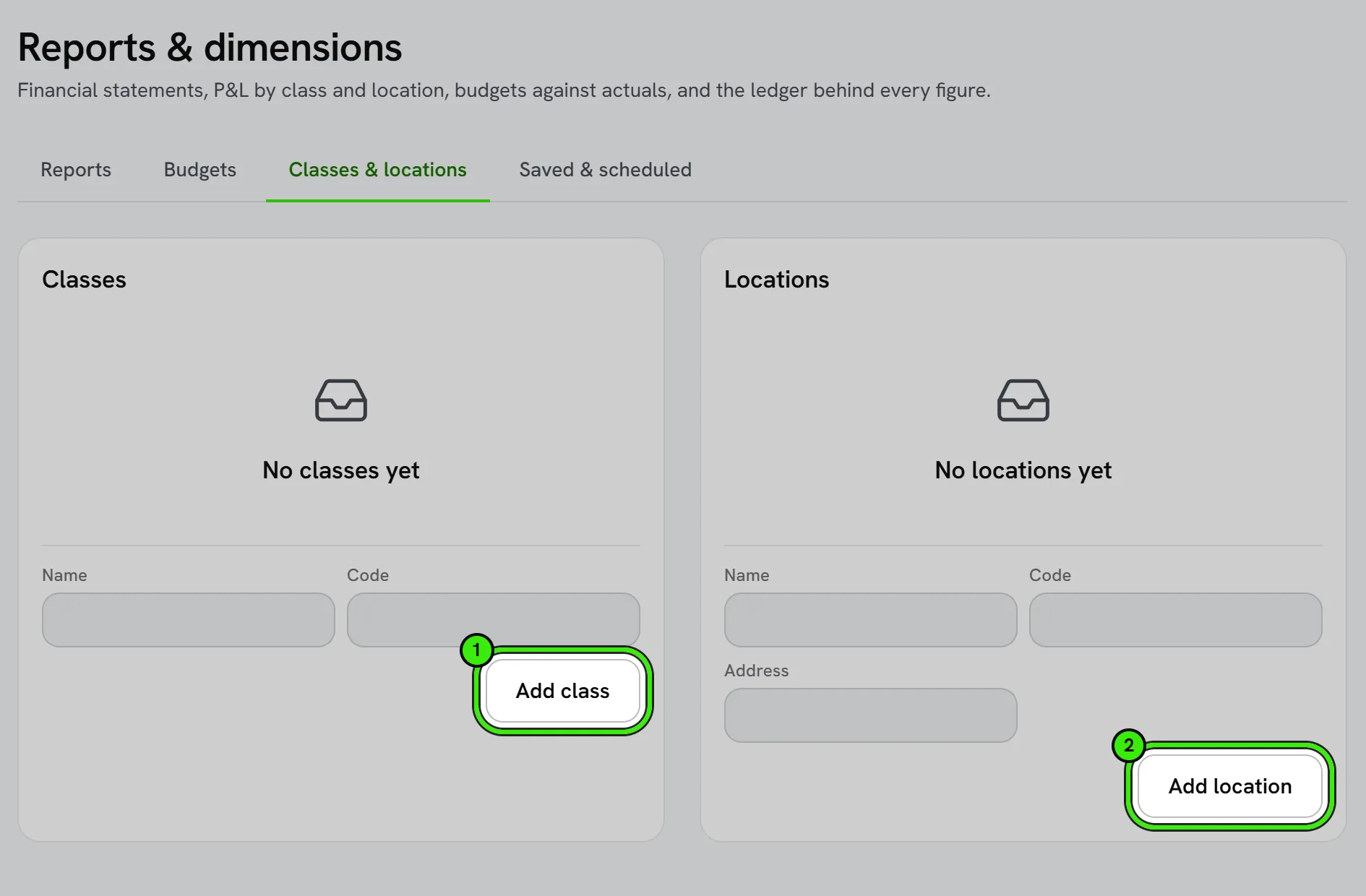
Tagging transactions
Apply a class and/or location when you enter or import a transaction. Once tagging is consistent, every report can be filtered or split by those dimensions without any extra setup per report.
What this unlocks
A Profit & Loss by class shows which service line is actually profitable. A Profit & Loss by location shows which branch is carrying the business. Combined with job costing, this is how a growing operation avoids flying blind as it scales past a single crew or single site.
Getting the setup right
Decide your class and location structure before you have hundreds of transactions to retag — a thoughtful, stable structure at the start saves significant cleanup later. This is an advanced module controlled by a feature flag.
Frequently asked questions
Can a transaction have both a class and a location?
Yes — the two dimensions are independent, so a transaction can be tagged with a trade (class) and a branch (location) at the same time for the most granular reporting.
Is this the same as job costing?
They complement each other — job costing tracks a specific job’s profitability, while classes and locations let you roll up performance across many jobs by category or site.
How many classes or locations can I set up?
There’s no meaningful limit for typical use — most businesses use a handful of classes (their trades or service lines) and a similarly small number of locations.
Related guides
Related features and guides
- Job Costing — Documentation. How to tie income and costs to individual jobs so you can see true profitability by job, customer, or trade.
- Financial Reports — Documentation. The core reports Seayora produces — Profit & Loss, Balance Sheet, aging, budgets vs. actual — and how to read them.
- Books Modules — Documentation. How to switch off the parts of your books you do not use — recurring invoices, progress invoicing, budgets, bank feeds, the customer portal and more — and what switching one off does.
- Multi-Property Portfolio Management — Feature. Unlimited multi-property portfolios with unit-level detail, bulk operations, and portfolio-wide reporting — built for management companies operating at scale.
- Owner Portals & Reporting — Feature. Owner portals and multi-property accounting let property owners see performance and financials for their assets without a monthly email from you.
- Bank Feeds & Reconciliation — Feature. Connect bank feeds and reconcile transactions against the ledger, so what the books say and what the bank says actually match.