Financial Reports
The core reports Seayora produces — Profit & Loss, Balance Sheet, aging, budgets vs. actual — and how to read them.
Reports turn your ledger into decisions. These are the ones to watch.
The essentials
- Profit & Loss — are you making money over a period?
- Balance Sheet — what you own and owe at a point in time.
- A/R and A/P aging — who owes you and whom you owe.
- Budget vs. actual — how performance tracks against plan.
- Job profitability — margins by job.
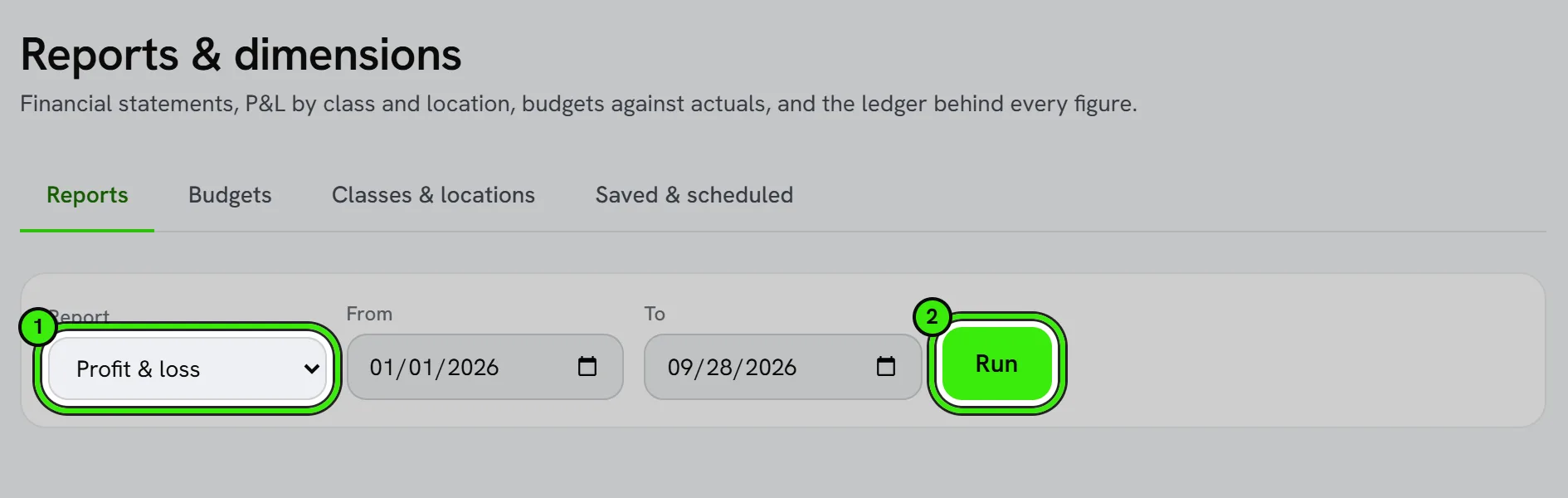
Using them well
Run reports after reconciling so the numbers are trustworthy. Reports are for your use and don’t constitute audited or certified financial statements.
Exporting and sharing reports
Most reports can be exported for your accountant, a lender, or your own records. Date ranges and filters carry into the export, so what you see on screen is what gets shared.
Frequently asked questions
How far back does report history go?
As far back as your books do — anything entered manually or brought in through a migration or QuickBooks sync is available to report on, not just data created after you joined Seayora.
Can I compare two custom date ranges?
Yes — most reports support custom date ranges and period-over-period comparisons, so you can see this month against last month or this year against last year.
Can I schedule a report to run automatically?
Where scheduled or recurring reports are supported, you can have a report generated and delivered on a set cadence rather than pulling it manually each time.
Related guides
- Bank Feeds & Reconciliation
- Job Costing
- AI Financial Analyst
- Classes, Locations & Multi-Dimensional Reporting
Related features and guides
- Bank Feeds & Reconciliation — Documentation. How to connect bank feeds, auto-categorize transactions with rules, and reconcile your accounts each month.
- Job Costing — Documentation. How to tie income and costs to individual jobs so you can see true profitability by job, customer, or trade.
- AI Financial Analyst — Documentation. How to ask questions about your books in plain English, what the AI is good at, and where your own judgment still matters.
- Financial Reports & Tax Exports — Feature. Generate profit and loss, balance sheet, and portfolio reports, and export Schedule E tax reports in a single click across every property you own or manage.
- Using an AI Financial Analyst for Your Small Business — Guide. How AI-assisted financial tools can answer questions about your books in plain English — what they’re great at, and where your own judgment still matters.
- AI Financial Analyst — Feature. An AI layer over your accounting data that surfaces trends, anomalies, and answers about your portfolio finances without building a report first.