AI Financial Analyst
How to ask questions about your books in plain English, what the AI is good at, and where your own judgment still matters.
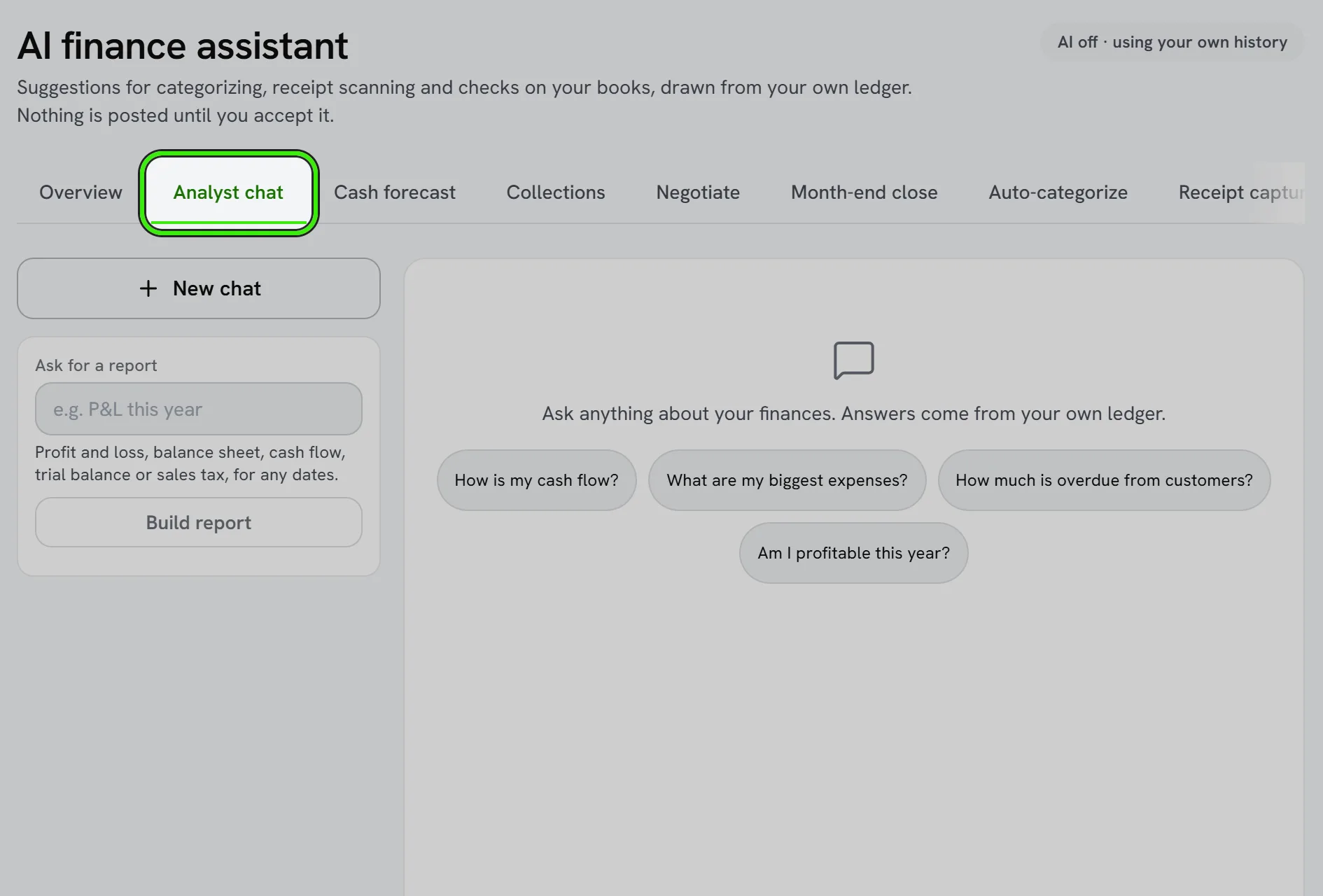
The AI financial analyst lets you explore your books by asking questions in plain English.
What to ask
- “Which customers owe me the most?”
- “How did revenue compare to last quarter?”
- “What were my biggest expenses last month?”
Use it wisely
AI is fast at summarizing and spotting trends, but its output can be incomplete or wrong and is not accounting, tax, or legal advice. Verify anything important against your actual reports before acting on it. AI features are subject to the disclaimers in the Terms of Service.
What data the AI can see
The analyst works from your own company’s accounting data — it doesn’t see other companies’ books, and it doesn’t train on your data for other customers. Turn the feature off entirely from feature flags if you’d rather not use it.
Frequently asked questions
Can I turn off the AI financial analyst entirely?
Yes — it’s controlled by a feature flag like other advanced modules, so you can disable it at any time if you’d rather not use it.
Does the AI make changes to my books?
No — it answers questions and summarizes data; it doesn’t post transactions or modify your records on its own.
Can I ask the AI to compare two specific customers?
Yes — plain-English comparative questions work well, like asking which of two customers generated more revenue this year.
Does the AI understand accounting terminology I use casually?
It’s designed to handle everyday phrasing, not just precise accounting terms — asking “what am I owed” works as well as asking about “accounts receivable.”
Related guides
Related features and guides
- Financial Reports — Documentation. The core reports Seayora produces — Profit & Loss, Balance Sheet, aging, budgets vs. actual — and how to read them.
- Accounting Suite Overview — Documentation. A tour of Seayora’s accounting and bookkeeping tools — invoicing, bills, ledger, bank feeds, reports, automations, and the AI analyst.
- Books Modules — Documentation. How to switch off the parts of your books you do not use — recurring invoices, progress invoicing, budgets, bank feeds, the customer portal and more — and what switching one off does.
- Using an AI Financial Analyst for Your Small Business — Guide. How AI-assisted financial tools can answer questions about your books in plain English — what they’re great at, and where your own judgment still matters.
- AI Financial Analyst — Feature. An AI layer over your accounting data that surfaces trends, anomalies, and answers about your portfolio finances without building a report first.
- Sales Tax Basics for Contractors and Service Businesses — Guide. A plain-English introduction to sales tax for service and trade businesses — when it applies, the idea of nexus, and how to track what you collect.