Accounting Suite Overview
A tour of Seayora’s accounting and bookkeeping tools — invoicing, bills, ledger, bank feeds, reports, automations, and the AI analyst.
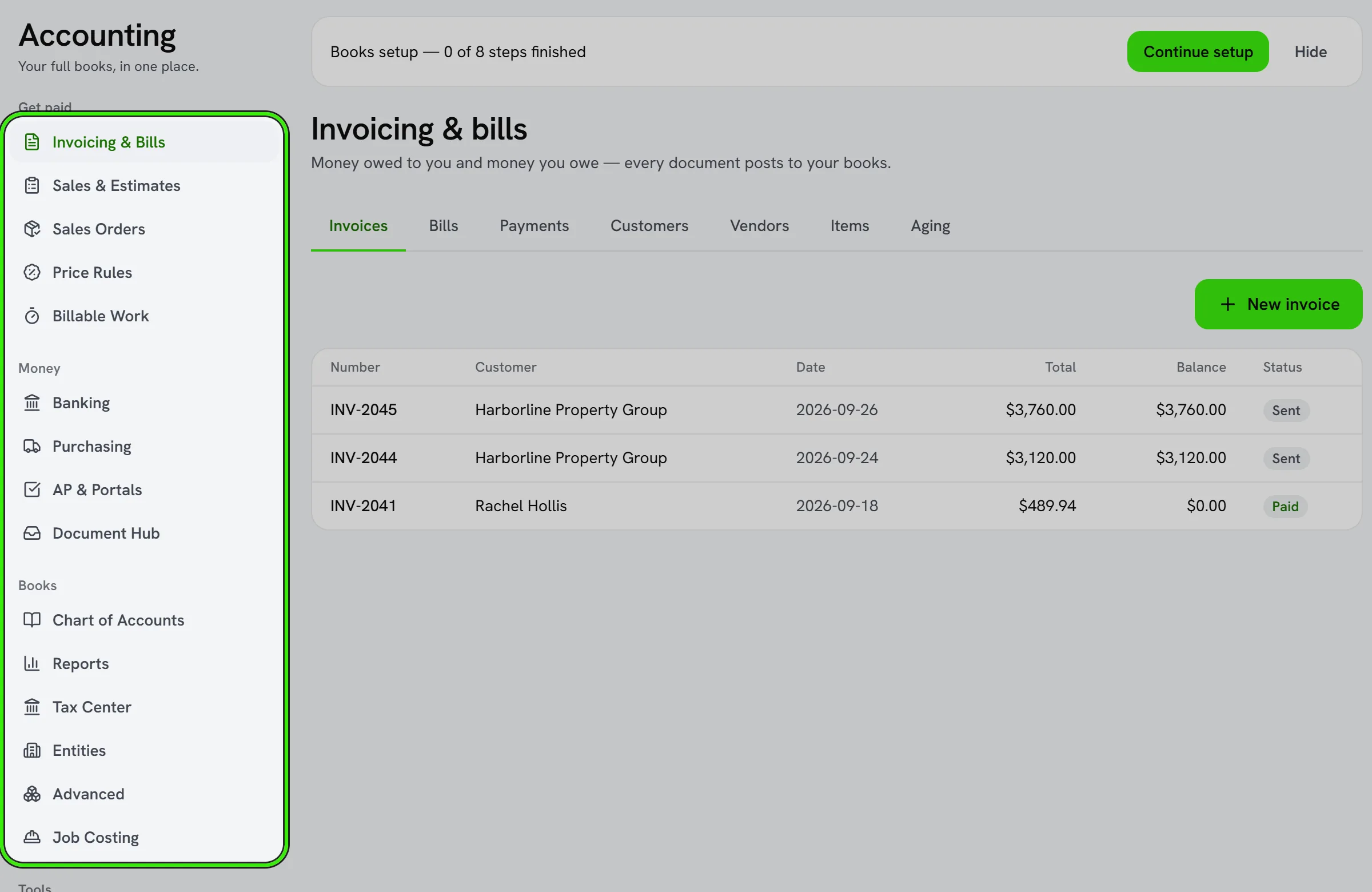
Seayora includes a full double-entry accounting suite for service professionals, management companies and landlords, so your books live next to the jobs, rent and payments that create them.
What’s included
- Invoices, estimates, statements, purchase orders, and receipts.
- Bills and accounts payable with approvals.
- A chart of accounts and general ledger with journal entries.
- Bank feeds, rules, and reconciliation.
- Sales-tax calculation, budgets, classes and locations, inventory, and fixed assets.
- Payroll posting and job costing.
- Financial reports and an AI financial analyst.
- An immutable audit log of every action.
For landlords
A landlord has the same books a management company has. Open Operations → Accounting on the website, or Operations → Accounting in the iPhone and Android apps. Your books are set up the first time you open it; nothing is created before then.
You keep them in one of two places: the Expense Center, which logs what you spend by category and building and maps it to tax lines, or the full double-entry ledger. Opening Accounting takes you to whichever you picked, the other is always one click away, and switching moves and deletes nothing. A receipt you scan can become an expense in the Expense Center or a bill in the ledger.
Two sections are not shown to a landlord: Job Costing, which prices a technician’s hours against a work order, and Books Access, which narrows what each person on a team can do — a landlord account has no team.
Turn on what you need
Advanced modules are controlled by feature flags, so you can keep the interface simple and enable capabilities like inventory or multi-currency as you grow.
A tool, not a substitute for a professional
These tools assist you but are not accounting or tax advice, and don’t guarantee GAAP compliance. Verify your books before filing or sharing them, and work with a qualified professional. See the accounting section of the Terms of Service.
A day in the life of your books
A typical day might look like: an invoice goes out and gets paid online, a bank feed pulls in a materials purchase and auto-categorizes it by rule, a job’s cost updates, and by evening your Profit & Loss reflects all of it — no separate spreadsheet, no manual re-entry.
Frequently asked questions
Is the accounting suite included in every plan?
It’s available to accounts that need it — service professionals, management companies and landlords — and advanced modules within it are individually controlled by feature flags so you only see what you turn on.
Can I use the accounting suite without connecting QuickBooks?
Yes — the full suite works standalone. QuickBooks is an optional integration for teams that already keep books there, not a requirement to use Seayora’s accounting tools.
Who should have access to the accounting suite?
Typically owners and bookkeeping staff. Use role and policy settings to limit who can post transactions, change policies, or view sensitive financial reports.
Can more than one person work in the books at the same time?
Yes — multiple staff can work concurrently, and every action is attributed individually in the audit log so it’s always clear who did what.
Related guides
- Chart of Accounts & General Ledger
- Invoices, Estimates & Statements
- QuickBooks Online Integration
- AI Financial Analyst
Related features and guides
- Chart of Accounts & General Ledger — Documentation. How to structure your chart of accounts, post journal entries, and use the general ledger as the backbone of your books.
- Invoices, Estimates & Statements — Documentation. How to create, brand, and send invoices, estimates, and statements — with a price book, good / better / best options and acceptance on the spot — turn estimates into invoices, and get paid online.
- QuickBooks Online Integration — Documentation. How to connect QuickBooks Online, what data syncs, and how to verify results — with Seayora’s non-affiliation with Intuit made clear.
- Bank Feeds & Reconciliation — Feature. Connect bank feeds and reconcile transactions against the ledger, so what the books say and what the bank says actually match.
- Using an AI Financial Analyst for Your Small Business — Guide. How AI-assisted financial tools can answer questions about your books in plain English — what they’re great at, and where your own judgment still matters.
- Invoicing, Estimates & Statements — Feature. Create invoices and estimates, send customer statements, and collect payment through the same rails as rent — with everything posting to the ledger automatically.