Chart of Accounts & General Ledger
How to structure your chart of accounts, post journal entries, and use the general ledger as the backbone of your books.
The chart of accounts is the list of buckets your money flows through; the general ledger is the complete record of every posting.
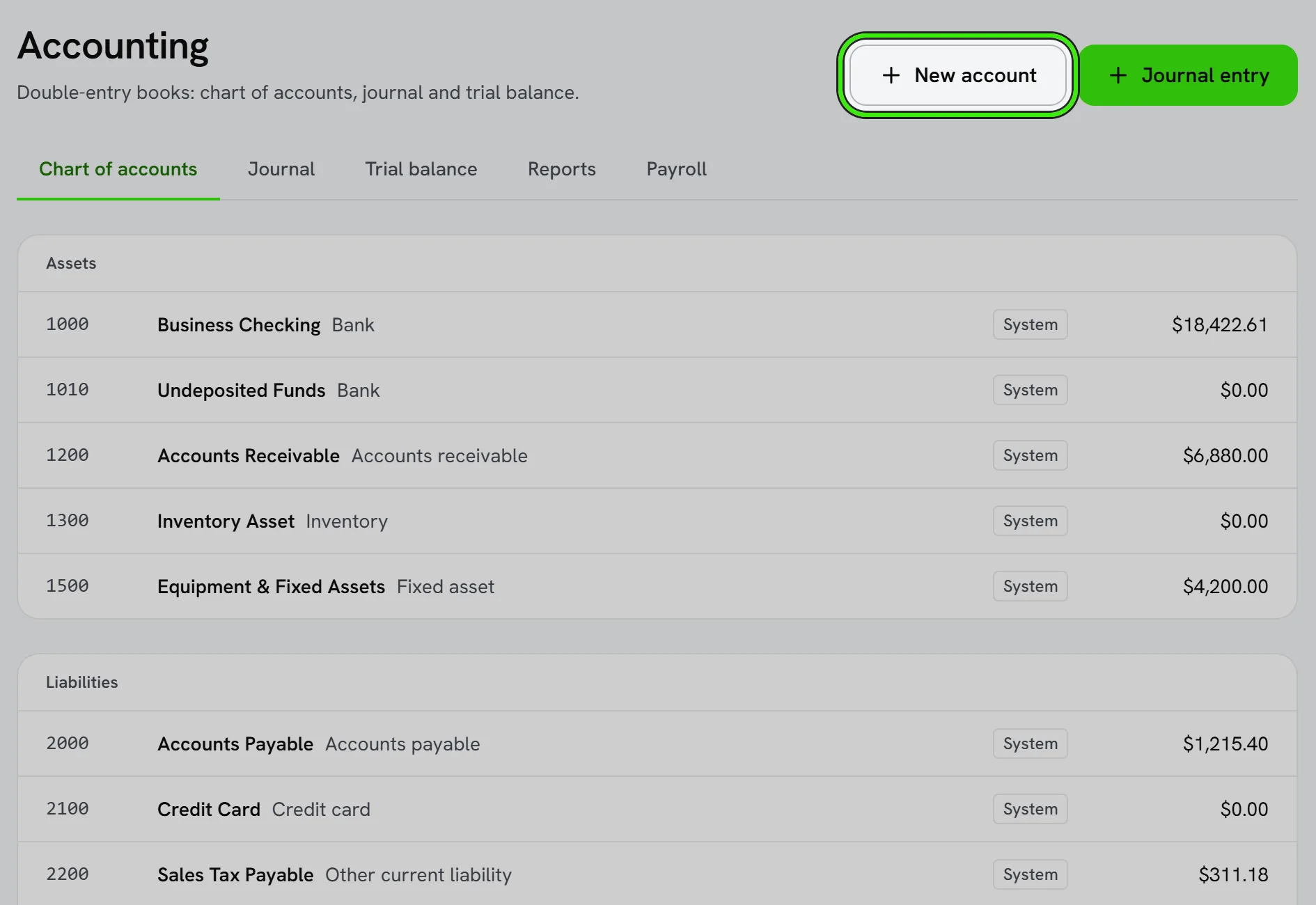
Structuring accounts
Group accounts into income, expense, asset, liability, and equity. Keep it meaningful — enough detail to answer real questions, not so much that reports become noise. You set the accounting basis (cash or accrual) in policies.
Journal entries and the ledger
- Every transaction posts a balanced debit and credit.
- The ledger shows the full history for each account.
- Adjusting entries handle accruals, corrections, and period-end items.
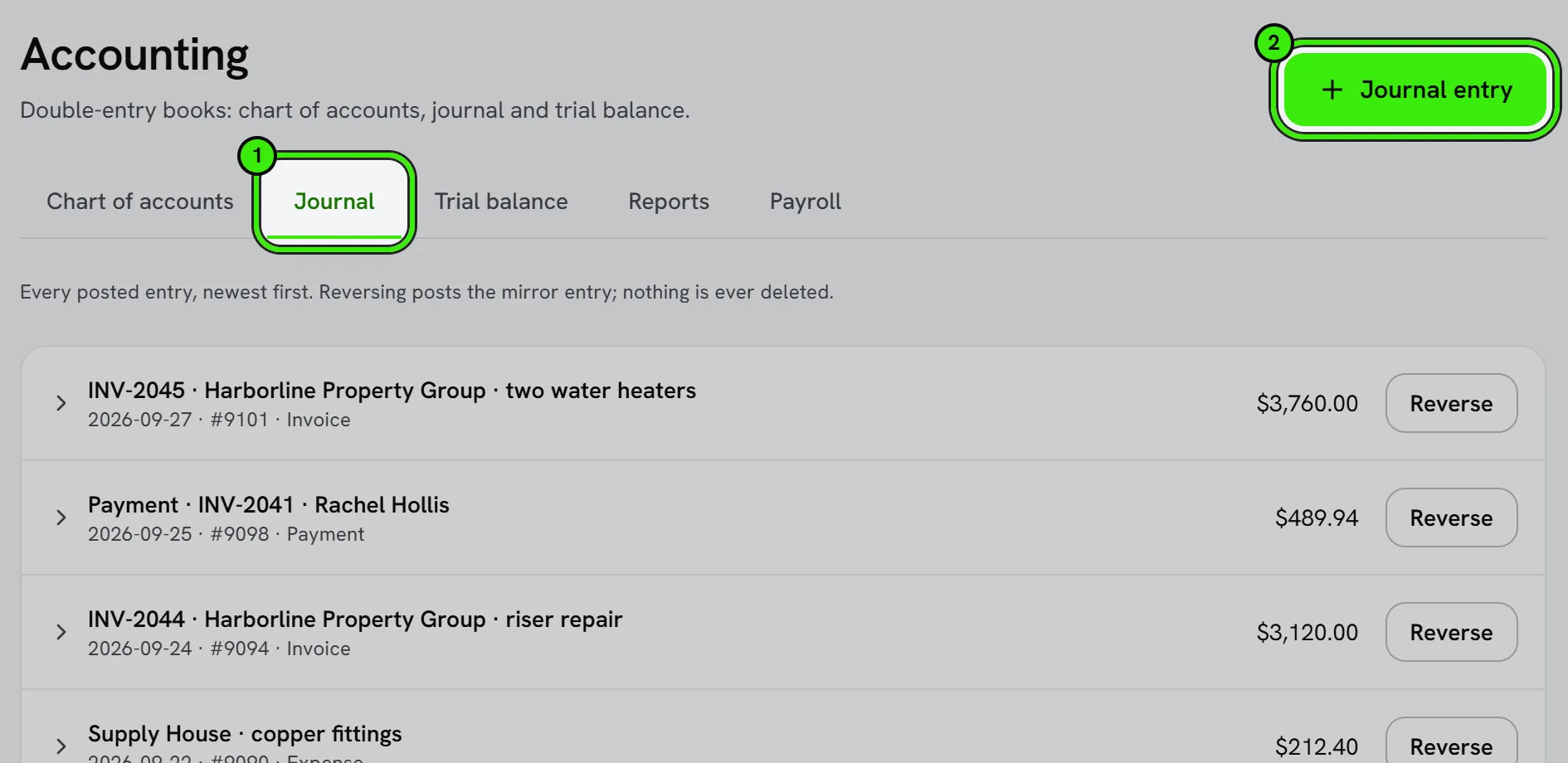
Because everything ties back to the ledger, your reports are only as good as your account structure — set it up thoughtfully with your accountant.
Editing or merging accounts
You can rename or reorganize accounts as your business grows, and merge duplicates that crept in from a migration or manual entry. Merging moves historical transactions to the surviving account so reports stay accurate.
Frequently asked questions
How many accounts should a small business have?
Enough to answer the questions you actually ask, and no more — many small service businesses run well with a few dozen accounts rather than hundreds of overly specific ones.
Can I import a chart of accounts from QuickBooks?
Yes — when you connect the QuickBooks integration, your existing chart of accounts can be brought in as part of the sync rather than rebuilt from scratch.
What’s a sub-account?
A sub-account nests under a parent account for more granular tracking that still rolls up to the parent on summary reports — for example, splitting “Materials” into per-trade sub-accounts while still seeing total materials cost at a glance.
Related guides
- Accounting Suite Overview
- Financial Reports
- Bank Feeds & Reconciliation
- Classes, Locations & Multi-Dimensional Reporting
Related features and guides
- Accounting Suite Overview — Documentation. A tour of Seayora’s accounting and bookkeeping tools — invoicing, bills, ledger, bank feeds, reports, automations, and the AI analyst.
- Financial Reports — Documentation. The core reports Seayora produces — Profit & Loss, Balance Sheet, aging, budgets vs. actual — and how to read them.
- Bank Feeds & Reconciliation — Documentation. How to connect bank feeds, auto-categorize transactions with rules, and reconcile your accounts each month.
- Property Management Accounting — Feature. A full chart of accounts and general ledger purpose-built for rentals — income and expenses tracked to the unit, with rent, fees, and maintenance posting automatically.
- Bank Feeds & Reconciliation — Feature. Connect bank feeds and reconcile transactions against the ledger, so what the books say and what the bank says actually match.
- Accounting for Service Professionals: A Practical Starter Guide — Guide. Bookkeeping basics for contractors and trades — chart of accounts, cash vs. accrual, job costing, and the reports that tell you if a job actually made money.