Maintenance & Dispatch Workflow
How maintenance requests flow from tenant intake through routing, approval, completion, and cost.
A structured maintenance workflow is where tenant satisfaction is won or lost.
From request to resolved
- Tenants submit requests with photos, video, a voice memo and details.
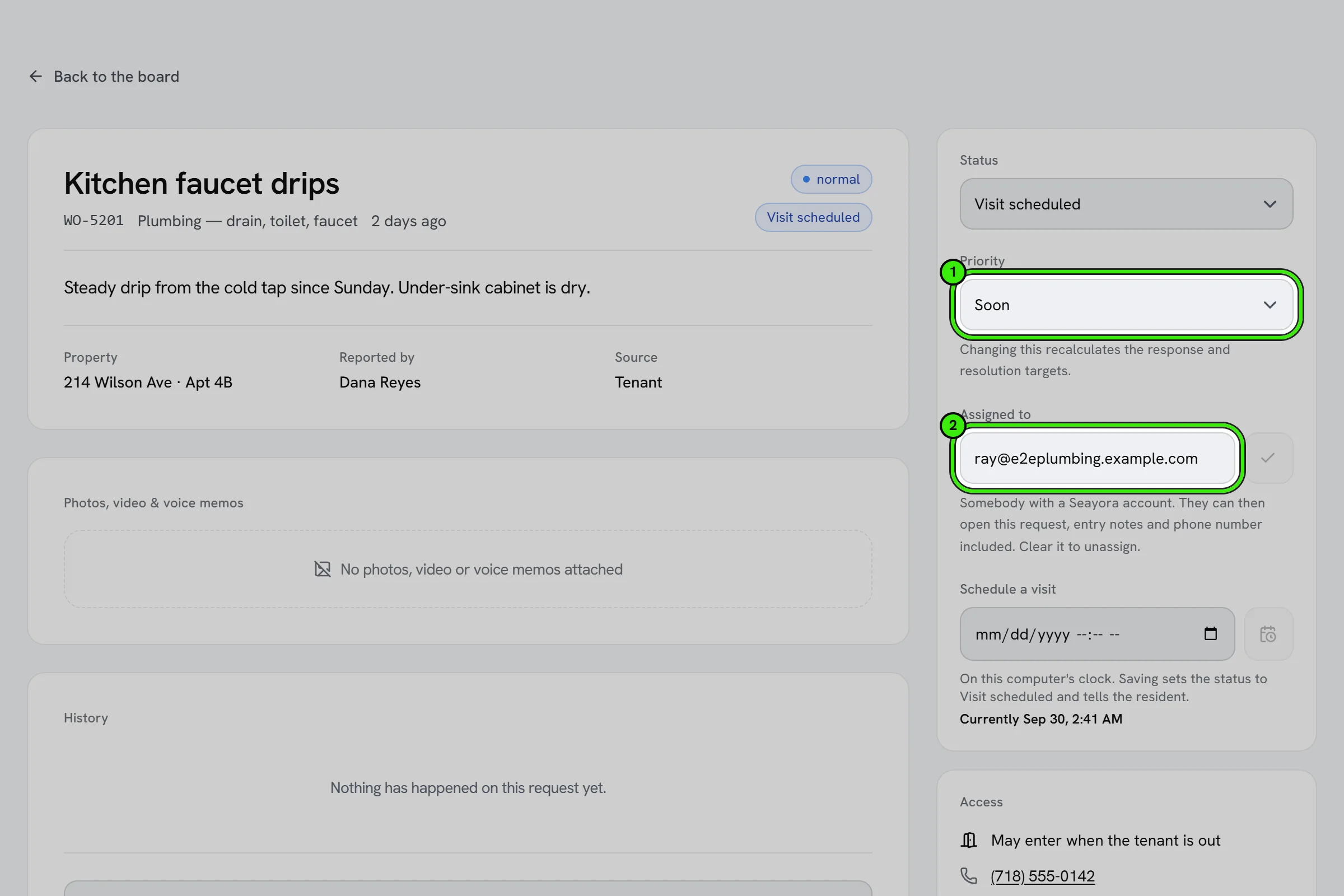
- Requests are routed to the right trade and contractor.
- Approval thresholds keep spending controlled.
- Status and updates are shared automatically.
- Completed work ties to its cost in your books.
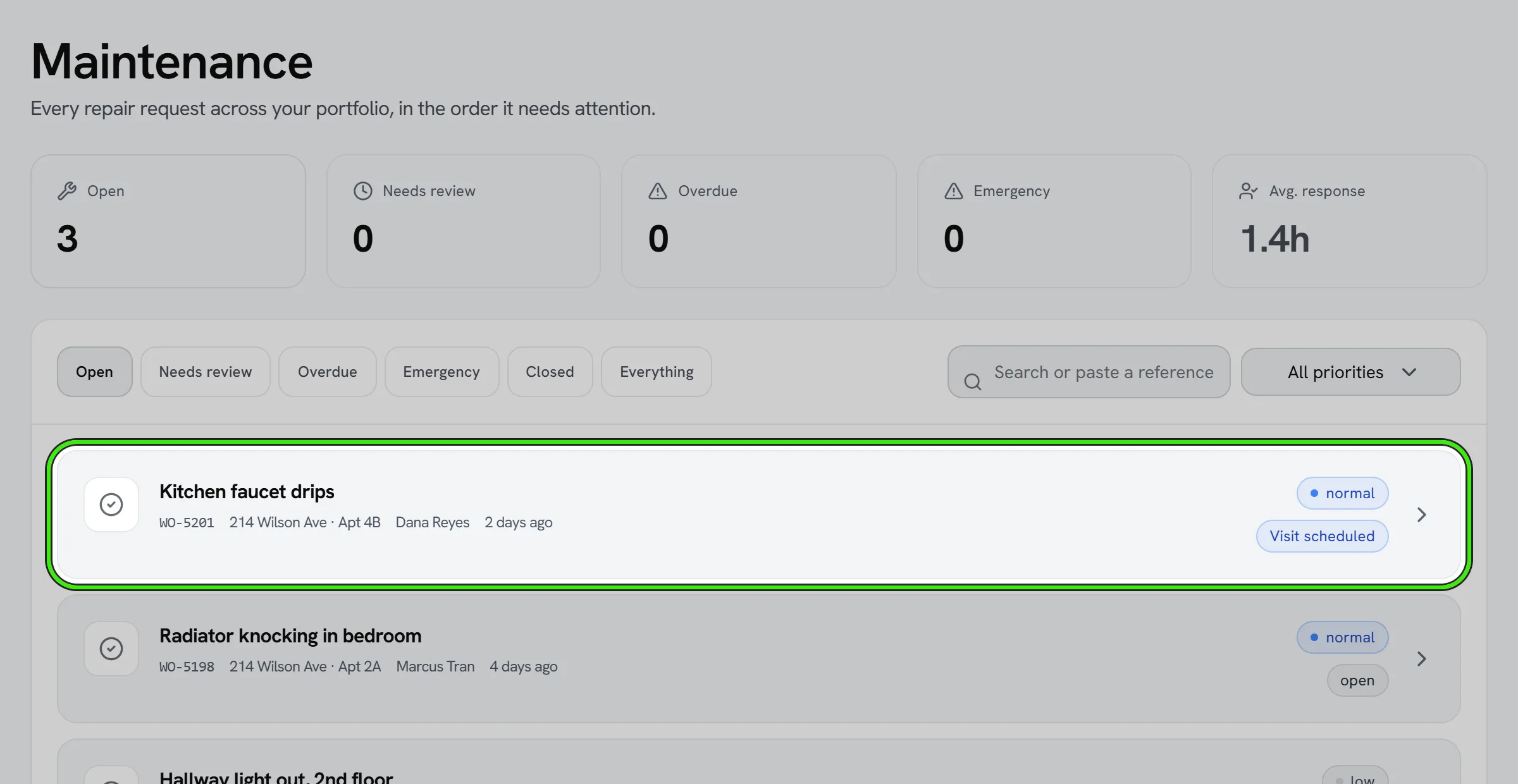
The result is faster response times, fewer dropped requests, and a documented history for every unit.
Emergency maintenance requests
Flag urgent issues — no heat, active leaks, safety hazards — so they bypass normal queuing and route immediately to an available contractor, rather than waiting behind routine requests.
Voice memos
Some problems are easier to say than to type, and some are a sound — a rattle in the boiler, a fridge that hums. A voice memo of up to three minutes can go with a new request, or be added later as an update, on the website, the iPhone app and the Android app. Tap Record, speak, tap Stop; you can listen back or remove it before you send. Everyone who can see the request can play it on any device.
A voice memo counts as one of the eight files a request can carry. It does not count as a photo: if your property manager requires a photo with every request, a memo alone will not satisfy that.
Several photos at once
You can pick several photos in one go — on the website, the iPhone app and the Android app — instead of adding them one at a time. A new request takes up to eight files. An update to a request already open takes up to seven photos and one voice memo, and an internal update keeps its photos internal too. The same applies to inspection photos (up to ten per pick) and field check-ins (up to six). A photo that cannot be read is named on the screen, never dropped quietly.
Frequently asked questions
Can a tenant track the status of their request?
Yes — tenants see the same status updates (submitted, scheduled, completed) as the landlord or manager, without needing to call for an update.
Who decides which contractor gets a maintenance job?
Routing considers trade, availability, and — where AI-assisted dispatch is enabled — suggested matches, but a dispatcher can always override the suggestion.
Can a tenant attach a video, not just photos, to a request?
Yes. Photos, short videos and a voice memo can all go with a request, up to eight files of 60 MB each, and more can be added later as an update.
Can a manager leave a voice memo only the team hears?
Yes. On the maintenance board, switch the message to Internal before recording. An internal memo, like an internal note, is never shown or played to the resident.
Related guides
Related features and guides
- Streamline Property Maintenance with Smart Dispatch — Guide. How a structured maintenance workflow, from photo requests to approval limits and a contractor network, cuts response times and keeps tenants informed.
- Maintenance Requests & Work Orders — Feature. Tenants submit work orders with photos and video from their phone. Landlords triage, dispatch, and track every request to completion in one place.
- AI-Assisted Maintenance Dispatch — Feature. AI-assisted dispatch routing and configurable automation rules send maintenance work to the right service pro, so routine repairs never wait on a manual decision.
- Projects: Renovations, Replacements and Capital Work — Documentation. Plan and run work bigger than one repair — phases and tasks, work orders on the maintenance board, a budget line by line, actual cost from the Expense Center, change orders, capital versus repair, alerts and templates.
- In-App Video Calls — Feature. Start a video call from any Seayora conversation, or upgrade a voice call to video mid-conversation. Run remote showings, walk a contractor through a repair, and schedule video meetings on the shared calendar — no personal number, no third-party meeting app.
- Affordable Housing Certifications: Tax Credit and HUD Income Certifications, Limits and Recertifications — Documentation. Certify LIHTC and HUD Multifamily households in Seayora — Tenant Income Certifications and HUD-50059 worksheets, HUD income limits by area, rent limits, the set-aside test and applicable fraction, recertification reminders and household change requests.