Dispatch & Work Orders
How jobs are routed to service pros, how work orders track status, and how approval limits keep spending in check.
Dispatch matches work to the right professional and tracks it from request to completion.
The work-order lifecycle
- A request comes in with details and photos.
- It’s routed to the right trade and an available pro.
- Approval thresholds decide when a job proceeds automatically.
- Status moves from submitted to scheduled to completed.
- The completed job’s cost flows into accounting.
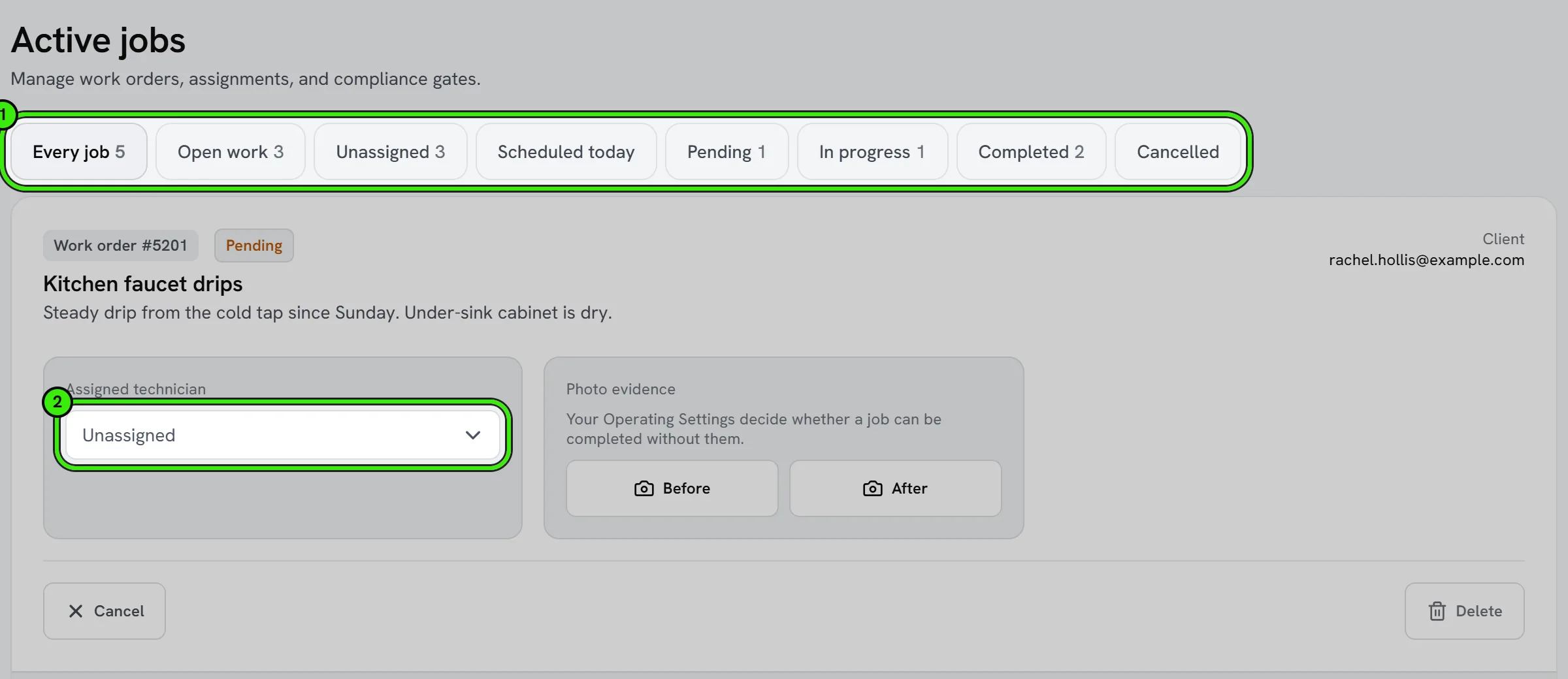
Everyone stays updated automatically, and the work order becomes a documented history for the property.
Declining or reassigning a job
If a job isn’t a fit — wrong trade, no availability, out of area — decline it promptly so it can be routed elsewhere rather than sitting unanswered. Dispatchers can also manually reassign a job at any point in its lifecycle.
Frequently asked questions
Who sets the approval threshold for a job?
The landlord or management company requesting the work sets their own threshold — it determines when a dispatched job needs their explicit sign-off before a service pro proceeds.
Can I see the full history of a work order?
Yes — every status change, message, and cost tied to a work order stays attached to it, giving you a complete record from request to completion.
What happens if no pro accepts a dispatched job?
It stays visible in the queue and can be escalated or manually assigned by a dispatcher rather than sitting unresolved indefinitely.
Can a work order include multiple visits?
Yes — a single work order can span more than one scheduled visit for jobs that need follow-up, like an initial diagnosis followed by a repair visit.
Related guides
Related features and guides
- The Service Pro Dashboard — Documentation. How service professionals manage jobs, finances, and operations from a single dashboard.
- Maintenance & Dispatch Workflow — Documentation. How maintenance requests flow from tenant intake through routing, approval, completion, and cost.
- Job Costing — Documentation. How to tie income and costs to individual jobs so you can see true profitability by job, customer, or trade.
- Streamline Property Maintenance with Smart Dispatch — Guide. How a structured maintenance workflow — requests, routing, approval limits, and a trusted contractor network — cuts response times and keeps tenants happy.
- Contractor Job Board & Assignment — Feature. A live job board showing every open, assigned, and completed job. Create jobs, assign technicians, and move work through status without a group chat.
- Vendor & Subcontractor Management — Feature. Manage subcontractors and vendors, track their compliance, and keep customer and vendor portals connected to the jobs they are working on.