Managing Properties & Units
How to organize a portfolio of properties and units, assign them, and keep records clean across a management company.
Management companies can organize a whole portfolio — properties, units, leases, and the people responsible for them.
Keeping a portfolio organized
- Add properties and units with their details.
- Assign staff and responsibilities.
- Track leases, rent, and maintenance per unit.
- Keep books at the property level for clean reporting.
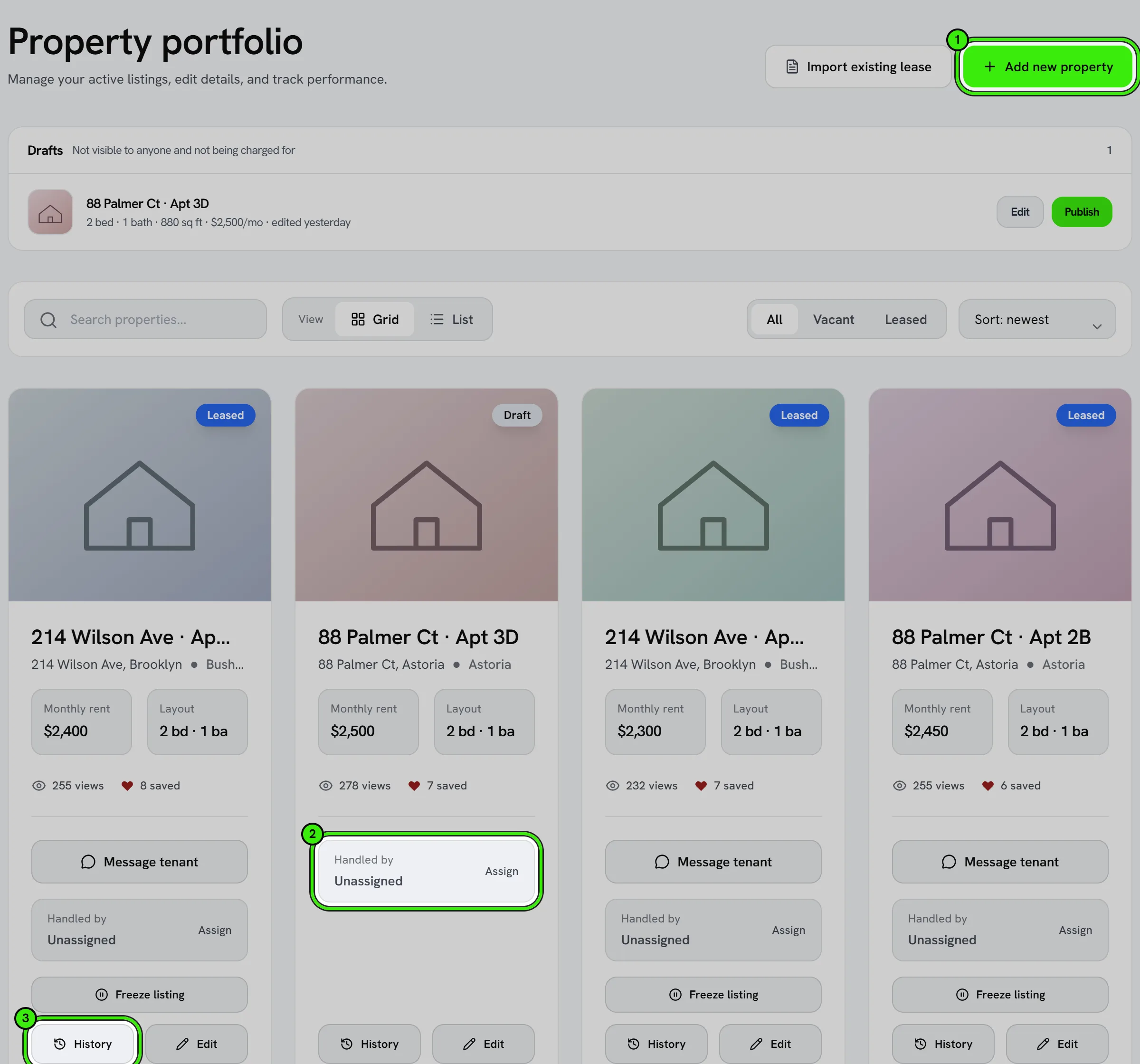
You’re responsible for the accuracy of assignments and records and for having authority to act for the owners whose properties you manage.
Bulk actions across a portfolio
For repetitive updates across many units — a policy change, a rent reminder, a compliance check — use bulk actions instead of touching each property one at a time.
Reporting to owners
Because books, leases, and maintenance all live at the property level, generating an owner report is a matter of filtering to that owner’s properties rather than assembling data from scratch each time.
Deleting a property
Open the property in your portfolio and choose Delete property — on the website, on iPhone and on Android. Deleting is permanent: the property, its listing, photos, floor plans, tour settings and connected devices are removed for good. Expenses, documents, work orders and calendar events that mentioned it are kept, without the link to the property.
Seayora will not delete a property that still carries a record somebody else holds or that is money: a lease (other than a draft nobody was sent), rent payments, a security deposit, advertising charges, an applicant’s screening payment, an application still waiting for an answer, an adverse-action notice, a tour somebody has booked, owner ledger entries or distributions, an eviction case, or housing-program charges. The screen lists exactly what is in the way. To take a unit off the market without losing any of that, pause or unpublish the listing instead.
To confirm, you type the property’s name. The owner of record and the managing company, if there is one, are emailed when a property is deleted.
Frequently asked questions
Can a deleted property be restored?
No. Deleting is permanent, which is why Seayora asks you to type the property’s name first and refuses while leases or payment records belong to it. If you only want it hidden, pause or unpublish the listing.
Can a property have multiple owners?
Yes — properties can be associated with the correct owner or ownership group so reporting and payouts route correctly, even across a portfolio with mixed ownership.
How do I transfer a property to a different manager?
Reassign the property’s responsible staff or, for a change in the managing company itself, contact support to help ensure records and history transfer cleanly.
Can I group properties by owner or region?
Yes — organize your portfolio by owner, region, or any structure that matches how you actually operate, and filter reports the same way.
Related guides
Related features and guides
- Workforce & Task Management — Documentation. How management companies assign staff, manage tasks and check-ins, and keep an accountable record of work.
- Maintenance & Dispatch Workflow — Documentation. How maintenance requests flow from tenant intake through routing, approval, completion, and cost.
- Portfolio Analytics & Owner Reporting — Documentation. How management companies and landlords see portfolio-wide performance — occupancy, rent roll, and maintenance — across every property.
- Multi-Property Portfolio Management — Feature. Unlimited multi-property portfolios with unit-level detail, bulk operations, and portfolio-wide reporting — built for management companies operating at scale.
- Notifications: In-App, Email, Push & SMS — Feature. In-app, email, push, and opt-in SMS notifications, with per-property and per-role settings so managing fifty units does not mean fifty times the noise.
- Employee Tasks & Check-Ins — Feature. Assign tasks to staff, track completion, and require check-ins at site visits so field work is accountable rather than assumed.