Workforce & Task Management
How management companies assign staff, manage tasks and check-ins, and keep an accountable record of work.
Workforce tools help a management team stay coordinated and accountable.
What you can do
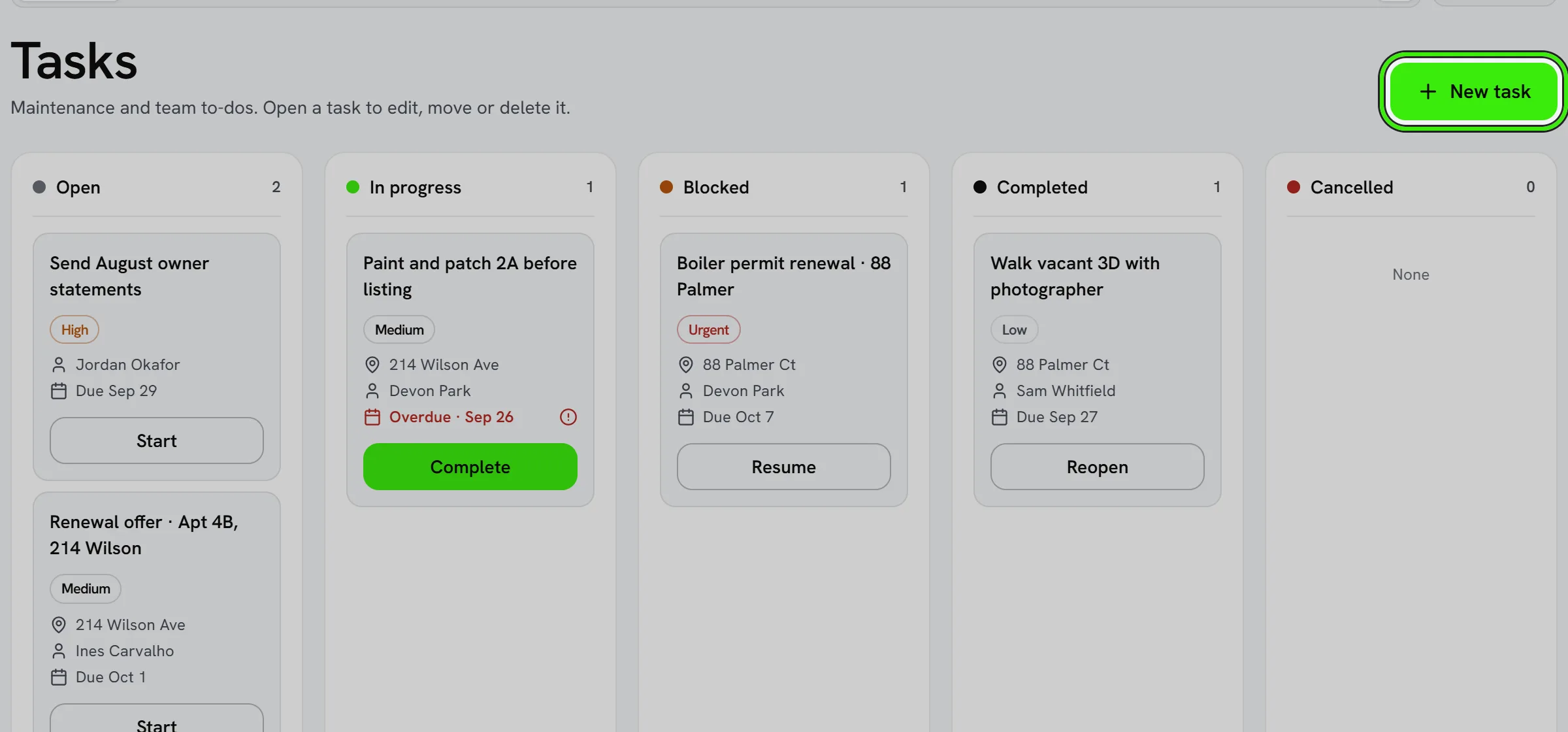
- Assign tasks and properties to employees.
- Track check-ins and completion.
- Attribute actions to the staff member who took them.
You’re responsible for your employees’ use of the Services and for compliance with employment, wage-and-hour, and other applicable laws when using workforce features.
Setting task priorities and deadlines
Give tasks a priority and a due date so staff know what to tackle first — an unranked task list tends to get worked in whatever order is easiest rather than what actually matters most.
Saying a task instead of typing it
At the top of New task on the website, and above the Tasks list in the iPhone and Android apps, tap Dictate and say the task in a sentence — or type the sentence — then choose Fill in the task. For example: “Fix the leak at 214 Wilson, unit 4B, by Friday — urgent, give it to Marcus.” The New task form opens filled in, and nothing is saved until you check it and press Create task (Save in the apps).
- The due day, the priority, the home and the person are read from what you said. “Tomorrow”, “by Friday”, “next Friday”, “in three days”, “end of the month”, “October 30th” and “by the 25th” all work; “next week” names no day, so the date is left for you.
- A home is chosen only when the sentence names exactly one — a house number with its street, or the home’s own name. A building with several units and no unit said is left for you to choose, and the form says so.
- A person is chosen only when the sentence asks them to do it — “give it to Marcus”, “have Ana Cole check it”, “ask Marcus to…”. A name said for any other reason (“call Marcus about the lease”) assigns nobody. Two people with the same first name and no surname are left for you to choose.
- Seayora AI writes a short title from your words and may fill in anything the sentence left out. Anything it filled is marked “suggested”: it was not said outright, so check it.
- In the apps the speech is turned into text on your phone, and on the website by your browser’s own speech recognition (Chrome, Edge or Safari). The recording never reaches Seayora — only the words do.
Frequently asked questions
Does dictating a task save it straight away?
No. It fills in the New task form; the task is saved only when you press Create task (Save in the apps), after you have checked it.
Why did it not pick the home or the person I said?
It picks one only when the sentence names exactly one — a home by its house number and street or its own name, a person after a cue like “give it to”. When two homes or two people could match, it leaves the field empty and says why, rather than guessing.
Can a task be recurring?
Yes, where recurring tasks are supported — useful for things like monthly fire-extinguisher checks or seasonal maintenance that repeat on a schedule.
Can staff see tasks assigned to other team members?
That depends on their permission level — managers typically see the full team’s tasks, while individual staff may see only their own assignments.
Can I attach a checklist to a task?
Where supported, a task can include sub-items or a checklist so a multi-step job — like preparing a unit for turnover — has a clear, trackable sequence.
Related guides
Related features and guides
- Employee Tasks & Check-Ins — Feature. Assign tasks to staff, track completion, and require check-ins at site visits so field work is accountable rather than assumed.
- Check-Ins & Site Visits — Feature. Record staff check-ins at properties so inspections and site visits leave an auditable trail instead of a verbal report.
- Trust Accounting for Management Companies — Documentation. Keep owners’ money and residents’ deposits apart from your company’s: a balance held for each owner, a block on paying an owner more than is held, a three-way reconciliation signed off by a second person, and a record of every uncashed check on its way to the state.
- Multi-Property Portfolio Management — Feature. Unlimited multi-property portfolios with unit-level detail, bulk operations, and portfolio-wide reporting — built for management companies operating at scale.
- Projects: Renovations, Replacements and Capital Work — Documentation. Plan and run work bigger than one repair — phases and tasks, work orders on the maintenance board, a budget line by line, actual cost from the Expense Center, change orders, capital versus repair, alerts and templates.
- Doors, Intercoms & PoE Switches — Documentation. How to open and lock your buildings’ doors from Seayora, answer the doorbell with the live camera, send a guest pass to a cleaner or a contractor, lock a building down, read the record of every entry, and keep the PoE switch that powers your cameras and doorbells healthy.