Check-Ins & Site Visits
How staff log check-ins and site visits at a property, and how that record supports accountability across a management team.
For management companies with staff visiting multiple properties, a documented check-in is proof of work done — not just a task marked complete from a desk.
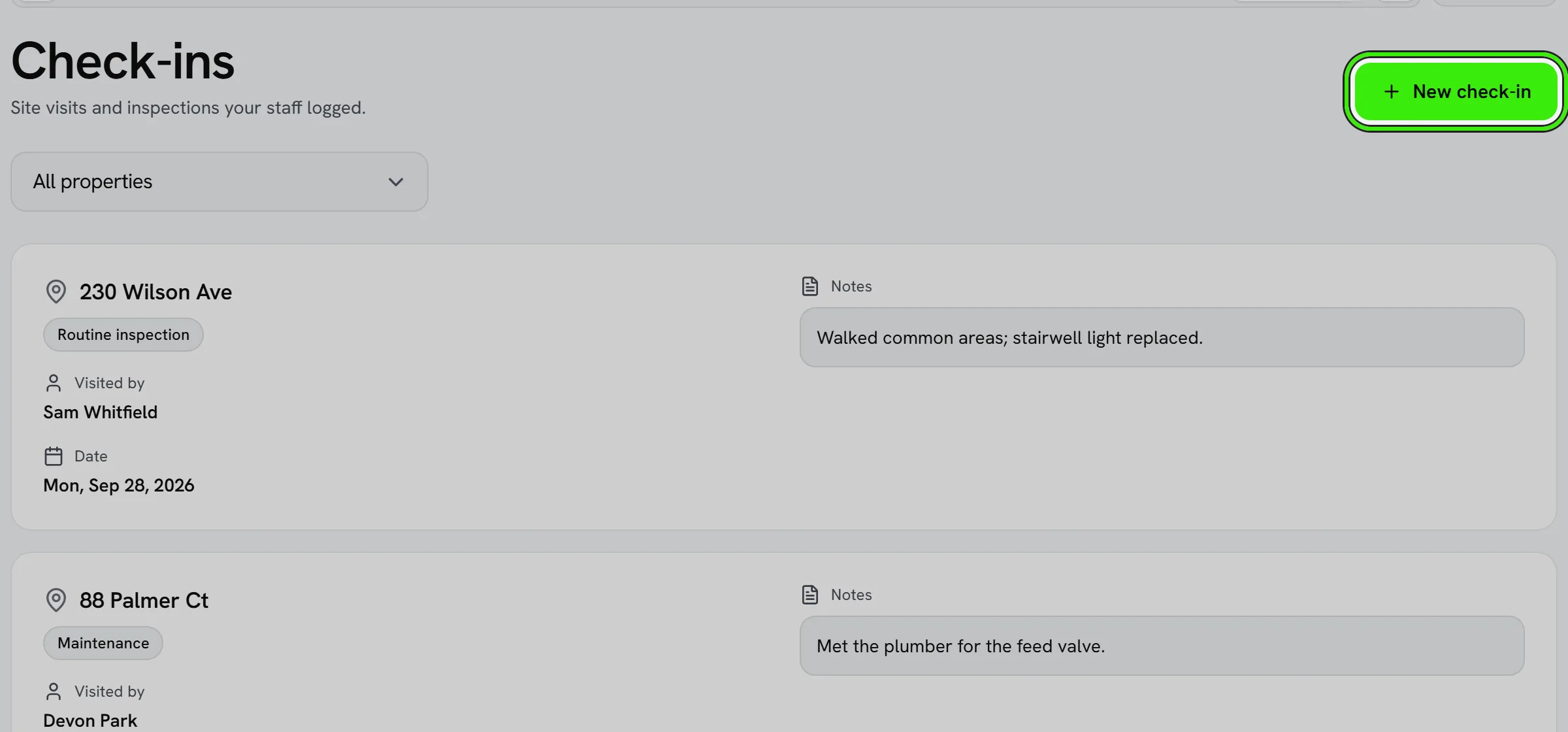
What a check-in captures
- Which property was visited, by whom, and when.
- Notes or photos from the visit.
- Which task or task list the visit relates to.
Why this matters to owners
A logged check-in history is exactly what an owner wants to see when asking “is someone actually checking on my property?” — it turns a verbal assurance into a record.
Combining with tasks
Pair check-ins with the task system so a visit automatically closes out the task it was meant to complete, keeping both records in sync without double entry.
Frequently asked questions
Can a check-in be logged without a task attached?
Yes — a general site visit can be logged on its own, though attaching it to a task is useful whenever the visit was meant to accomplish something specific.
Are check-in photos stored with the record?
Yes — photos attached to a check-in stay with that record, giving you a visual history alongside the notes and timestamp.
Can I require a check-in before a staff member is paid for a visit?
That’s a policy decision for your business — Seayora provides the check-in record, and how you tie it to payroll or performance is up to your internal process.
Related guides
Related features and guides
- Workforce & Task Management — Documentation. How management companies assign staff, manage tasks and check-ins, and keep an accountable record of work.
- Managing Properties & Units — Documentation. How to organize a portfolio of properties and units, assign them, and keep records clean across a management company.
- Portfolio Analytics & Owner Reporting — Documentation. How management companies and landlords see portfolio-wide performance — occupancy, rent roll, and maintenance — across every property.
- Check-Ins & Site Visits — Feature. Record staff check-ins at properties so inspections and site visits leave an auditable trail instead of a verbal report.
- Employee Tasks & Check-Ins — Feature. Assign tasks to staff, track completion, and require check-ins at site visits so field work is accountable rather than assumed.
- Calendar & Scheduling — Feature. Schedule showings, inspections, site visits, and maintenance jobs on a shared calendar so field work and leasing activity stop colliding.