Roles & Account Types
The difference between landlord, management, service professional, and tenant accounts — and what each role can do on Seayora.
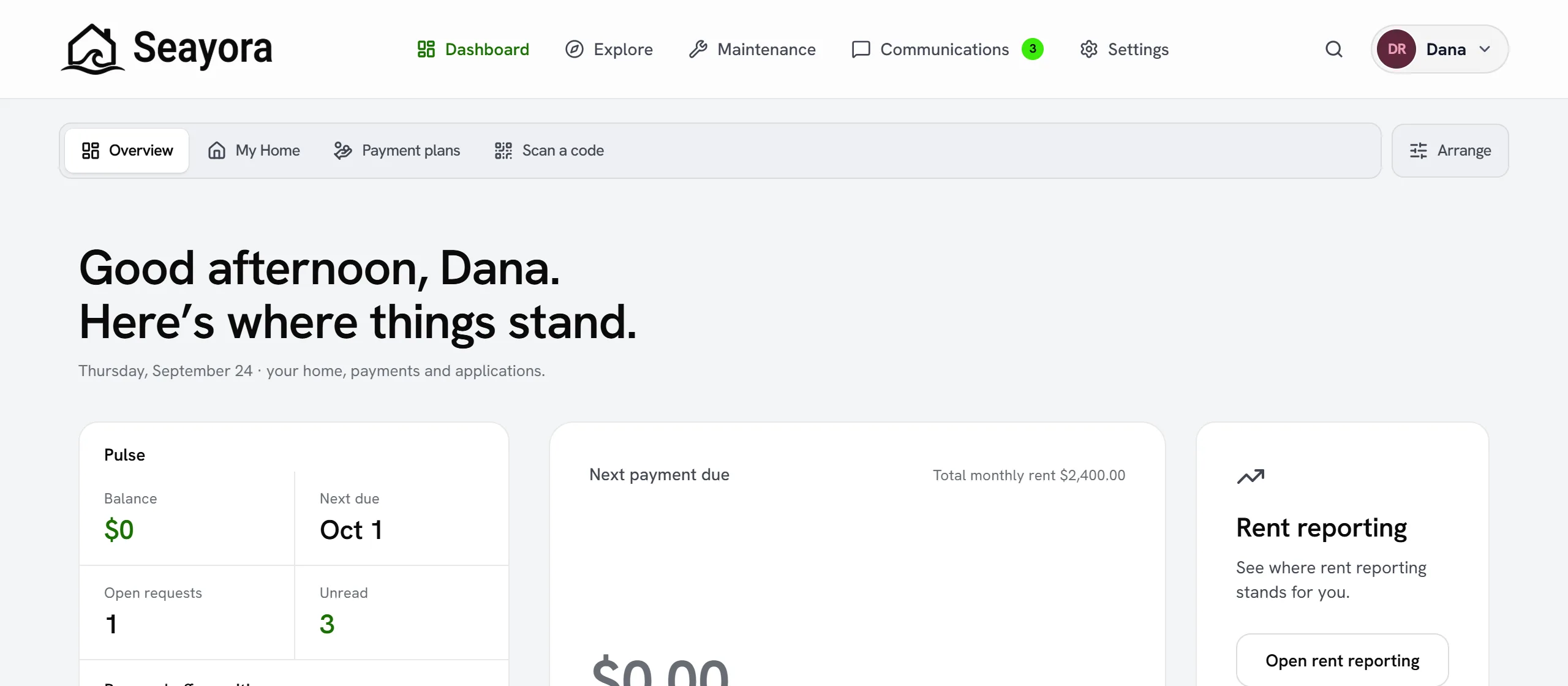
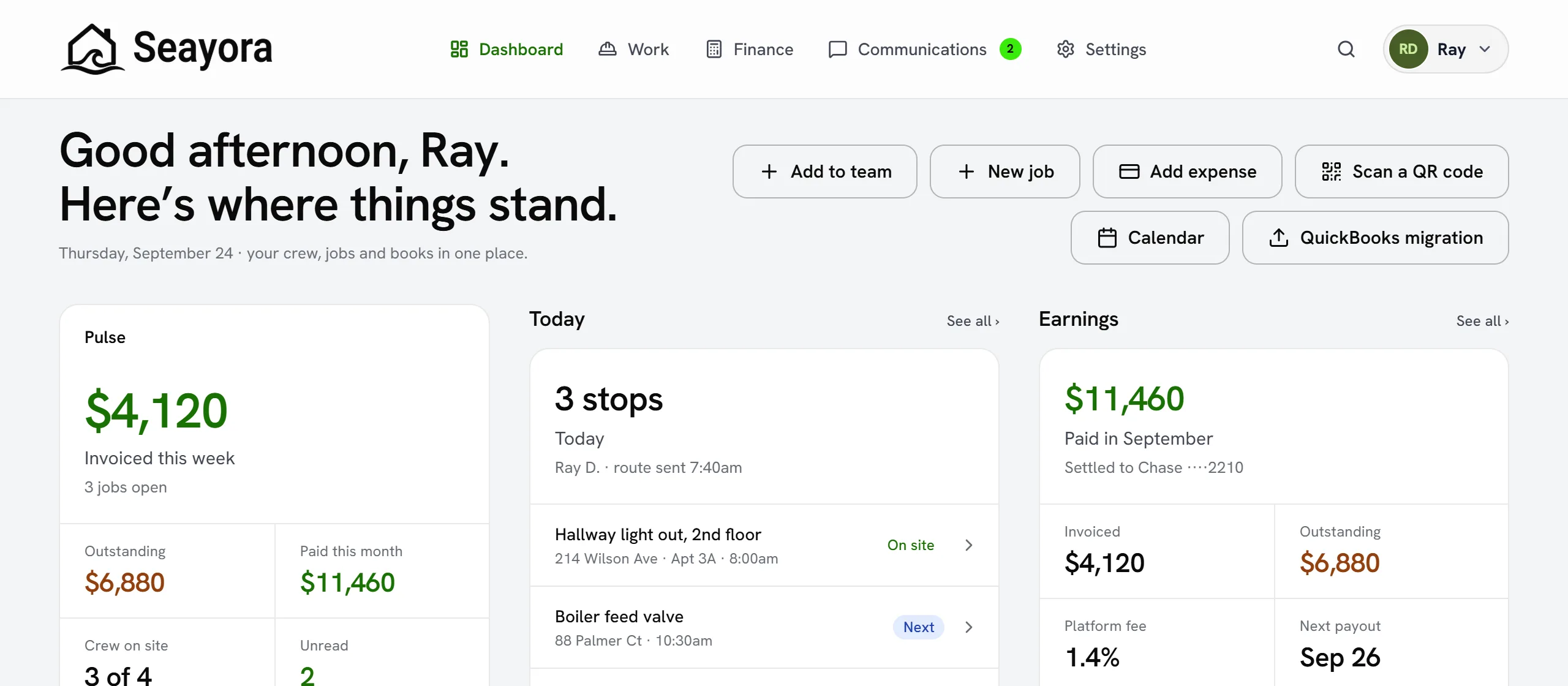
Seayora is multi-tenant and role-based. The features you see depend on your account type, and some organizations use more than one role.
The roles
- Landlord — list and advertise properties, screen applicants, sign leases, collect rent, and run maintenance.
- Management company — everything a landlord can do, plus workforce tools, staff assignments, and portfolio-wide management, often on behalf of owners.
- Service professional — find and schedule jobs, submit estimates and invoices, get paid, and run a full accounting suite.
- Tenant / applicant — browse rentals, apply, sign leases, pay rent, opt into rent reporting (not yet furnished to the bureaus), and submit maintenance requests.
Permissions and staff
Management companies and contractors add employees and decide, per person, which parts of the account are hidden, read-only or fully open — see Team Permissions. Each staff member acts under the organization, and actions are attributed to them in audit logs.
Switching context
If you operate in more than one capacity — for example a landlord who also does contract work — your account surfaces the tools for each role so you don’t need separate logins.
Managing multiple properties or businesses
A single account can hold many properties, and a management company can represent many owners. Data stays scoped correctly — an owner sees their own properties and reports, not another owner’s, even when the same staff manages both.
Changing your role later
Roles aren’t permanent. A tenant can later list a property as a landlord; a landlord can add service-professional tools if they start doing paid work for others. Reach out to support if a role change requires moving historical data.
Frequently asked questions
Can one person hold more than one role?
Yes. A single account can surface tools for more than one role — for example a landlord who also takes on paid contract work sees both the landlord and service-professional toolsets under one login.
How do management-company staff permissions work?
Owners and managers decide who on staff can approve spending, edit sensitive records, or access financial data. Every staff action is attributed to the person who took it in the relevant audit log.
What happens to my data if I stop using a role?
Nothing is deleted just because you stop actively using a role — your historical properties, jobs, or records stay intact and accessible if you pick that role back up later.
Related guides
- Team Permissions
- Seayora Platform Overview
- Account Security: SSO, 2FA & Passkeys
- Workforce & Task Management
Related features and guides
- Team Permissions — Documentation. How a management company or a contractor decides, per employee, which parts of the account are hidden, read-only or fully open.
- Seayora Platform Overview — Documentation. What Seayora is, who it is for, and how the listings, leasing, payments, accounting, and service-pro tools fit together in one platform.
- Account Security: SSO, 2FA & Passkeys — Documentation. How to secure your Seayora account with single sign-on, two-factor authentication, device verification, passkeys (WebAuthn), and resetting a forgotten password.
- Private In-App Voice Calls — Feature. Voice and video calls that run inside Seayora between two accounts — no telephone number is used on either side, so landlords, tenants and service pros talk without exchanging personal contact details.
- Team Roles & Permissions (RBAC) — Feature. Role-based access control with employee accounts, so leasing agents, maintenance staff, and bookkeepers each see only their scope. Every action is audit-logged.
- In-App Voice Calling — Feature. Browser-based voice calling between landlords, tenants, staff, and contractors, with call logs kept alongside the conversation and personal numbers never exposed.