Customizing Your Dashboard
How to rearrange, resize, and personalize your Seayora dashboard so the widgets and reports you check most are always front and center.
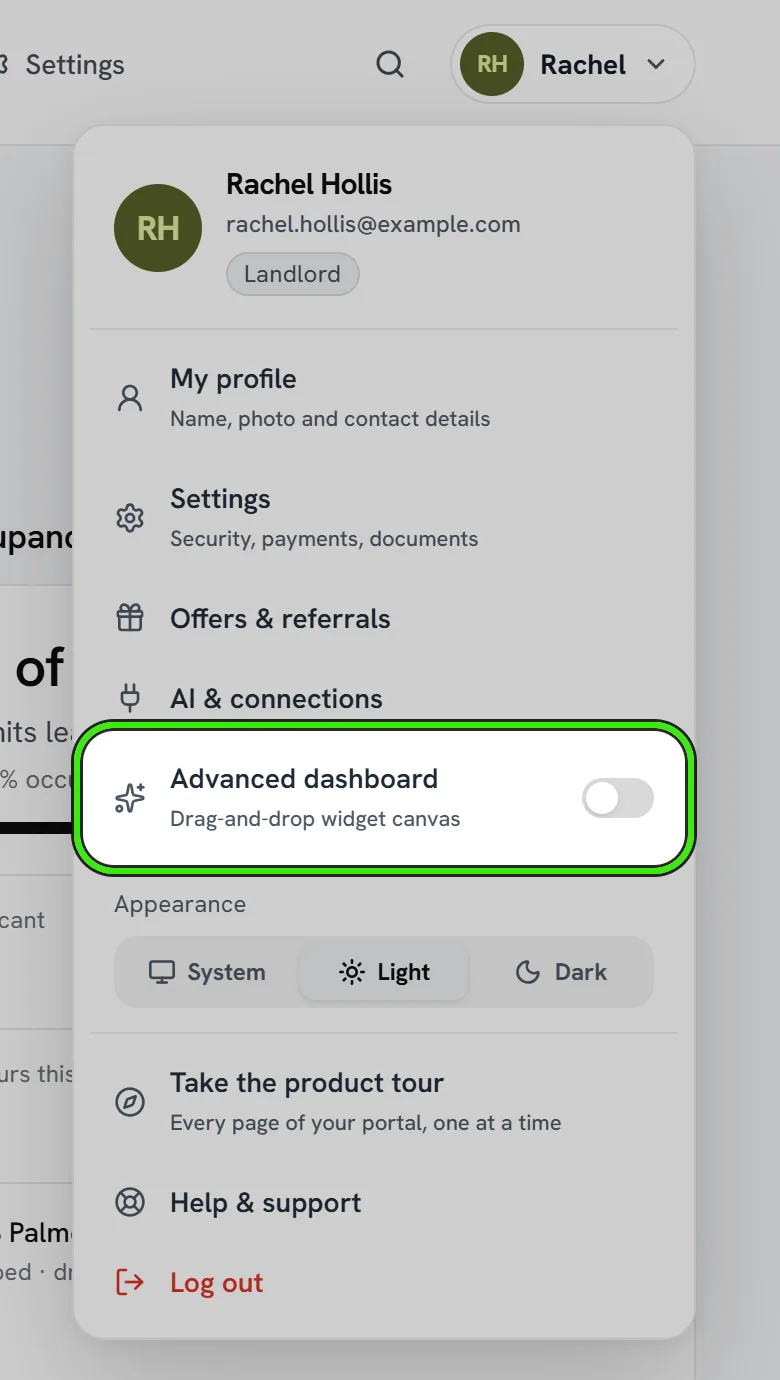
Every role lands on a dashboard, but no two businesses care about the same numbers first. Seayora’s dashboard layout is customizable so yours can match how you actually work.
What you can customize
- Add, remove, resize, and drag-and-drop widgets.
- Choose which report or metric each widget shows.
- Save a layout per role if you switch between them.
- Reset to the default layout at any time.
Good starting layouts
Landlords often keep rent status, upcoming lease expirations, and open maintenance requests up top. Service professionals tend to prioritize today’s jobs, outstanding invoices, and cash position. Management companies often lead with portfolio-wide occupancy and staff task completion.
Layouts are personal
Your layout is saved to your account, not shared with teammates — everyone on a team can arrange their own dashboard differently without affecting anyone else’s view.
Frequently asked questions
Can I have different layouts for different roles?
Yes. If your account surfaces more than one role, you can arrange the dashboard for each one separately — a landlord view can look completely different from a service-pro view on the same account.
Will resetting my layout lose data?
No. Resetting only changes which widgets are shown and where — it never deletes or alters the underlying properties, jobs, or financial records those widgets display.
Is there a limit to how many widgets I can add?
Practical screen space is really the only limit — add as many widgets as make sense for your workflow, and remove any that stop being useful.
Related guides
Related features and guides
- Roles & Account Types — Documentation. The difference between landlord, management, service professional, and tenant accounts — and what each role can do on Seayora.
- Financial Reports — Documentation. The core reports Seayora produces — Profit & Loss, Balance Sheet, aging, budgets vs. actual — and how to read them.
- Portfolio Analytics & Owner Reporting — Documentation. How management companies and landlords see portfolio-wide performance — occupancy, rent roll, and maintenance — across every property.
- Split Rent with Roommates — Feature. Roommates each pay their portion of rent directly from their own bank account or card. The landlord sees one compiled total — nobody has to front the whole month.