Books Setup, Books Access and Keyboard Shortcuts
The eight-step setup for new books, narrowing what each person on your team can do in them, and the density switch and keyboard shortcuts.
Books setup
Accounting → Tools → Books Setup walks new books through eight steps: your business profile, a chart of accounts for your trade, opening balances, a bank account, importing from another system, sales tax, an invoice template and your team. Each step is checked when your books show it is done, not when you check it; a check that could not run says so rather than guessing. Skip any step that does not apply, and hide the setup banner whenever you like.
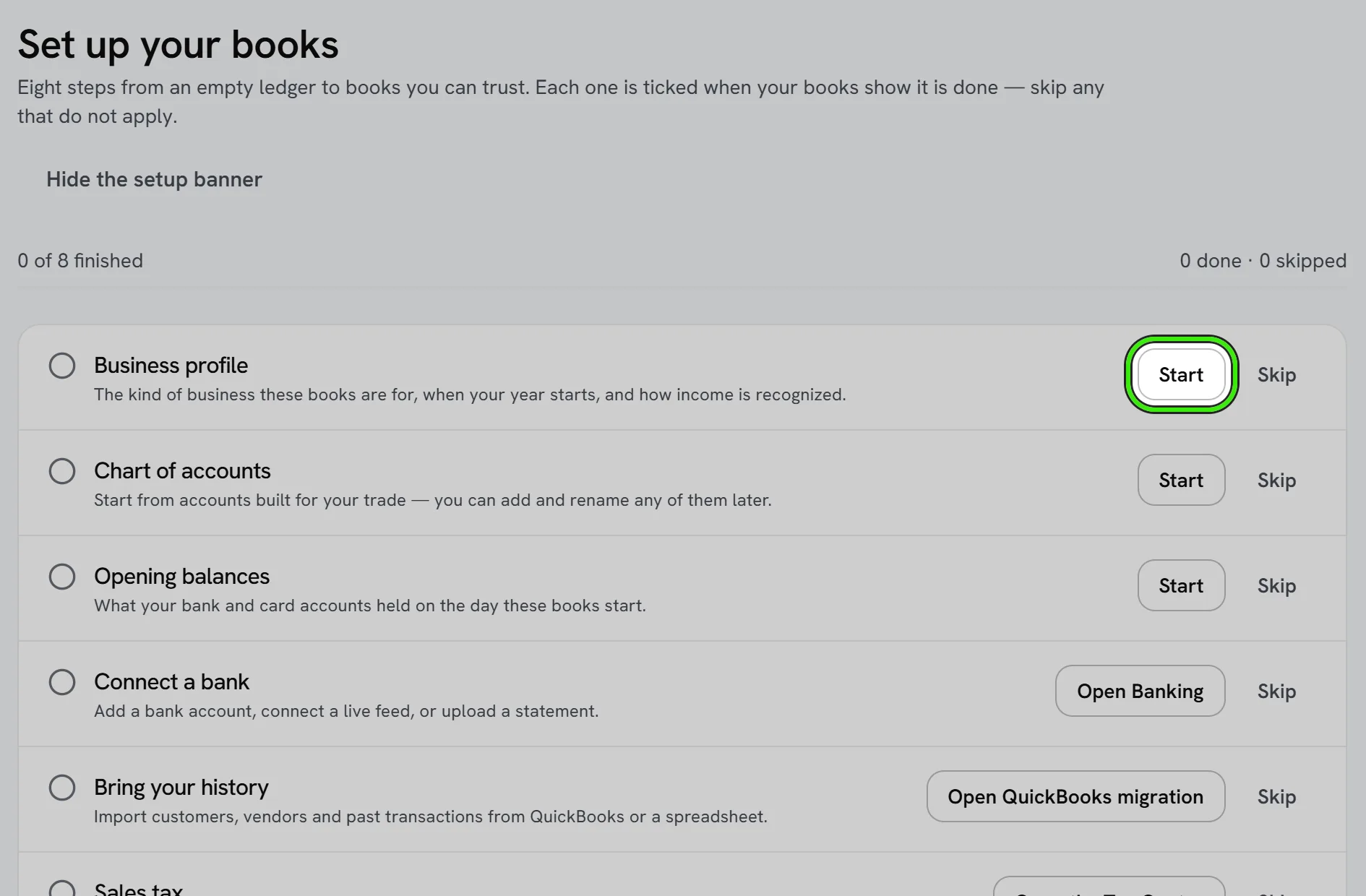
Opening balances are for balance-sheet accounts and are posted once, balanced against Opening Balance Equity. What customers owe you and what you owe vendors are entered as open invoices and bills instead, so the aging reports can say who owes what.
Books access
Team permissions decide whether somebody may open the books at all. Books Access narrows it further, part by part: view-only reports, no access to banking, approvals up to a limit.
- Each part of the books — invoicing, sales and orders, purchasing, expenses, banking, the ledger, reports, tax, assets, documents, entities, AI finance and settings — can be left as their team access, made view-only, or switched off.
- Approving, voiding and closing periods can each be taken away, and approvals can be capped. When an amount cannot be checked against the cap, the approval is refused.
- It only ever narrows — it cannot grant more than their team permissions. Nobody changes their own access, every change is recorded, and the person is emailed.
Density and keyboard shortcuts
Compact lists tightens every books list; it is saved to your account, so the website and both phones follow it. On the website press ? for the full list of shortcuts. With a keyboard attached they work in the apps too — ⌘ on an iPad, Ctrl on an Android tablet or a Chromebook — and Accounting → Keyboard shortcuts lists them there. One setting, “Use keyboard shortcuts in the books”, switches them off everywhere you sign in.
| Website | iPad keyboard | Android keyboard | Does |
|---|---|---|---|
| g then i · s · o · p · b · d · l · r · t | ⌘1 to ⌘9 | Ctrl+1 to Ctrl+9 | Go to Invoicing, Sales, Orders, Purchasing, Banking, Documents, Ledger, Reports, Tax Center |
| g then , | ⌘, | Ctrl+, | Go to Books Settings |
| g then w · e | — | — | Go to Billable Work · Entities |
| [ and ] | — | — | Previous and next section |
| n | ⌘N | Ctrl+N | Create something new here |
| / | — | — | Search the books |
| Shift+D | ⌘⇧D | Ctrl+Shift+D | Switch between comfortable and compact |
| ? | ⌘/ | Ctrl+/ | Show the keyboard shortcuts |
Frequently asked questions
Can I undo a skipped setup step?
Yes — Undo skip puts it back on the list.
Can a bookkeeper change their own access?
No. Nobody changes their own books access; the owner or another manager does, and the change is emailed to them.
Do the shortcuts work while I am typing?
On the website, no — they are ignored inside a text field, so typing a “g” in a memo never navigates away. On an iPad or Android keyboard they are ⌘ or Ctrl chords, which cannot be typed by accident, so they work from inside a field too.
Related guides
Related features and guides
- Accounting Suite Overview — Documentation. A tour of Seayora’s accounting and bookkeeping tools — invoicing, bills, ledger, bank feeds, reports, automations, and the AI analyst.
- Multiple Entities and Consolidated Statements — Documentation. Keep an LLC per building, or a separate equipment company, in the same books — switch between them, and add them up into a consolidated P&L, balance sheet or trial balance.
- Books Modules — Documentation. How to switch off the parts of your books you do not use — recurring invoices, progress invoicing, budgets, bank feeds, the customer portal and more — and what switching one off does.
- Bank Feeds & Reconciliation — Feature. Connect bank feeds and reconcile transactions against the ledger, so what the books say and what the bank says actually match.
- Team Roles & Permissions (RBAC) — Feature. Role-based access control with employee accounts, so leasing agents, maintenance staff, and bookkeepers each see only their scope. Every action is audit-logged.
- Free Data Migration — Feature. Free white-glove data migration for management companies, including QuickBooks data, so switching platforms does not mean re-entering years of records.