Payroll Posting
How payroll results post into your accounting so wages, taxes, and liabilities land in the right accounts.
Payroll posting records the accounting side of paying your team — wages, employer taxes, and related liabilities — into the correct ledger accounts.
What it captures
- Gross wages as an expense.
- Withholdings and employer taxes as liabilities.
- Net pay against the correct cash or clearing account.
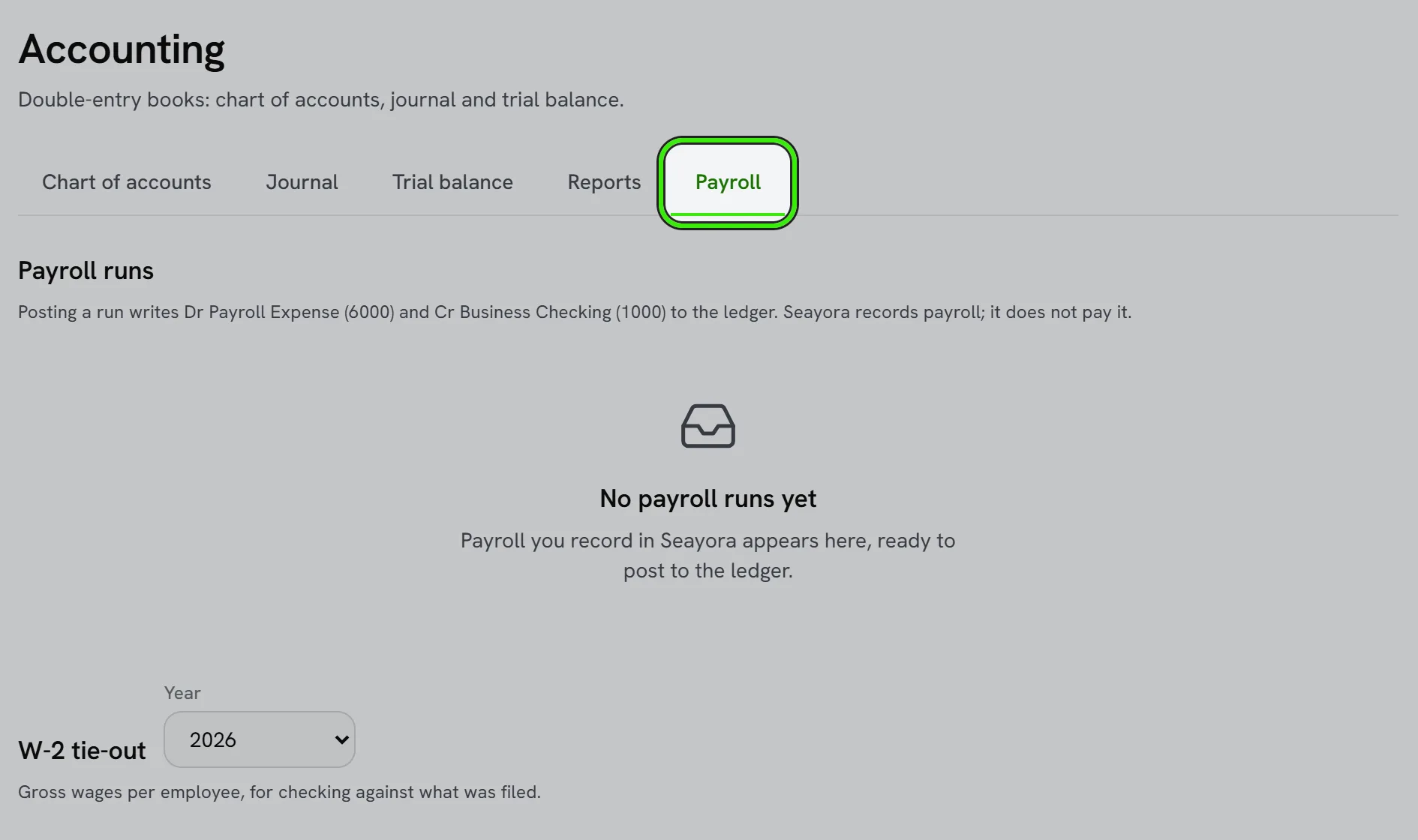
Accurate payroll posting keeps your P&L and balance sheet correct. Payroll tax filing and compliance remain your responsibility — work with your payroll provider and accountant.
Connecting a payroll provider
Where a payroll provider integration is available, each pay run posts automatically instead of requiring a manual journal entry every period. If you run payroll outside Seayora, you can still post the summary manually to keep books complete.
Frequently asked questions
What if I don’t use an integrated payroll provider?
You can still post a payroll summary manually each pay period from your provider’s reports — it just requires a manual journal entry instead of an automatic one.
Does payroll posting calculate withholding for me?
No — withholding and tax calculations come from your payroll provider. Posting just records the results into your books correctly.
Does payroll posting handle contractor payments too?
Independent-contractor payments are typically handled as vendor bills through accounts payable rather than payroll, since contractors aren’t on payroll — see vendor and subcontractor management.
What if my payroll provider changes mid-year?
Update your posting setup to reflect the new provider and confirm the transition period’s numbers reconcile cleanly so nothing is double-counted or missed between providers.
Related guides
Related features and guides
- Chart of Accounts & General Ledger — Documentation. How to structure your chart of accounts, post journal entries, and use the general ledger as the backbone of your books.
- Financial Reports — Documentation. The core reports Seayora produces — Profit & Loss, Balance Sheet, aging, budgets vs. actual — and how to read them.
- HR & Team Compliance — Documentation. How service businesses track employee and contractor records, certifications, and compliance documentation in one place.
- Invoicing, Estimates & Statements — Feature. Create invoices and estimates, send customer statements, and collect payment through the same rails as rent — with everything posting to the ledger automatically.
- Property Management Accounting — Feature. A full chart of accounts and general ledger purpose-built for rentals — income and expenses tracked to the unit, with rent, fees, and maintenance posting automatically.
- Landlord Bookkeeping and Tax Prep: Get Organized Before April — Guide. How landlords can keep rental income and expenses organized all year, track deductible costs, and walk into tax season with clean records.