Rental Applications
How online rental applications work on Seayora — what applicants submit, how landlords review, and how to keep the process fair and consistent.
Online applications replace paper forms with a consistent, trackable process for both sides.
For applicants
Submit your information, income and employment details, and consent to screening in one place, then track the status. Provide accurate, complete information — it’s your own, and it speeds up decisions.
For landlords and managers
- Receive complete applications in a single queue.
- Apply the same criteria to every applicant for fairness and legal safety.
- Request screening reports where you have a permissible purpose and consent.
- Move approved applicants straight into leasing.
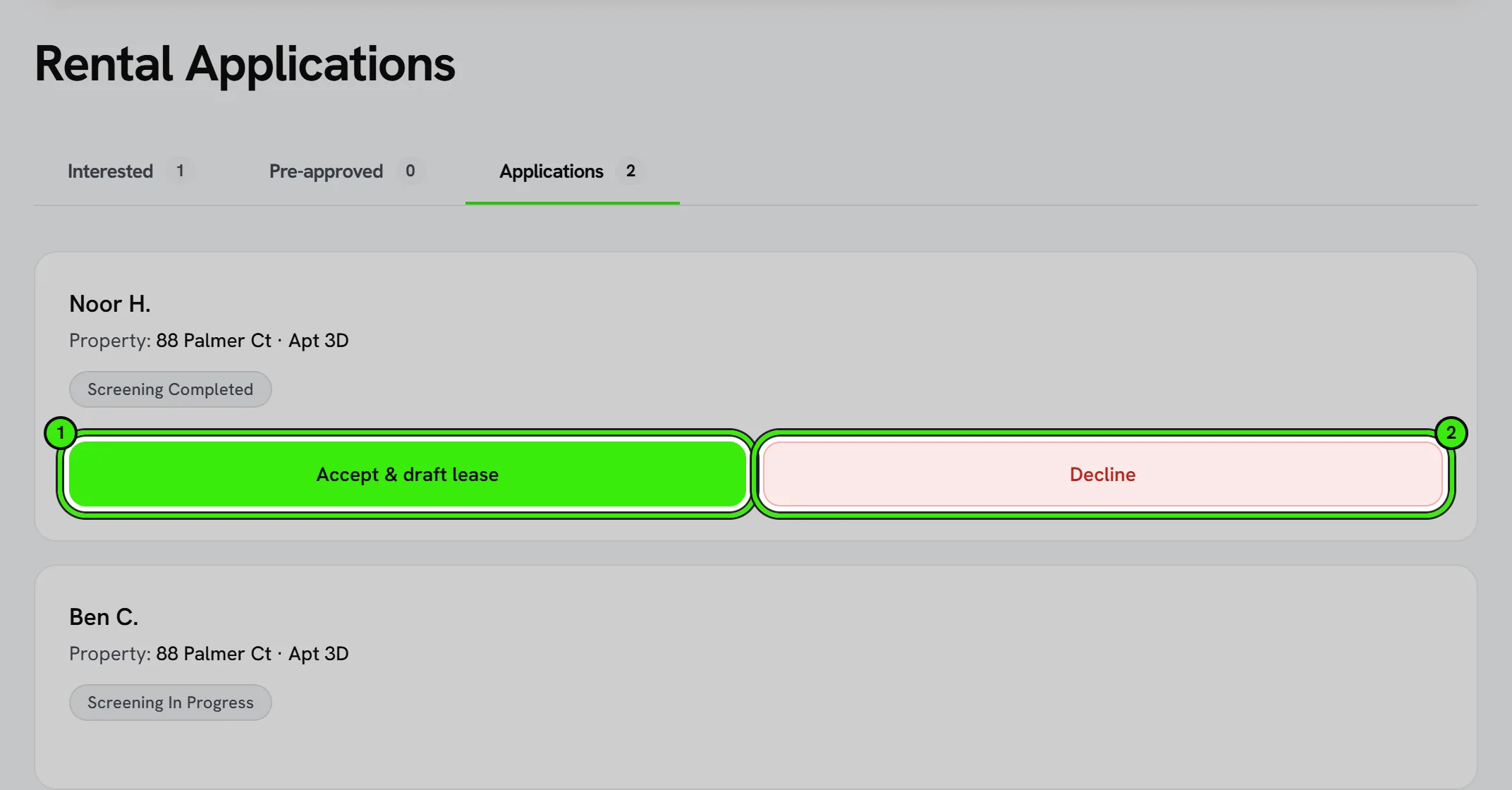
Landlords make their own independent decisions. Fair-housing and FCRA rules apply — see the compliance docs.
Inviting somebody to apply
Somebody you met at a viewing or spoke to by phone does not have to message you first. Under Applications, choose Invite someone to apply, pick the home and type their email address. It works on the website and in both phone apps.
- If they already have a Seayora account, they are pre-approved straight away and appear under Pre-approved.
- If they do not, Seayora emails them one invitation. They are listed under Invited until they create an account with that same address and confirm it — then the pre-approval appears for both of you and you are told.
- An invitation stays open for 30 days. You can send it again once a day, or withdraw it; an email already sent cannot be taken back.
- Signing up with a different address does not pick it up. That is deliberate: the pre-approval goes to whoever proves they read that mailbox, not to whoever holds a forwarded email.
Pre-approval is not an approval. Nothing is held for the person and no lease is drafted; the next step is still yours.
What happens after you apply
Your application status updates as the landlord reviews it — submitted, under review, and a final decision. You can track status without having to call or email for an update.
Withdrawing or reapplying
If you no longer want to be considered, you can withdraw an application at any time. If circumstances change — a new co-applicant, updated income — you can submit a new application rather than trying to edit a submitted one.
Frequently asked questions
Is there a fee to apply?
Application fees, if any, are set by the landlord or management company, not by Seayora, and are disclosed before you submit.
Can I apply to more than one listing at once?
Yes — you can submit applications to multiple listings and track each one’s status separately, which is common while you’re still deciding between a few options.
How do I know if I was approved?
Your application status updates in your account, and you’ll typically get a notification when the landlord makes a decision — no need to follow up by phone or email.
Can I add a co-applicant partway through the process?
It depends on the workflow — in most cases it’s cleanest to add all co-applicants when you submit, since screening and review are typically tied to the full applicant group.
I got an email inviting me to apply. What do I do?
Create a Seayora account with the same email address the invitation was sent to and confirm it. The pre-approval then appears under your applications. If you were not expecting it, ignore the email — nothing is created unless you sign up.
Related guides
- Tenant Screening & Background Checks
- Creating & E-Signing Leases
- FCRA & Screening Compliance
- Move-In & Move-Out Checklists
Related features and guides
- Tenant Screening & Background Checks — Documentation. Screening is not available yet — no consumer reporting agency is connected and no fee is charged. How it will work, and the FCRA responsibilities that come with it.
- Creating & E-Signing Leases — Documentation. How to build a lease, send it for electronic signature, and rely on the audit trail under ESIGN and UETA.
- FCRA & Screening Compliance — Documentation. A practical walkthrough of your FCRA obligations when using screening reports, including adverse action.
- Tenant Screening: What Landlords Need to Know — Guide. How to screen rental applicants fairly and legally — credit and background checks, what you can and can’t consider, and staying compliant with the FCRA and Fair Housing.
- Maintenance Requests & Work Orders — Feature. Tenants submit work orders with photos and video from their phone. Landlords triage, dispatch, and track every request to completion in one place.
- Fair Housing Support — Feature. Structured applications, consistent screening criteria, automated policy application, and listing guidance that supports fair housing compliance.