Calls & Call Recording
How in-platform calling works, when calls may be recorded, and the consent rules that apply.
Where enabled, you can call other users through the platform.
Starting a call
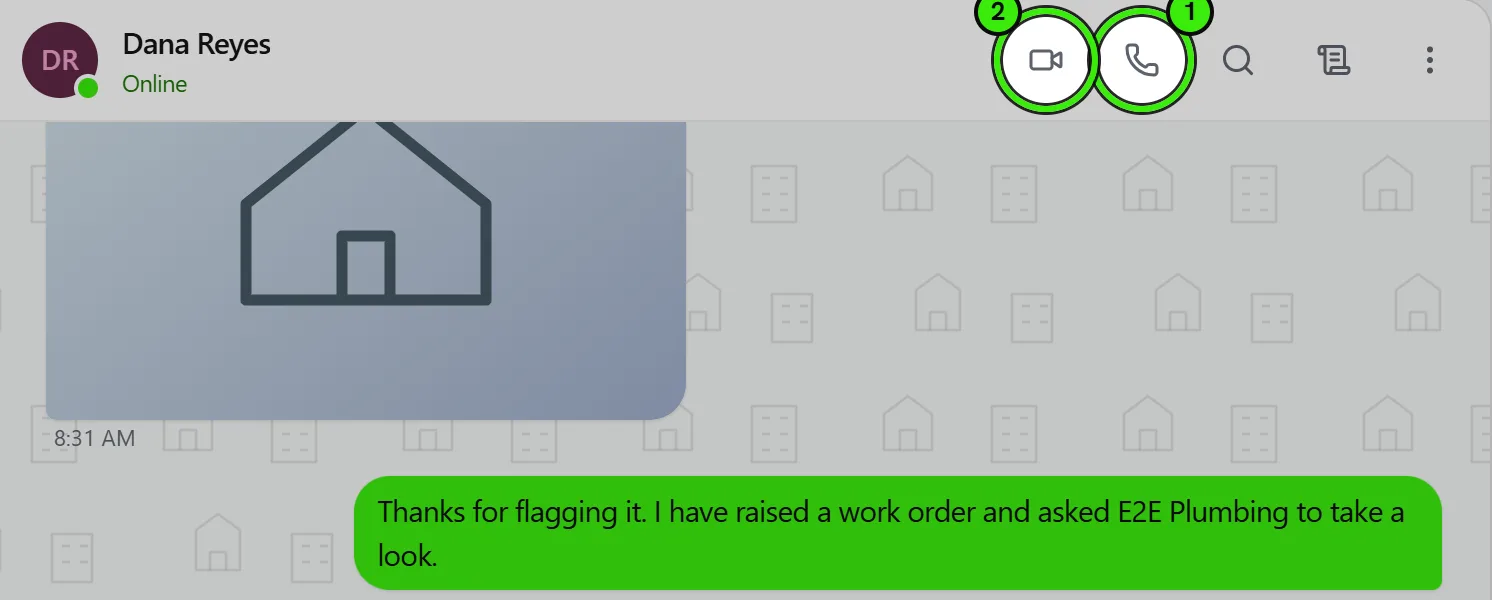
Open a conversation and use the voice or video button at the top right of the thread. Group conversations and support threads are callable too — calling support rings whoever is on duty.
Where calls work
Voice and video calls work on the website, on iPhone and on Android, and a call placed on one reaches the others.
How a call arrives on your phone
A Seayora call rings like a phone call, not like a message. On iPhone it uses the system call screen, so it takes over the lock screen, rings with your ringtone, and can be answered from a car, a watch or the steering wheel. On Android it uses the phone’s own incoming-call screen for the same reason.
It reaches you whether Seayora is open, in the background, or closed entirely — including after you have swiped the app away. You do not have to leave it running.
- Answering from the ring takes the call straight away; there is no second Answer button inside the app.
- Declining tells the caller immediately rather than leaving them listening to it ring out.
- A call is never silenced by muting a conversation. Muting stops that thread’s messages; it is not a way of saying “do not phone me”. Blocking is.
- The first call asks for the microphone, and a video call also asks for the camera. Declining refuses the call rather than connecting you to silence.
- Voice calls come out of the earpiece by default, like a phone call. The speaker button moves them to the loudspeaker.
- A video call fills the screen with the other person and shows your own camera in the corner; you can turn your camera off, or switch between front and back, without leaving the call.
- Ringing stops after 30 seconds. If nobody answers, the call is written into the conversation as a missed call rather than left ringing.
- Answering on one device stops the others ringing, and a call the caller gives up on stops ringing everywhere rather than being left on a lock screen.
If a call will not connect
Some corporate and public networks block the direct path between two devices. Seayora routes those calls through a relay instead, and when no relay is available the call screen says so before you rely on it — rather than ringing, answering and staying silent. If you see that message, a different network (mobile data, for example) usually connects.
Calls in the transcript
Every call is written into the conversation where it happened, in order, with the direction, the outcome and how long it lasted — an outgoing video call of 4:12, a missed voice call, a call the other person declined. Tapping the row calls back.
Because a call is a real entry in the conversation rather than a separate log, it stays in the right place in the history, it is included in an exported transcript, and "missed call" is something you can filter your inbox by.
Recording and consent
Calls may be recorded or transcribed for quality, safety, dispute-resolution, training, and record-keeping, subject to notice and consent requirements. Some states require all-party consent to record; by continuing after notice, participants consent as disclosed.
You’re responsible for your own compliance with recording and TCPA rules when using calling features. See the communications section of the Terms of Service.
Accessing a call recording later
Where recording is enabled, recordings are attached to the relevant conversation or job so you can find them later without hunting through a separate call log.
Frequently asked questions
Are all calls recorded automatically?
Only where a calling feature with recording is enabled and disclosed — you’ll be notified before a call is recorded, consistent with applicable consent requirements.
Can I opt out of having my calls recorded?
Consent requirements vary by state; where recording is disclosed and you continue the call, that generally constitutes consent as described. If you have concerns, raise them with the other party or support before the call.
Can I mute call notifications during certain hours?
Where notification scheduling is supported, you can limit non-urgent alerts to your working hours while still receiving anything flagged as urgent.
Does the app have to be open for a call to ring?
No. A call reaches your phone whether Seayora is open, in the background, or closed entirely — including after you have swiped it away. What it needs is notification permission, and on iPhone it also needs Seayora to be allowed to notify you; a phone with notifications refused cannot be rung by any app.
Why does a call sometimes arrive as a banner instead of a full-screen ring?
That is what a call looks like when your phone can only be reached as a notification — usually because notification permission is limited, or because the app was reinstalled and has not registered for calls yet. Opening Seayora once puts it back. If your Settings screen shows a note under Push Notifications explaining it, that note is the reason.
Related guides
Related features and guides
- In-Platform Messaging — Documentation. How to message tenants, landlords, managers, and service pros inside Seayora with a record of every conversation — and draft a reply to an inquiry about your listing.
- Notifications, Email & SMS — Documentation. How Seayora sends transactional and marketing notifications, choosing which alerts reach your phone and inbox, what the text-message program actually sends, and how to stop it.
- Getting Support & Using the Help Center — Documentation. Ask the documentation a question and get an answer composed from the guides, with links to the ones it came from — plus how to reach a person when the answer is not written down.
- Call Recording & Consent — Feature. Where enabled, calls can be recorded or transcribed for quality and dispute resolution — with recordings attached to the conversation and consent obligations made explicit.
- Private In-App Voice Calls — Feature. Voice and video calls that run inside Seayora between two accounts — no telephone number is used on either side, so landlords, tenants and service pros talk without exchanging personal contact details.
- In-App Voice Calling — Feature. Browser-based voice calling between landlords, tenants, staff, and contractors, with call logs kept alongside the conversation and personal numbers never exposed.