Notifications, Email & SMS
How Seayora sends transactional and marketing notifications, choosing which alerts reach your phone and inbox, what the text-message program actually sends, and how to stop it.
Seayora keeps you informed through in-app notifications, email, push, and — where you have given us a mobile number — text messages.
Transactional vs. marketing
- Transactional messages — account, payment, application, lease, and dispatch notices you can’t fully turn off while you have an account.
- Marketing messages — optional, and email only. Opt out using the unsubscribe link in any of them, or the Unsubscribe button your email app shows beside our name — both do exactly the same thing.
Text messages
The program is called Seayora account & service alerts. It sends one-time security and sign-in codes, password-reset links, application decisions, appointment and dispatch notifications, invoice and payment notices, lease events, and support-ticket updates. Frequency varies, because these are triggered by something happening on your account rather than by a schedule. Seayora doesn’t charge for texts; message and data rates from your carrier may apply, and carriers aren’t liable for delayed or undelivered messages.
Seayora does not send marketing or promotional texts. Every message in that list exists because something happened on your account. If that ever changes we’ll ask for your consent to marketing texts separately and specifically, before sending any.
Stopping texts
Reply STOP to any message and we stop texting that number. You’ll get one final message confirming it and nothing after that. STOP, STOPALL, UNSUBSCRIBE, CANCEL, END, QUIT, REVOKE and OPT OUT all work the same way. Reply HELP for help, or START to begin receiving texts again. You can also just tell us — an email, a support conversation, or a word to an agent on a call — and we’ll record it.
Two things worth knowing before you do. Stopping applies to the phone number rather than to your account, and it stops every text to that number, including security and sign-in codes — those switch to email, so you won’t be locked out. And because the record is kept against the number, it also stops texts to that number for any other Seayora account it happens to be registered on.
Choosing which alerts reach your phone and your inbox
Settings → Notifications — on the website, the iPhone app and the Android app — lists every kind of alert Seayora sends you, and for each one whether it also reaches your phone and your inbox. Your choice is saved to your account, so it applies on every device you use.
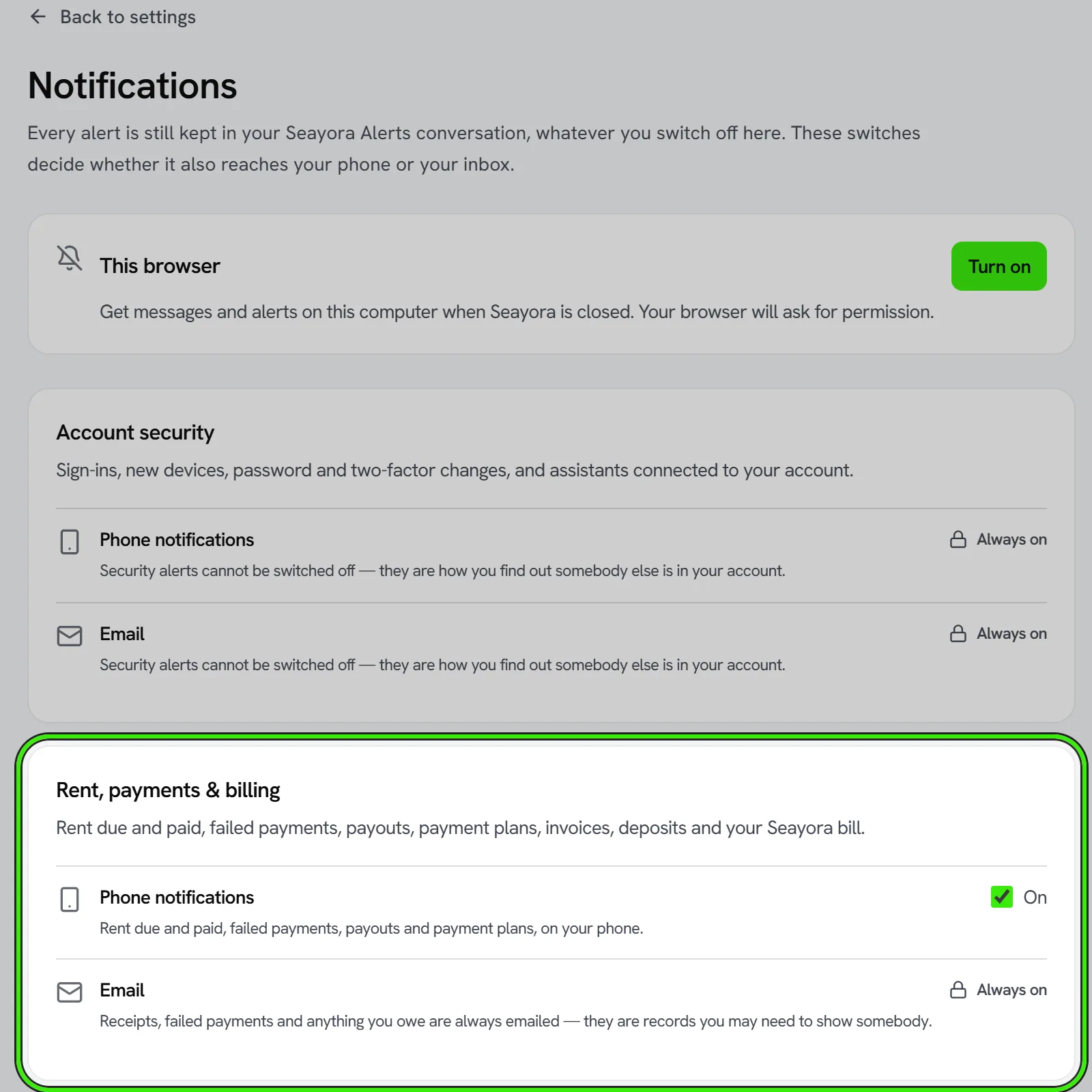
- Every alert is still kept in your Seayora Alerts conversation whatever you switch off. The switches decide whether the same alert also buzzes your phone or arrives by email.
- Account security alerts can’t be switched off on either channel — they are how you find out somebody else is in your account.
- Receipts, failed payments and anything you owe, application decisions, leases, signature requests, served notices and filing deadlines are always emailed, because they are records you may need to show somebody. You can still choose whether they buzz your phone.
- Leak, freeze and camera alerts always reach you. Quiet hours and thresholds for a device are set on the device itself, under Connected devices.
- Repairs, tours and saved-search alerts, your building’s announcements and packages, schedule reminders, and surveys can each be switched off by email, by phone, or both.
Each switch says in words what it stops, and each one that can’t be changed says why. Messages and calls have their own settings in each conversation, text messages stop when you reply STOP, and marketing email has its own unsubscribe link — none of those are on this screen.
Separately, your phone decides whether Seayora may notify it at all. If an alert you have switched on never buzzes, check that Seayora is allowed to send notifications in your phone’s own settings — the row directly below Notifications in the app opens it.
Notifications in your web browser
On the website, Settings → Notifications has a This browser switch. Turn it on and your browser asks for permission; after that, messages and alerts reach that computer even when no Seayora tab is open. It works in Chrome, Edge, Firefox and Safari. On an iPhone or iPad, add Seayora to your Home Screen from Safari first — Apple only allows notifications for web apps opened from the Home Screen.
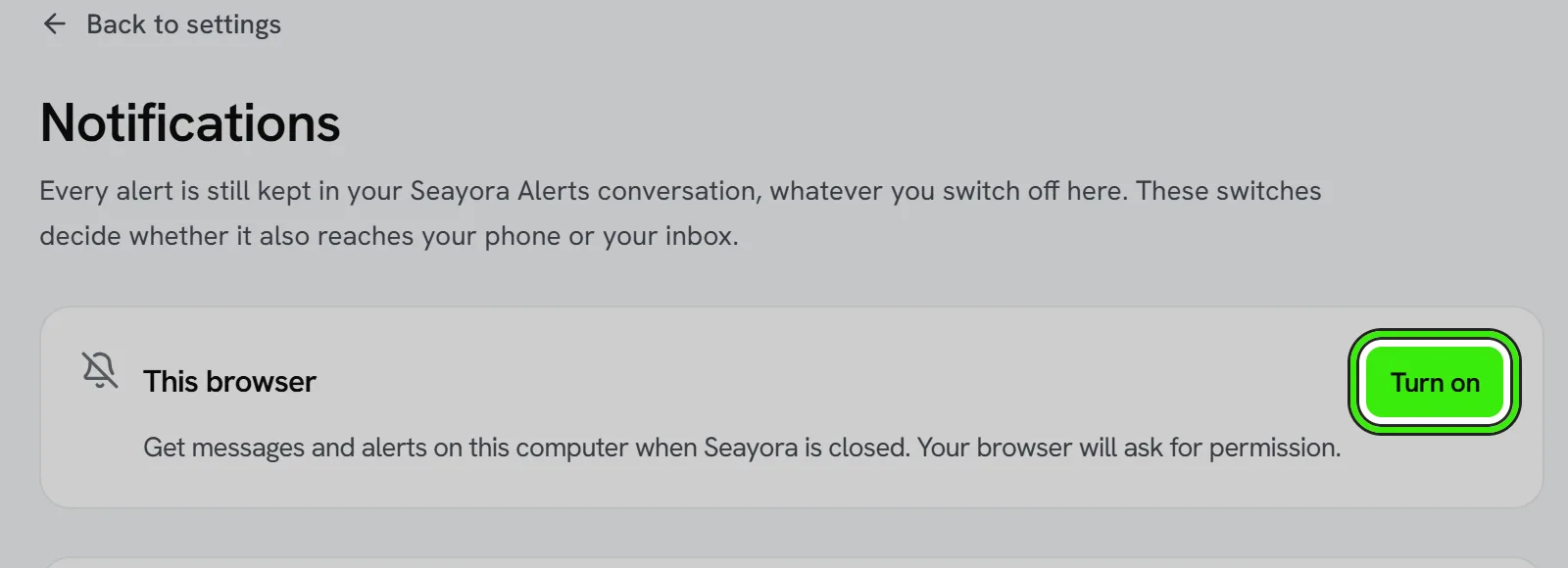
- The switch is per browser. Turning it on at work does not turn it on at home, and the screen tells you how many other browsers have it on.
- Signing out of Seayora stops that browser receiving your notifications straight away, so the next person to use the computer is not notified about your account.
- If your browser says notifications are blocked, allow them for seayora.com in the browser’s site settings, then turn the switch on again. Seayora can’t change that setting for you.
- Your browser delivers these through its own push service — Google for Chrome and Edge, Mozilla for Firefox, Apple for Safari. The message is encrypted so only your browser can read it.
When you read something on another device
Reading a conversation anywhere — the website, the iPhone app or the Android app — takes its notifications off your other devices and puts the app’s badge back to what is really still unread. Replying counts as reading. A phone that was switched off or out of signal catches up the next time you open Seayora. In a browser, the notification closes the next time Seayora is open there, and a new message in the same conversation replaces the old notification instead of piling up.
Seayora Alerts
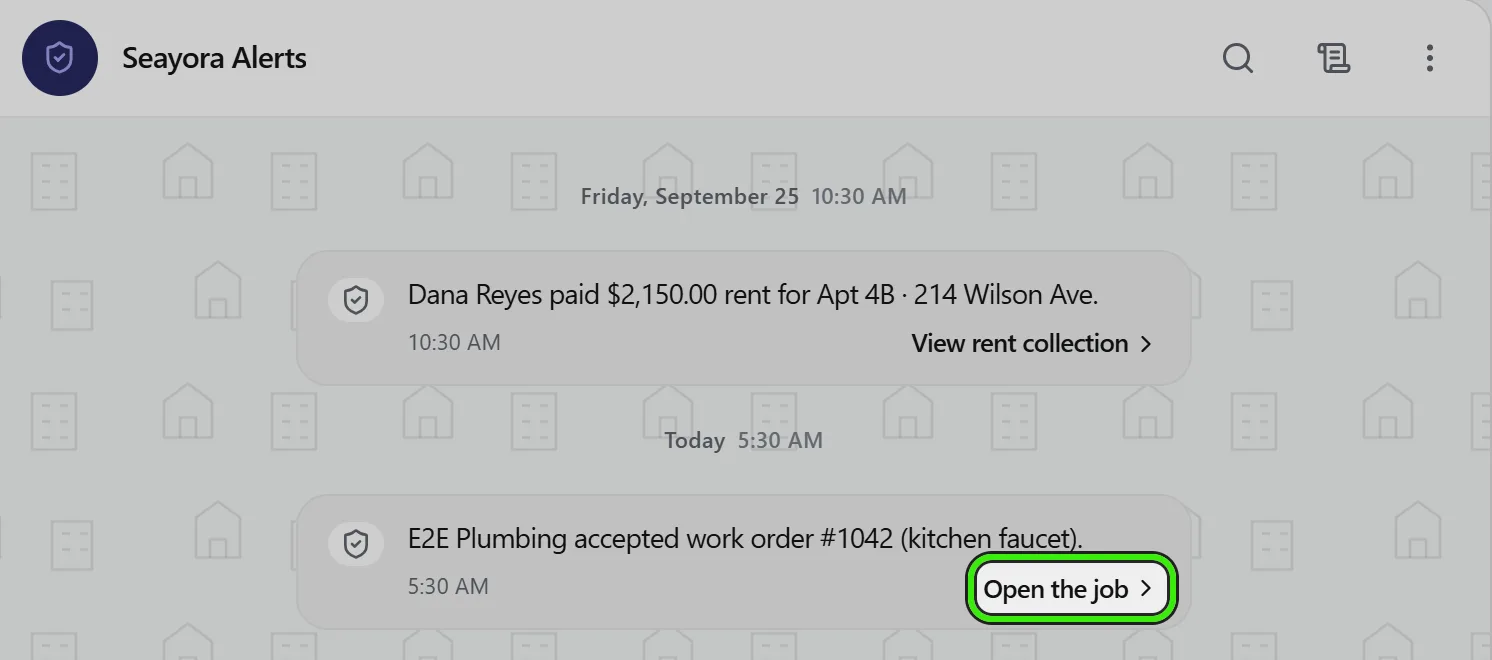
Seayora Alerts is the conversation where every notice about your account is kept: receipts, sign-ins, lease events, repairs and the rest. Each alert shows when it arrived and, when there is something to do, a link straight to the right screen — Review your devices, View receipt, and so on. Tapping an alert notification opens this conversation. Nobody reads replies here; use Help & Support if you need a person.
Frequently asked questions
Can I turn off all marketing communications but keep transactional ones?
Yes. Marketing is email only and has its own unsubscribe link; transactional messages necessary to operate your account continue on email, in-app and push as long as you maintain it.
What’s the fastest way to stop texts?
Reply STOP to any text. You’ll get one confirmation and nothing after it. That stops all texts to the number, so sign-in codes will come by email instead.
I replied STOP and want texts back.
Reply START from the same number, or ask support. You’ll get a confirmation either way.
Does stopping texts stop my sign-in codes?
It stops them being texted. They’ll be emailed to you instead, so you can still sign in on a new device — the screen will tell you to check your email rather than your phone.
Do push notifications require the mobile app?
No. The iPhone and Android apps notify your phone, and the This browser switch in Settings → Notifications on the website notifies a computer even when Seayora is closed. Email and in-app notifications work regardless.
My phone still shows a notification for something I already read on my laptop.
It should clear on its own within a few moments. If the phone was offline or Seayora had been closed from the app switcher, it clears the next time you open Seayora, and the app badge is corrected at the same time.
Can I stop repair updates buzzing my phone but keep the emails?
Yes. In Settings → Notifications, switch off Phone notifications under Repairs & work orders and leave Email on. The update is still in your Seayora Alerts conversation either way.
Why can’t I switch off rent receipt emails?
Receipts, failed payments and anything you owe are always emailed, because they are records you may need to show a lender, a caseworker or a court. You can stop them buzzing your phone.
I switched something off on my phone — does it apply on the website too?
Yes. Notification choices are saved to your account, not to the device, so the website, the iPhone app and the Android app all follow the same settings.
Related guides
Related features and guides
- In-Platform Messaging — Documentation. How to message tenants, landlords, managers, and service pros inside Seayora with a record of every conversation — and draft a reply to an inquiry about your listing.
- Data & Privacy Controls — Documentation. How Seayora handles your data, the privacy rights you may have, and how to exercise them.
- Getting Support & Using the Help Center — Documentation. Ask the documentation a question and get an answer composed from the guides, with links to the ones it came from — plus how to reach a person when the answer is not written down.
- Notifications: In-App, Email, Push & SMS — Feature. In-app, email, push, and opt-in SMS notifications, with per-property and per-role settings so managing fifty units does not mean fifty times the noise.
- Broadcast Messaging & Notices — Feature. Broadcast SMS and email notices to an entire building or portfolio at once — water shutoffs, policy changes, and seasonal reminders, without a mail merge.
- Saved Searches & Rental Alerts — Feature. Save a search once and get notified when new rentals match your criteria — so you see the right unit before it is gone.