In-Platform Messaging
How to message tenants, landlords, managers, and service pros inside Seayora with a record of every conversation — and draft a reply to an inquiry about your listing.
Messaging keeps communication in one place, tied to the people and jobs it relates to.
Why in-platform messaging helps
- A single thread instead of scattered texts and emails.
- A record if a question or agreement ever comes up later.
- Context — messages sit next to the listing, lease, or job.
Use messaging professionally; the same acceptable-use rules apply as everywhere on the platform.
What you can send
The same things on the website, on iPhone and on Android: text, photos and videos, documents, voice notes, a poll, and your live location. You can reply to a specific message, forward one, react to it, star it, pin it, edit your own within the edit window, and send a photo or video that can only be opened once.
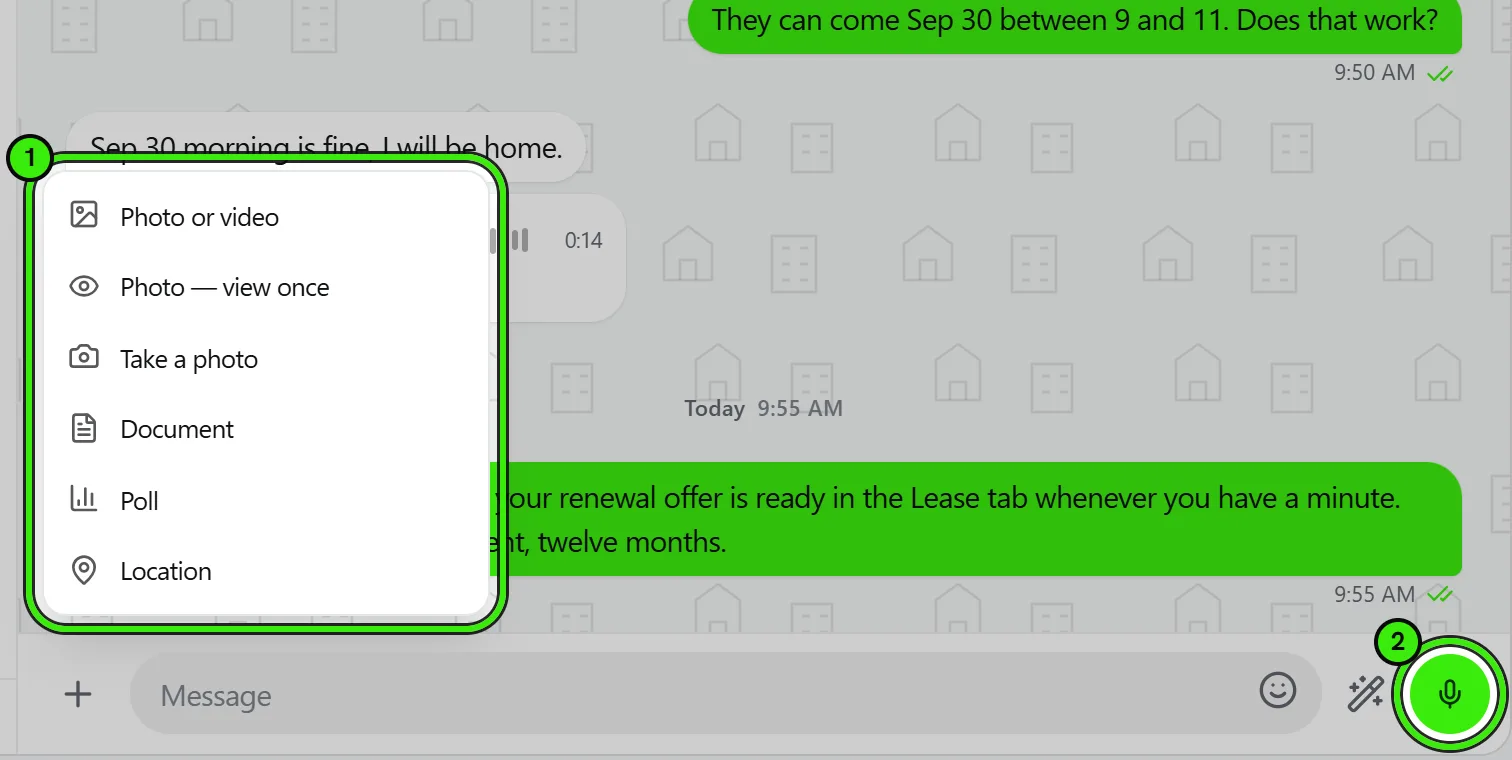
Polls
A poll is a real message in the conversation, not a separate object — it sits in the transcript where it was asked, everyone in the conversation answers it in place, and the running tally updates for everybody as votes come in. "Which Saturday works for the boiler shutdown", asked of eleven residents, is otherwise eleven replies somebody has to tally by hand.
Votes are not anonymous, and every client says so on the poll before anybody answers. In a building thread, "who has not answered yet" is usually the point.
Sharing where you are
Location is under the + in the composer, and it offers two different things. Sending your location is one message about one moment. Sharing live location is a commitment that runs for a window and keeps updating. The screen shows you the pin on a map, with how accurate the fix is, before anything is sent — you are approving a position, not trusting one.
- A live share is always time-limited: 15 minutes, 1 hour or 8 hours.
- The limit is enforced on our servers, so a share you forget about stops on its own.
- Sharing is foreground only. Seayora does not hold background-location permission on either phone, so nothing is sent once you close the app.
- You can stop a share at any moment from the conversation, on any device — including one you did not start it from. There is a Stop on the banner at the top of the thread and another on the map itself.
- When several people are sharing at once, the banner opens ONE map with everybody on it, rather than a link each.
The map
On the website and on iPhone a location message draws the map in the conversation, so you can see where a pin is without leaving the thread. Tapping it opens the full view — and from there, the map app you actually navigate with. On Android the message shows the place, the coordinates and whether the share is still live, and tapping it opens your map app directly; the in-bubble map there is waiting on a configuration step and the card says what it knows in the meantime.
A live share that has run out keeps its message in the transcript and stops calling itself live — it says when it ended. A bubble that still read "live location" an hour later would be showing somebody standing where they are not.
Knowing a message arrived
A message you sent carries a tick: one for sent, two once it reaches their device, and two in color once they have read it. The same marks appear in your conversation list against the last thing you said, so you can see at a glance which conversations are waiting on the other person. You can change the marks to dots or to words in Appearance if ticks are not iconography you read.
Read receipts are reciprocal. Turning them off in Appearance also stops you seeing when other people have read yours — a one-way switch would be a way to read everybody silently while still being told who read you.
Managing a conversation
Every conversation carries the same set of actions on all three clients. On the website, hover a row in your list and use the chevron at its right edge, right-click the row, or use the ⋮ in the open conversation’s header. On iPhone, swipe a row or press and hold it. On Android, press and hold it.
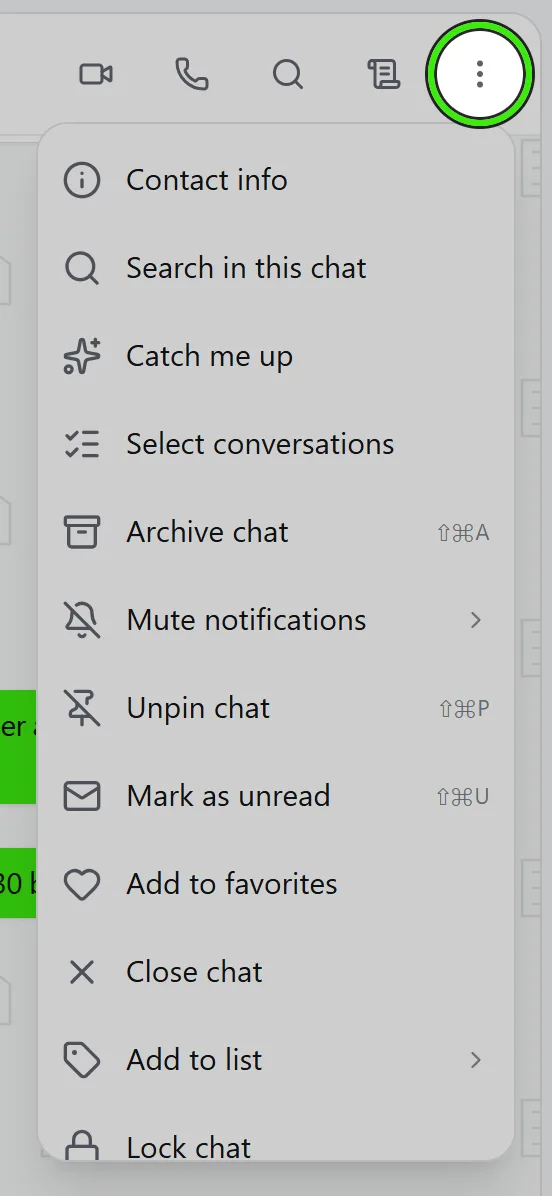
| Action | What it does |
|---|---|
| Archive | Moves the conversation out of your list into Archived. A new message brings it back. |
| Mute | For 8 hours, for 1 week, or always. You still see the messages; you just stop being notified. |
| Pin | Holds it at the top of your list. |
| Mark as unread | Keeps the unread mark on after you have read it, so it stays on your list of things to answer. |
| Favorite | Adds it to the Favorites filter. |
| Add to a list | Files it under one of your own labels. Private to you. |
| Lock | Hides the preview in your list and covers the messages until you open it. |
| Block | Stops that person messaging or calling you. |
| Clear | Hides every message in the conversation for you. The other side keeps their copy. |
| Delete | Clears it and removes it from your list. A new message brings it back; on a group, it also leaves the group. |
All of these are yours alone. Archiving, pinning, muting, favouriting, filing and locking change nothing for anybody else in the conversation, and nobody is told you did it.
Blocking, and what it does not stop
Blocking someone stops them messaging or calling you, in both directions. It does not stop anything either of you is owed: a rent receipt, a lease to sign, a payment that failed and a security alert all still arrive, because those are obligations rather than messages and they do not travel through the conversation. Blocking is not a way to stop being served notice.
Chat lock is a curtain, not encryption
Locking a conversation hides its preview in your list and covers the transcript until you open it. It is there for the moment somebody glances at your screen. It is not encryption: the messages are as readable on our servers as any other, and we will not describe it as anything more than it is. See the Privacy Policy for what we do with message content.
Searching inside one conversation
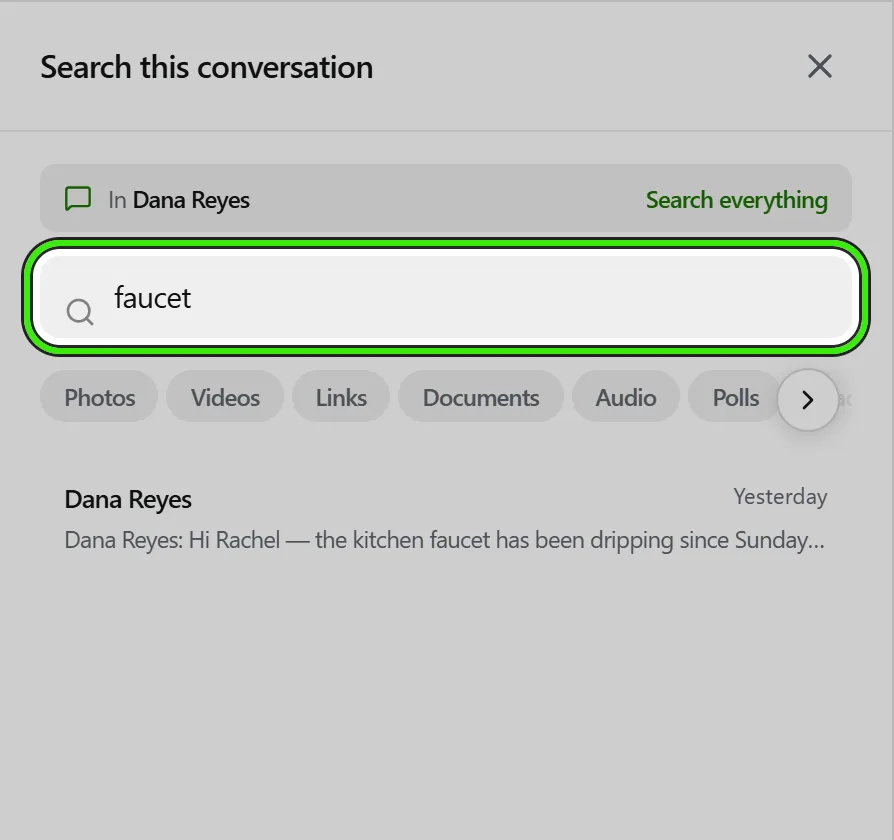
The magnifying glass in a conversation’s header searches that conversation only, and says so above the results. It searches the whole thread on our servers, not the part currently loaded on screen, so a sentence from March is findable without scrolling to March. The search in the messaging sidebar covers every conversation you are in.
Suggested replies to inquiries about your listings
When somebody messages you about one of your listings, the wand beside the message box offers Suggest a reply — on the website, the iPhone app and the Android app. It drafts an answer to what they asked using only what your listing records: availability, rent, deposit, size, pets, parking, laundry, utilities, heating and cooling, outdoor space and your own transport notes. Anything they asked that the listing does not say is named in the draft as something you will confirm, rather than guessed.
- Nothing is sent. The draft appears above the message box; you choose whether to use it, and you can change every word before you press Send.
- If a draft written by AI mentions a price, a link, an email address or a phone number that is not on your listing, it is thrown away and a plainer draft assembled directly from your listing is offered instead. The note under the draft says which one you are looking at.
- It never describes who the home would suit — families, children, age, faith or background — or whether an area is safe or its schools are good. Those are Fair Housing lines, and a draft that crosses one is discarded.
- It is offered only to the listing’s owner or manager, and only on a conversation that began as an inquiry about that listing.
Message notifications
New messages trigger a notification through your preferred channel (in-app, email, or push) so a conversation doesn’t go unanswered just because no one happened to be looking at the app.
Frequently asked questions
Can I message someone before they accept an application or job?
Yes — messaging is typically available as soon as there’s a relevant connection, like a submitted application or an assigned job, even before anything is finalized.
Are messages private between the two parties?
Yes — a conversation is visible only to its participants (and, where relevant, authorized staff on a management account), not to other users of the platform.
Can I attach a file to a message?
Yes — attach photos or documents directly to a conversation, useful for sharing a maintenance photo or a document without switching to email.
Does sharing my live location track me?
No. It runs only while Seayora is open, for the length of time you chose, and it stops on its own when that runs out — the limit is enforced on our servers, not by your phone remembering. Seayora holds no background-location permission on either phone, so closing the app stops it.
What is the difference between sending my location and sharing it live?
Sending is one message about one moment and it is over. Sharing live keeps updating for the window you chose and then stops. They are separate choices on the location screen precisely so the second is never something you start by accident.
Can other people see who voted in a poll?
Yes, and the poll says so before anyone votes. In a building conversation the useful question is usually who has not answered yet, so a poll is not a secret ballot.
Does the other person know I archived, muted or blocked them?
No. Archiving, muting, pinning, favouriting, filing under a label and locking are all private to you, and nobody is notified. Blocking is not announced either — the other person simply finds their messages and calls no longer go through.
If I block someone, do I stop getting their rent receipts and notices?
No, and that is deliberate. Blocking stops messages and calls. Rent receipts, leases to sign, payment failures and security alerts are obligations rather than messages and still arrive for both of you. Blocking is not a way to stop being served notice.
Is a locked chat encrypted?
No. Chat lock hides the preview in your list and covers the messages until you open them — it is for somebody glancing at your screen. The messages are as readable on our servers as any other message, and we will not describe it as more than that.
How long does muting last?
As long as you choose: 8 hours, 1 week, or until you unmute. The clock runs on our servers, so a mute you set on your phone ends at the same moment on your laptop.
Does Seayora reply to inquiries for me?
No. Suggest a reply writes a draft from your listing’s own details and puts it in front of you; nothing is sent until you press Send. Inquiries forwarded from partner sites receive a short automatic acknowledgment, which is a separate thing described under listing distribution.
Why did the suggested reply leave out something I know about the home?
Because it only states what your listing records. If a renter asks about something the listing does not cover, the draft says you will confirm it — add the detail to the listing and the next suggestion will include it.
Related guides
Related features and guides
- Filtering Your Inbox — Documentation. Smart filters, saved filter chips and labels — how to answer "who owes rent and has an open repair" without scrolling.
- Tidying Your Inbox — Documentation. Swipe actions you choose yourself, selecting several conversations at once, and the unread count on the Messages tab.
- Voice Notes — Documentation. Recording and playing voice messages on the web, iPhone and Android — including what a transcript is for.
- Private In-App Voice Calls — Feature. Voice and video calls that run inside Seayora between two accounts — no telephone number is used on either side, so landlords, tenants and service pros talk without exchanging personal contact details.
- Message Threads, Drafts & History — Feature. Threaded conversations with unread counts, drafts, read state, archiving, and a permanent history tied to the listing, lease, or job it concerns.
- Voice Notes in Messaging — Feature. Record and send voice notes in any Seayora conversation. Transcoded server-side so they play on iPhone, Android, and desktop alike, stored with the thread, and searchable as part of the property record.