Tidying Your Inbox
Swipe actions you choose yourself, selecting several conversations at once, and the unread count on the Messages tab.
Reading messages is one job and tidying up after them is another. Most of what you do to a conversation — archive it, mark it read, pin it, mute it — has nothing to do with opening it, so none of it should cost you a trip into the thread.
The number on the Messages tab
The Messages tab carries the number of unread messages waiting for you, on the website, on iPhone and on Android. It counts messages rather than conversations, so five unread messages in one group thread show as five.
The "Unread" chip inside the inbox counts conversations instead, and that is deliberate: tapping it gives you a list of threads, so the number beside it has to be a number of threads. They are different questions with different right answers.
The count moves as messages arrive, without a refresh. Opening a conversation clears its share of it everywhere you are signed in.
Swipe a conversation
On a touchscreen, a swipe across a conversation performs one action without opening it. You choose what each direction does, once, for your account — the choice follows you to every device you sign in on.
| You can set a swipe to | What it does |
|---|---|
| Nothing | Turns the swipe off on that side. |
| Read / unread | Toggles whether the thread counts as unread. |
| Pin / unpin | Keeps the thread at the top of your list. |
| Favorite | Marks it as one of the threads you work in. |
| Mute / unmute | Stops notifications from that thread. |
| Archive | Moves it out of the main list. Nothing is deleted. |
| Delete | Removes it from your list. Every device asks you first. |
Out of the box, swiping right marks a conversation read or unread and swiping left archives it. Change either in Settings → Messaging → Swipe actions (on the website, Appearance → Swipe actions).
The label on the tray says what will actually happen to that row: a thread that is already archived offers "Unarchive", not "Archive". A swipe set to Delete always confirms before anything happens.
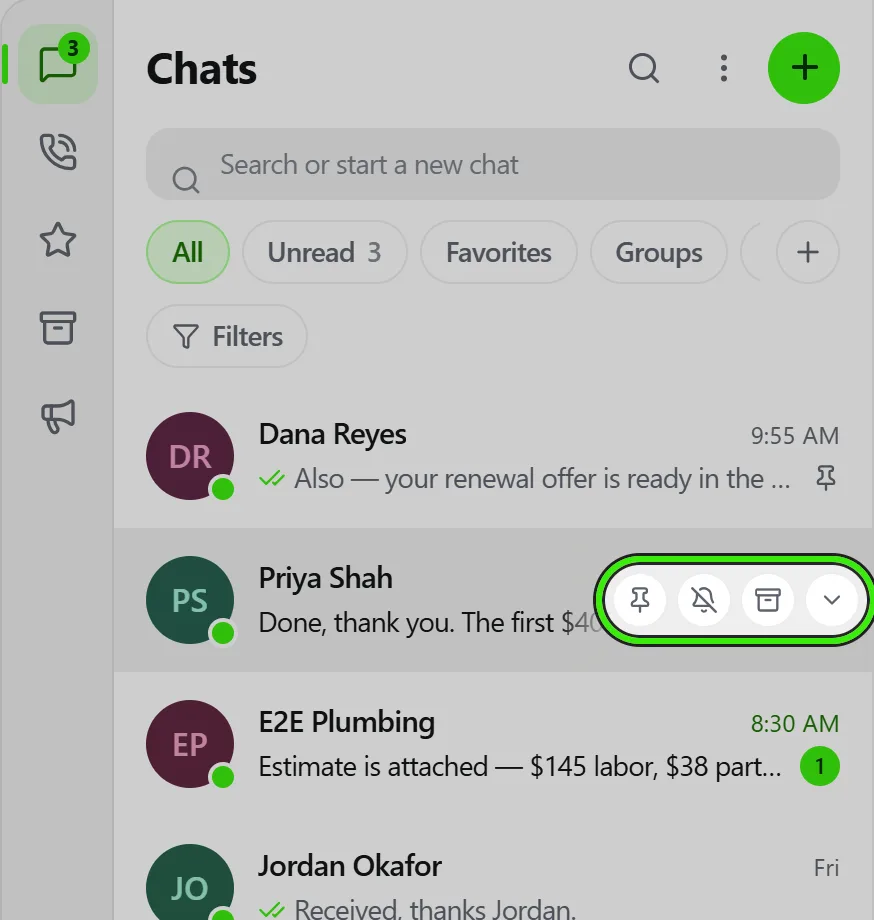
With a mouse, the row shows Pin, Mute, Archive and a menu when you hover it instead — a swipe is a shortcut for a thumb, never the only way in.
Act on several at once
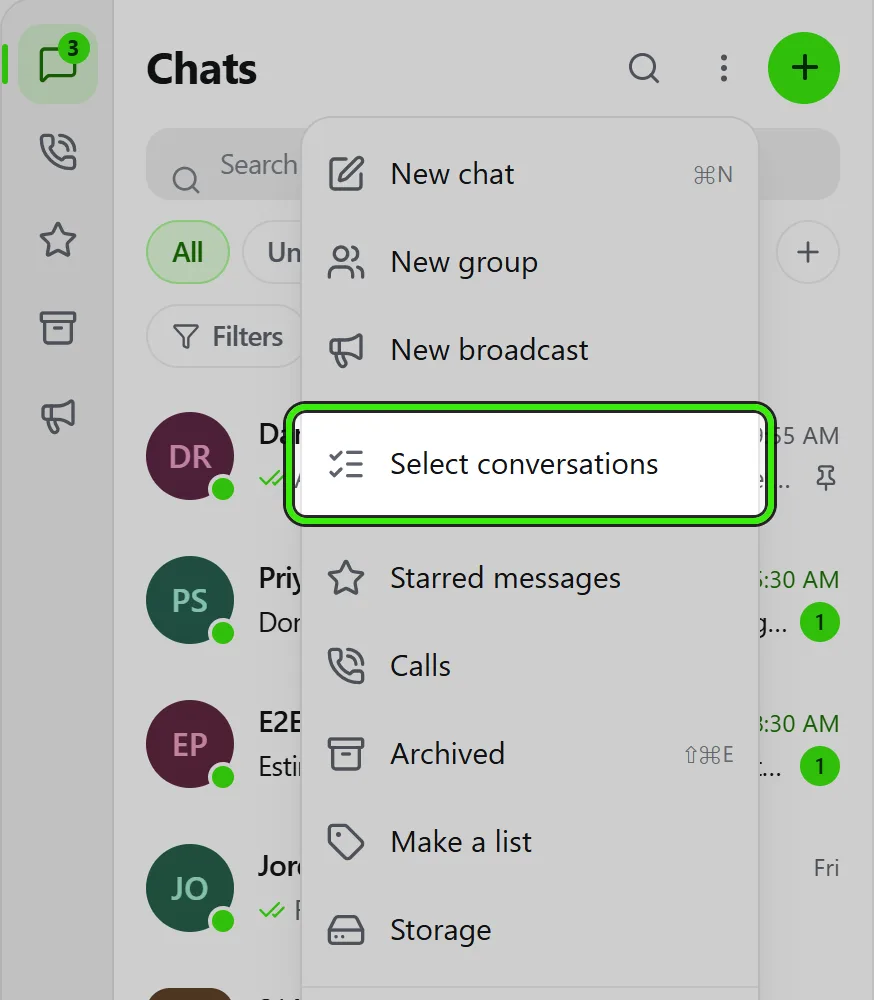
Press and hold a conversation to start selecting, then tap the others you want. On a computer, "Select conversations" is in the menu on a row and in the ⋮ menu beside "Chats".
A bar replaces the header with the number selected and the things you can do to all of them: read or unread, pin, mute, archive and delete. "Select all" means the conversations currently on screen — if a filter or a search is on, it selects what you can see rather than reaching past it.
Every label says what the whole selection will become. Select four archived threads and the button says "Unarchive"; select a mix and it stays on "Archive", which is the one that always changes something.
If any of them cannot be changed, the bar says how many worked and leaves the rest checked so you can try again without finding them a second time.
Archiving is not deleting
- Archiving moves a conversation out of the main list. The Archived chip brings it back, and a new message in it returns it to the top of your inbox on its own.
- Deleting removes a conversation from YOUR list only. The other people in it keep their copy. A new message brings the conversation back to you with only that message in it: everything you deleted stays deleted, including in search, starred messages, photos and links, and replies that quote it.
- Neither one deletes anything for anybody else, and neither affects a record — a repair request, a lease or a payment is not a message and is not touched by tidying your inbox.
Frequently asked questions
Does the Messages tab count messages or conversations?
Messages. Five unread messages in one group show as five. The "Unread" chip inside the inbox counts conversations instead, because tapping it lists conversations.
Can I turn swipes off?
Yes. Set either direction to "Nothing" and that side stops responding. Setting both to Nothing removes the gesture entirely; the row menu still carries every action.
Does my swipe choice apply on all my devices?
Yes. It is stored on your account, like your theme and your wallpaper, so a swipe set on your phone is the swipe on your laptop.
Can a swipe delete a conversation by accident?
No. A swipe set to Delete asks first on every client, and a delete only removes the thread from your own list — the other people keep theirs, and a new message brings the thread back without the messages you deleted.
I selected twelve conversations and only eleven were archived.
The bar tells you when that happens and leaves the one that failed checked, with the reason. It is usually a conversation you have since left. Try it again from the same selection.
Related guides
Related features and guides
- In-Platform Messaging — Documentation. How to message tenants, landlords, managers, and service pros inside Seayora with a record of every conversation, send anything later at a time you choose, and draft a reply to an inquiry about your listing.
- Filtering Your Inbox — Documentation. Smart filters, saved filter chips and labels — how to answer "who owes rent and has an open repair" without scrolling.
- Notifications, Email & SMS — Documentation. How Seayora sends transactional and marketing notifications, choosing which alerts reach your phone and inbox, what the text-message program actually sends, and how to stop it.
- Message Threads, Drafts & History — Feature. Threaded conversations with unread counts, drafts, read state, archiving, and a permanent history tied to the listing, lease, or job it concerns.
- Automated Late Fees — Feature. Set your grace period and late fee structure once — flat or percentage — and Seayora calculates and applies it automatically, with no uncomfortable conversations.
- Sign In From Any Device — Feature. Seayora runs in the browser on desktop, laptop, tablet, and phone with one account. Messages, voice notes, call history, documents, and payments stay in sync in realtime across every device you are signed in on.