General Data Migration to Seayora
How to move existing data from spreadsheets or other software into Seayora — properties, tenants, customers, and historical records.
Most people arrive from another property-management tool or from a spreadsheet. There are three ways in, they all end up in the same place, and none of them writes anything until you have seen what came back.
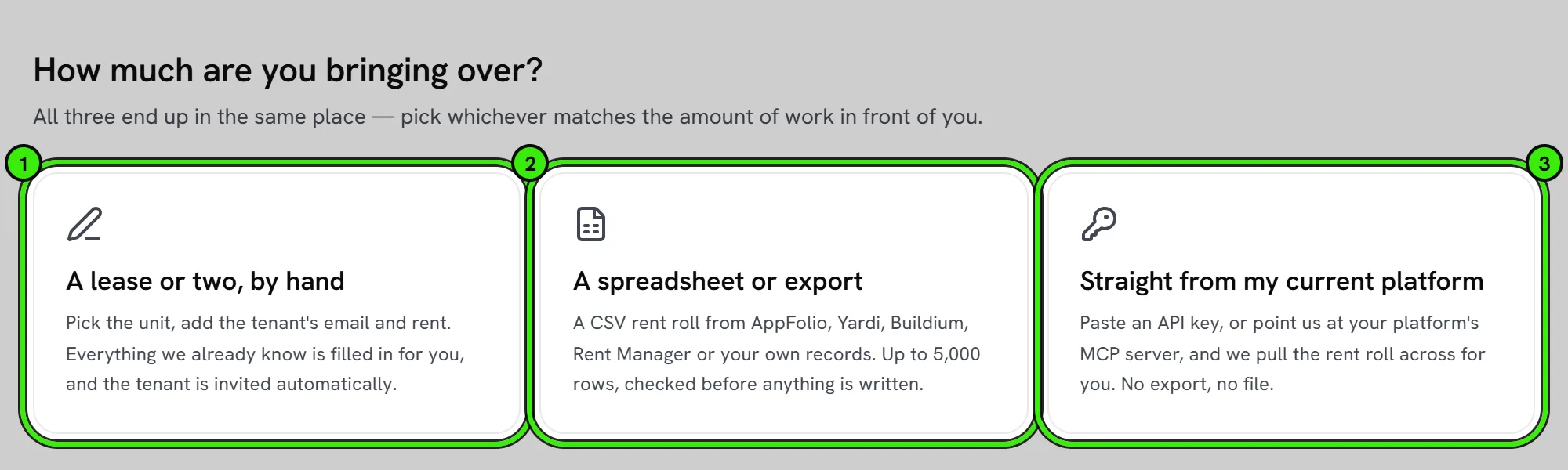
Three ways to bring a portfolio across
- A lease or two, typed. Pick the unit, add the tenant’s email and the rent — everything Seayora already knows about that unit is filled in for you.
- A spreadsheet. A CSV rent roll from any system. Columns are matched to Seayora fields automatically and you can re-point any of them.
- Straight from your current platform. Paste an API key and we read the rent roll across for you — no export and no file.
Platforms we connect to directly
- Buildium — an Open API client ID and secret, from Settings → API Keys.
- DoorLoop — an API key, from Settings → API Keys.
- AppFolio — your database name plus Reports API credentials.
- Rent Manager — your Rent Manager web address and an API username and password.
- Any platform with an MCP server — we read its tool list and pull the rent roll through it.
- Any other REST endpoint that returns JSON, for a platform we do not list.
Yardi, Propertyware and RealPage are not on that list because none of them issues a credential you could paste into a form — their APIs are provisioned per client under a signed agreement. Export a CSV from those and the column matcher reads it.
Your credentials are used for one read and then discarded. Seayora does not store the keys to your other platform.
What comes across
Far more than an address and a rent. The importer carries the unit, the tenant, the whole lease term, and the money that goes with it:
- The unit — address, type, bedrooms, bathrooms, square feet.
- The tenant — name, email, phone, and any co-tenants, who are recorded as occupants on the lease.
- The lease — rent, start and end dates, the day of the month rent is actually due, and whether it is fixed or month-to-month.
- Money — security deposit, the deposit you are actually holding, pet rent, parking, storage, other recurring charges, and returned-payment fees.
- Late fees — your grace period, whether the fee is flat or a percentage, the amount, the cap and any daily fee.
- Occupancy and services — occupancy limits, pets, smoking, which utilities you pay, parking spaces, insurance requirements and notice periods.
- Balances — what a tenancy owed, or was ahead by, on the day it moved.
Managers importing on behalf of owners can name the owner of record per row, so owner statements and distributions are right from the first day rather than all pointing at the management company.
What the connector tells you before you import
When we read from another platform, we show you what we found and what we did not, field by field, before anything is written. That matters more than it sounds: if your old system does not return tenant email addresses to its own API, the units would import with no tenancy on them and the run would still say it succeeded. So the report names the fields that never arrived, says what happens if you import anyway, and tells you when we only read part of a large account.
Rent is never billed twice
An imported tenancy has been running on somebody else’s system, and the period in progress has almost always already been collected there. Seayora sets its first charge at the next due date rather than the lease’s own first one, so it never reaches back and bills a month you have already been paid for. Every imported lease tells you the date its first Seayora charge falls on.
Deposits and outstanding balances
A deposit you are holding is recorded in the deposit ledger, not just written on the unit — that is what lets Seayora work out the statutory deadline to return it when the tenancy ends.
An outstanding balance is recorded against the tenancy and is never charged. Nothing on Seayora collects it, nothing dunning happens because of it, and no autopay touches it. It is there so the debt is not lost in the move; what you do about it is your decision, and you can mark it settled, written off or disputed from the same screen.
If you import the wrong file
Every import is recorded, and one can be undone. An undo removes only the units and leases that import created — a unit that already existed and was simply updated stays, and anything that has been billed or signed since is left alone and listed back to you. Tenant accounts are never deleted by an undo.

Getting help with a large portfolio
Files of up to 5,000 rows import in one go and a direct read handles far more than that. For anything larger or unusual, contact support before you start.
Frequently asked questions
What file formats are supported for import?
CSV is the broadly supported format. Export your source data to CSV and the column matcher will recognize most rent-roll headers automatically — including the ones AppFolio, Buildium and Rent Manager produce.
Will importing charge my tenants for rent they have already paid?
No. Seayora starts collecting from the next due date after the import, not from the start of the lease, so a period your previous system already collected is never billed again.
Does importing an outstanding balance start chasing the tenant for it?
No. A balance brought across is a note on the tenancy and nothing more — it is not a charge, it never enters dunning, and autopay does not touch it. You decide what happens to it.
Do you store my other platform’s API key?
No. It is used for the one read and then discarded. There is no table it is kept in and nothing to rotate afterwards.
What happens if my old platform does not return email addresses?
You are told before anything is imported. Without an email a unit comes across with no tenancy on it, so the report names that field, explains the consequence, and lets you go back and try different credentials or add the addresses to a spreadsheet instead.
Can I undo an import?
Yes. Every import is recorded and can be reversed, and the reversal removes only what that import created. Anything that already existed, or that has been billed or signed since, stays exactly as it is.
Will my data be visible to anyone else during migration?
No — migrated data goes directly into your own account and isn’t visible to other Seayora customers at any point in the process.
Related guides
Related features and guides
- Migrating Your QuickBooks Data — Documentation. A step-by-step checklist for importing QuickBooks data into Seayora and confirming it landed correctly.
- QuickBooks Online Integration — Documentation. How to connect QuickBooks Online, what data syncs, and how to verify results — with Seayora’s non-affiliation with Intuit made clear.
- Managing Properties & Units — Documentation. How to organize a portfolio of properties and units, assign them, and keep records clean across a management company.
- Free Data Migration — Feature. Free white-glove data migration for management companies, including QuickBooks data, so switching platforms does not mean re-entering years of records.
- How to Migrate from QuickBooks to Seayora Accounting — Guide. A step-by-step guide to connecting or importing your QuickBooks Online data into Seayora — what transfers, how to verify it, and how to avoid duplicates.
- QuickBooks Integration — Feature. Connect QuickBooks Online so property income, expenses, and payouts stay in sync — or migrate your existing QuickBooks data into Seayora and run everything in one place.