Security Deposits on Seayora
How to collect, hold, document, and return a security deposit — the ledger behind the figure, the statutory deadline, the itemized statement, and what freezes when.
A deposit is one of the most disputed parts of a tenancy. Collecting and documenting it clearly through the platform gives both sides a record to point to later.
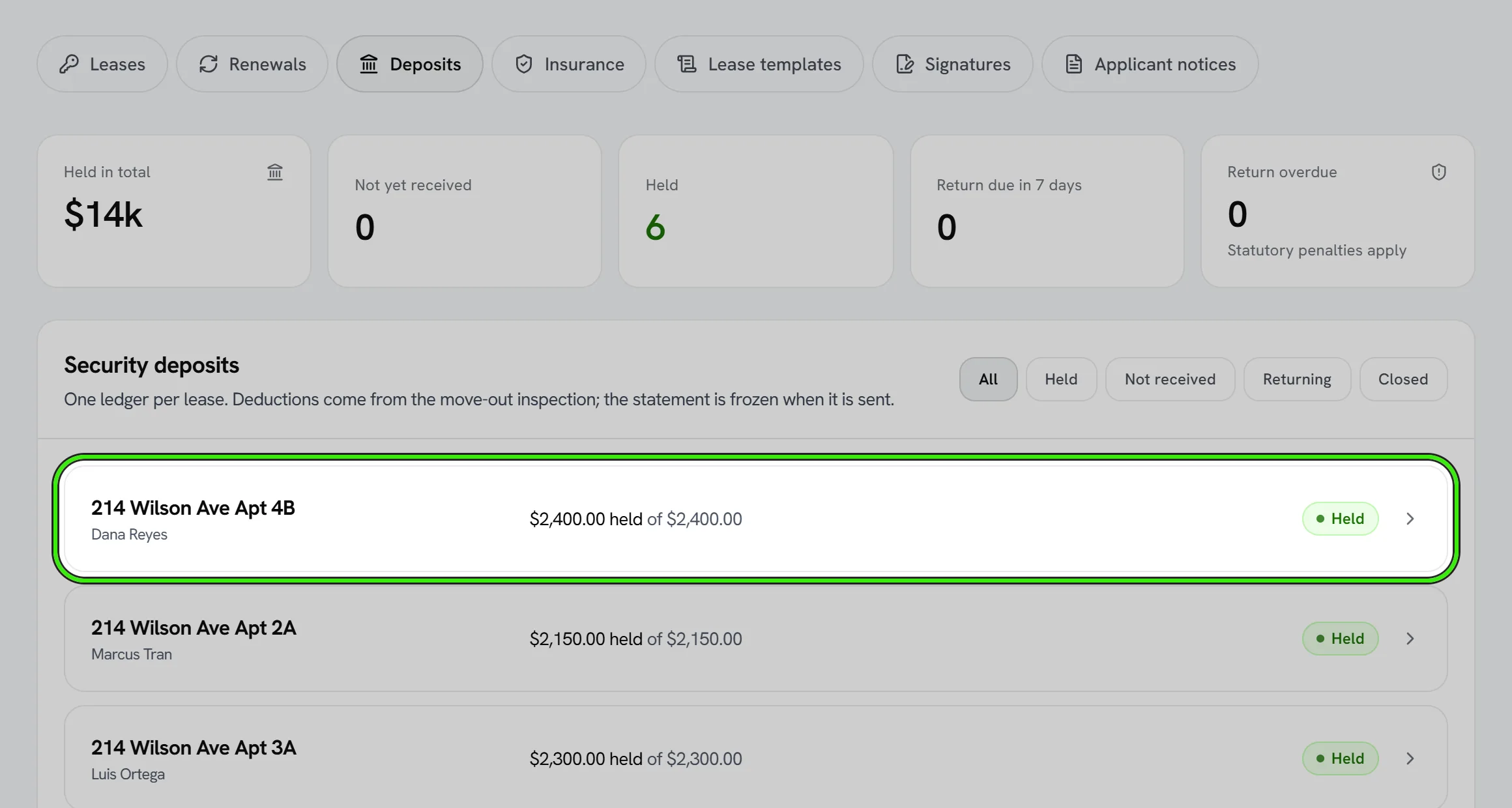
The ledger is the answer to the only question a dispute asks
The balance you see is not a number somebody typed — it is the sum of every event posted against that deposit: what came in, what interest was added, what was deducted and why, what went back. Opening a deposit shows the whole list, dated, with the description that will be printed on the tenant’s statement exactly as it was written.
The return deadline, and where it came from
Record the date a tenancy ended and Seayora computes when the deposit or an itemized statement is due back — taking whichever is shorter, the state statute or what the lease promised — and records WHICH of the two it used. A deadline with no basis behind it is a date somebody misses a statutory window against, so the basis is shown everywhere the date is.
Where Seayora is working from a rule it has not verified against the statute, it says so on the screen rather than presenting it as settled law.
From the move-out inspection to the ledger
Damage a move-out inspection charged to the tenant appears on the deposit as proposed deductions, with the area, the item and the estimate. Posting them writes them to the ledger with the inspection behind each one. Nothing is posted automatically.
Issuing the itemized statement
Issuing emails the tenant their statement with a PDF attached and FREEZES it: no further deduction can be added afterwards, because the tenant now holds a copy bound to those exact figures. The PDF can be re-opened any time afterwards, from the website and from both phone apps — it is rebuilt from the frozen record rather than a file sitting on a disk.
The record itself
Separate from the ledger, the deposit record holds what was agreed and where the money is: the amount, the bank or institution holding it and the last four digits of the account, whether it earns interest and at what rate, the forwarding address and your notes. Several states require you to tell the tenant where their deposit is held; this is that record. Only the last four digits of an account are ever stored.
Interest, posted every month
Mark a deposit as interest-bearing and record the annual rate the account pays, and Seayora posts the interest to the ledger once a month, after the month has ended: simple interest on the money actually held (what came in, less anything deducted, returned or applied to rent), prorated by the day in the month the deposit arrived and the month the tenancy ended. Each posting names the month, the rate and the balance it was calculated on, and the tenant sees the same lines you do.
- The rate is always the one recorded on the deposit — states set it very differently (a statutory rate, the bank’s actual rate, the bank rate less an administrative fee), and Seayora never guesses which applies to you.
- Where the state requires interest and a deposit is not set up to earn any, the deposit says so, with the statute, and you get one alert.
- Interest stops at the month the tenancy ended and when the deposit is returned or forfeited. A month is never posted twice.
Forfeiture
Recording a deposit as forfeited deducts everything still held, closes the record and emails the tenant. It requires a reason in a sentence — that line is what an auditor reads and what the tenant is told — and it cannot be undone.
Collecting a deposit
Set the deposit amount on the lease and collect it online alongside or ahead of the first month’s rent, the same way you collect recurring rent — with a timestamped, exportable record.
Documenting the unit’s condition
Pair the deposit with a move-in checklist and photos (see move-in/move-out checklists) so there’s a clear baseline if a deduction is ever disputed.
Returning a deposit
- Complete the move-out checklist and compare it to move-in.
- Itemize any deductions for damage beyond normal wear and tear or unpaid rent.
- Return the balance within your state’s required timeline.
Deposit rules — maximum amounts, where deposits must be held, and return deadlines — vary by state and city. Seayora provides the tools; you’re responsible for complying with your local requirements.
Frequently asked questions
Where is the deposit held?
Deposit-handling requirements — including whether it must be held in a separate account — vary by state and city. Seayora records the transaction; where and how you hold the funds is your responsibility to determine.
Can a deposit be applied to the last month’s rent?
Only if your lease and local law allow it — a security deposit and last month’s rent are often treated as legally distinct, so confirm before applying one to the other.
What if I forget to send an itemized deduction list on time?
Missing your state’s deadline can forfeit your right to deduct anything, in some states — return the full deposit or send the itemization as soon as possible and confirm your state’s specific consequence for a late notice.
Related guides
Related features and guides
- Move-In & Move-Out Checklists — Documentation. How to document a unit’s condition at move-in and move-out to protect both landlord and tenant when it’s time to return a deposit.
- Online Rent Collection — Documentation. How to collect rent online with Seayora — setup, payment methods, card surcharges and where state law limits them, records, and how funds move.
- Creating & E-Signing Leases — Documentation. How to build a lease, send it for electronic signature, and rely on the audit trail under ESIGN and UETA.
- Security Deposit Handling — Feature. Collect deposits through the platform, keep them tied to the lease and the unit, and back any deduction with dated move-in and move-out evidence.
- Security Deposits Explained: Rules and Getting It Back — Guide. How security deposits work for renters and landlords — typical amounts, what they cover, return timelines, and how to get your full deposit back.
- Landlord Payouts & Direct Deposit — Feature. Collected rent is paid out to your bank account once it settles, and every payout is reconciled against the ledger.