Creating Your Seayora Account
What sign-up asks for, what you are agreeing to, the code that confirms your email, and the details your setup checklist asks for afterwards.
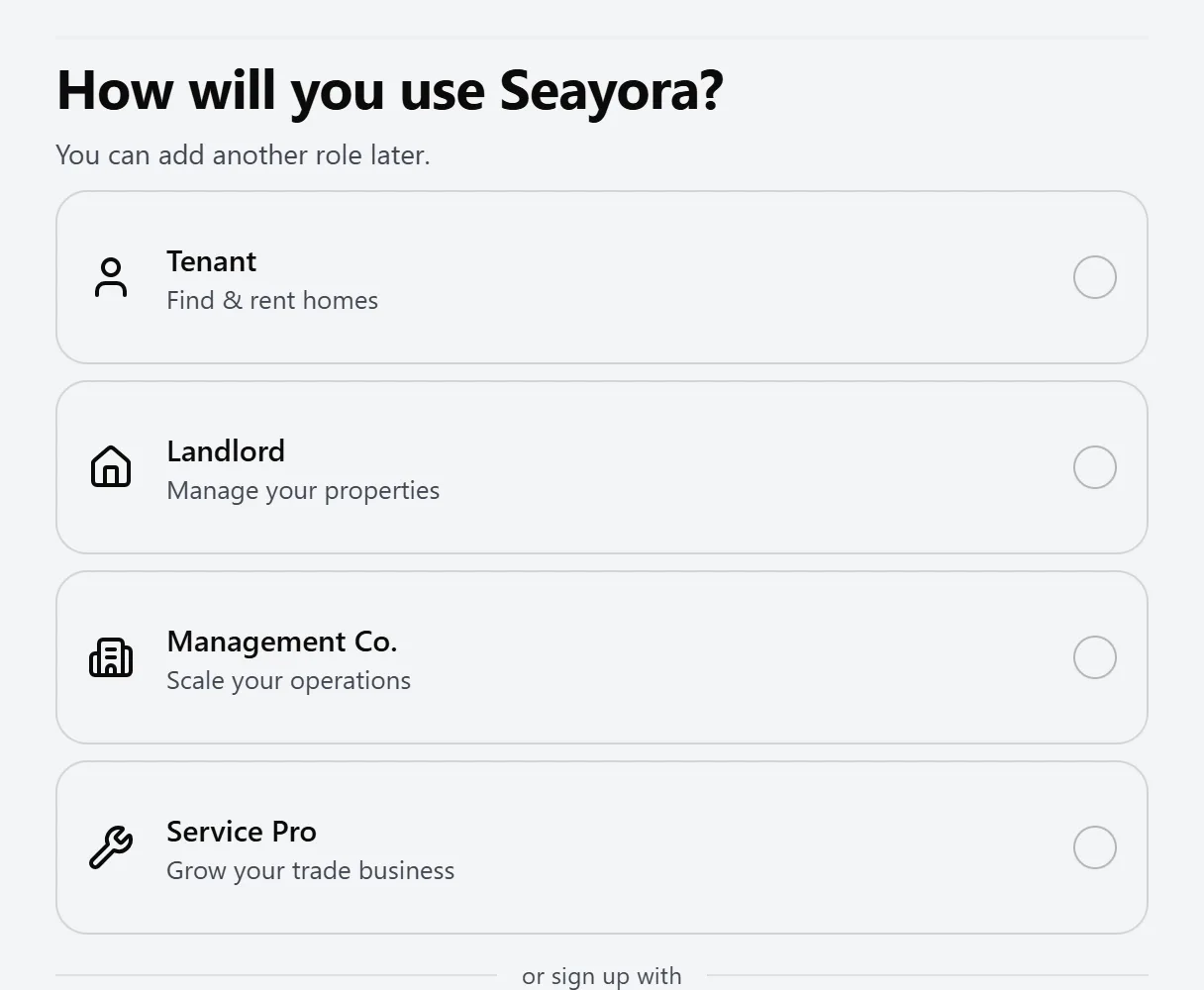
Signing up takes four screens: what kind of account you want, your first name with an email and a password, the agreement, and then the code that confirms your email address. It is the same flow on seayora.com, on iPhone and on Android, and you can start on one and finish on another.
What you are asked for, and why
- Your first name — it is what we greet you by, and it goes on your leases and on the messages you send.
- Your email address — it is how you sign in, and where rent receipts, documents to sign and security alerts go.
- A password — at least 10 characters, with an upper case letter, a lower case letter, a number and a symbol.
That is all. Choosing Continue with Google or Sign in with Apple skips the password too — you pick the kind of account, check the name the provider shared, and agree.
The rest of your details, once you are in
Your last name, a mobile number, your address and — for a management company or a service professional — your business name are steps on the setup checklist at the top of your dashboard (and in Settings). Each one opens a short form right there, with no code to type, because it can only fill in something that is not on your account yet. Changing a detail that is already there is done in Settings, which asks for a one-time code first.
- A US mobile number — for a sign-in code, or something urgent about your home. You can confirm it with a texted code in the same form, or later.
- Your address — rent, deposits and notices are governed by state law, so the features that need one use it to apply the right rules.
- Your business name — it goes on the invoices you raise and your public profile. Until you set it, a contractor account is named after you.
The agreement
There is one box to check, and the Terms of Service, the Privacy Policy and the Cookie Policy are underlined links inside the sentence — tap or click any of them to read the real page without losing what you have typed. Checking the box means you agree to all three, to binding arbitration and the class-action waiver in the Terms, to signing and receiving records electronically, and to us contacting you by email and text about your account, your payments, your lease and your security.
Underneath it, separately, is an optional box for marketing email — new listings, product updates and the newsletter. It is never pre-ticked, it is never a condition of opening an account, and unsubscribing from it never affects account, payment or lease notices.
The wording is served by Seayora rather than built into each app, so the sentence you read on your phone is the same one you would read on a laptop. We keep a record of the exact words you agreed to and the date, and it never changes retroactively.
Confirming your email address
We email you a 6-digit code, and the last screen of the sign-up is where you type it. It expires after 15 minutes, and after five wrong attempts you need a fresh one — the “Send another code” button is right there, and asking for a new code cancels the previous one.
The same email also has a button. Both prove the same thing, so either finishes the sign-up, and using one cancels the other. The button exists for the case where you opened the mail somewhere other than the device you signed up on.
Your account is not usable until the address is confirmed. Nothing happens if you never do — no listing is published, no payment is taken, no data is shared.
Confirming your mobile number — whenever you like
Once a number is on your account, the setup checklist offers to text it a code to confirm it. Nothing on Seayora is refused because a number is unconfirmed, and no text is sent unless you ask for one.
It is also in Settings → Security under “Your mobile number”, on the website and in both apps. Confirming it is what lets a sign-in code, or something urgent about your home, reach a handset we know is yours.
If you have replied STOP to a Seayora text in the past, that number cannot be sent a code — Seayora honors the opt-out and says so on the screen rather than pretending the message went.
Look around with sample data first
Not sure yet? You can open the real app, filled with made-up homes, people and payments, before you have an account. On the website it is “Not sure yet?” on the first sign-up screen and “Explore with sample data” on the pricing pages; on iPhone and Android it is “Look around with sample data” on the first screen. Pick a landlord, a property manager, a renter or a service pro, and every tab and screen is there to try.
Nothing in it is real and nothing you do is saved or sent to anyone — inviting a “tenant” or recording a “payment” there changes nothing anywhere. A notice at the bottom of the screen says so the whole time, with “Create my account” and “Leave the demo”. It opens in a tab of its own, so a sign-up you had started is still where you left it. Once you have an account, the setup checklist keeps the same link until your setup is done.
The demo also has a page of its own, seayora.com/demo, where you can choose any account — including a property owner, whose buildings a management company runs on Seayora — and see it on a phone and a desktop side by side. Every account has a link you can send somebody, and it opens the page straight on that account: seayora.com/demo?as=landlord, ?as=manager, ?as=renter, ?as=contractor or ?as=owner. Each tab and page in the account is listed there too, and opens the full demo right at it.
If something goes wrong
- “That email address is already registered” — you already have an account. Use “Forgot password?” on the sign-in screen rather than signing up again.
- The code screen says it is wrong or expired — ask for a new one; the wording is deliberately the same for every reason, so that nobody can use this screen to discover which addresses have accounts.
- No email arrived — check your spam folder, then send another. If the address you typed has a typo in it, sign up again with the right one; nothing is lost.
- The address form on the checklist will not accept your address — pick a suggestion if one matches; otherwise check the two-letter state code and the five-digit ZIP.
Frequently asked questions
Do I have to agree to all of it?
To the one required box, yes — an account cannot be created without it, and Seayora refuses the sign-up rather than creating an account and treating you as bound by something you did not accept. The marketing box underneath is genuinely optional and checking it changes nothing about your account.
Why is there no “Disagree” button any more?
Because there was nothing it did that leaving the box unchecked does not. Not checking it IS declining, the button to create the account stays disabled until you do, and Back is where it always was. A second control worded as a refusal made it look like declining was a step in creating an account rather than the end of one.
Can I read the Terms before I agree?
Yes — that is what the underlined links in the sentence are for. On the website they open beside the form; in the apps they open the real page over the top of it. Nothing you have typed is lost either way, and they are also always at seayora.com/terms-of-service, /privacy-policy and /cookie-policy.
Where can I see what I agreed to?
Contact [email protected]. We record the exact sentences and the date for every account, and we can tell you what yours says. It never changes retroactively — a later edit to the Terms is governed by the change process in the Terms themselves, not by rewriting your record.
I typed the code and nothing happened.
It checks itself as soon as the sixth digit lands, whether you typed it, pasted it or let your phone fill it in. If the screen is still waiting, you have five digits, or a stray character — the field only accepts numbers.
Can I skip confirming my phone number forever?
Yes. Nothing on Seayora refuses an account for it, and accounts created before this step existed have never been asked. It is worth doing when you have a minute: it is what makes a sign-in code and an urgent notice reach a handset we know is yours.
Why does sign-up not ask for my phone number or address?
Because you do not need either to open an account, and every extra box on the way in is a reason to give up before you get there. They are on your setup checklist instead, each with its own short form. Rent, deposits and notices are set by state and sometimes city law, so the features that need an address use the one you add there.
Does agreeing to texts mean I will get marketing texts?
No. What you agree to is account, payment, lease and security messages — the ones about the thing you are actually using. Seayora does not send marketing texts, and if that ever changes it will be a separate box you check, not this one.
Related guides
Related features and guides
- Roles & Account Types — Documentation. The difference between landlord, management, service professional, and tenant accounts — and what each role can do on Seayora.
- Account Security: SSO, 2FA & Passkeys — Documentation. How to secure your Seayora account with single sign-on, two-factor authentication, device verification, passkeys (WebAuthn), and resetting a forgotten password.
- Data & Privacy Controls — Documentation. How Seayora handles your data, the privacy rights you may have, and how to exercise them.
- Can a Landlord Send an Eviction Notice by Email or Text? — Guide. The federal E-SIGN Act excludes eviction notices, so state law decides how a notice to pay or quit must be served. California, New York and Florida rules.
- Private In-App Voice Calls — Feature. Voice and video calls that run inside Seayora between two accounts — no telephone number is used on either side, so landlords, tenants and service pros talk without exchanging personal contact details.