Room Sizes and Floor Plans on a Listing
Measure rooms by hand, with the camera or with an iPhone depth-sensor scan, and show their sizes — and a floor plan of the whole home — on your listing. Every size says how it was measured.
You can show renters how big each room is and a floor plan of the whole home — drawn in the floor-plan editor, started from rooms you measured, from a whole-home scan on an iPhone or from a walkthrough video (see Floor Plans: Draw, Scan or Map a Home From a Video). Every size on the listing says how it was found, so a size you typed in never reads as one you scanned. It is off for every unit until you switch it on.
Measuring a room
| How | Where | What the listing says |
|---|---|---|
| Scan the room | The iPhone app, on an iPhone with a depth sensor (LiDAR) — walk round the room | Scanned, with a drawing of the room |
| Measure with the camera | The iPhone app — tap one end of a wall, then the other | Measured with the camera |
| Enter it by hand | The website, the iPhone app and the Android app — from a tape measure or a plan | Entered by hand |
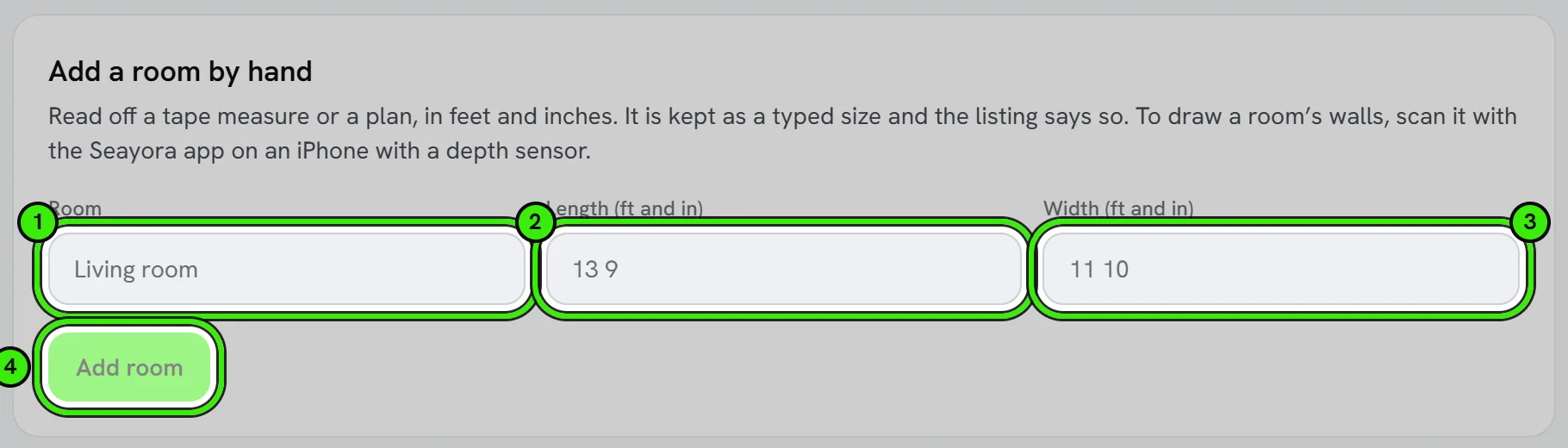
Open the unit from your portfolio, choose History, then Floor plan. On the website you can add a room by hand right there; on iPhone, “Measure a room” opens the scanner, the camera or the form, whichever your phone can do. On Android, measure in Settings → In the field → Measure. Sizes are in centimetres, and a size typed on any of them counts exactly the same — Seayora records that it was typed.
Showing it on the listing
Switch on “Show room sizes and the floor plan on this listing” under History → Floor plan, on the website or either phone app (on Android it is under In the field → Measure too). The preview under the switch is exactly what renters see.
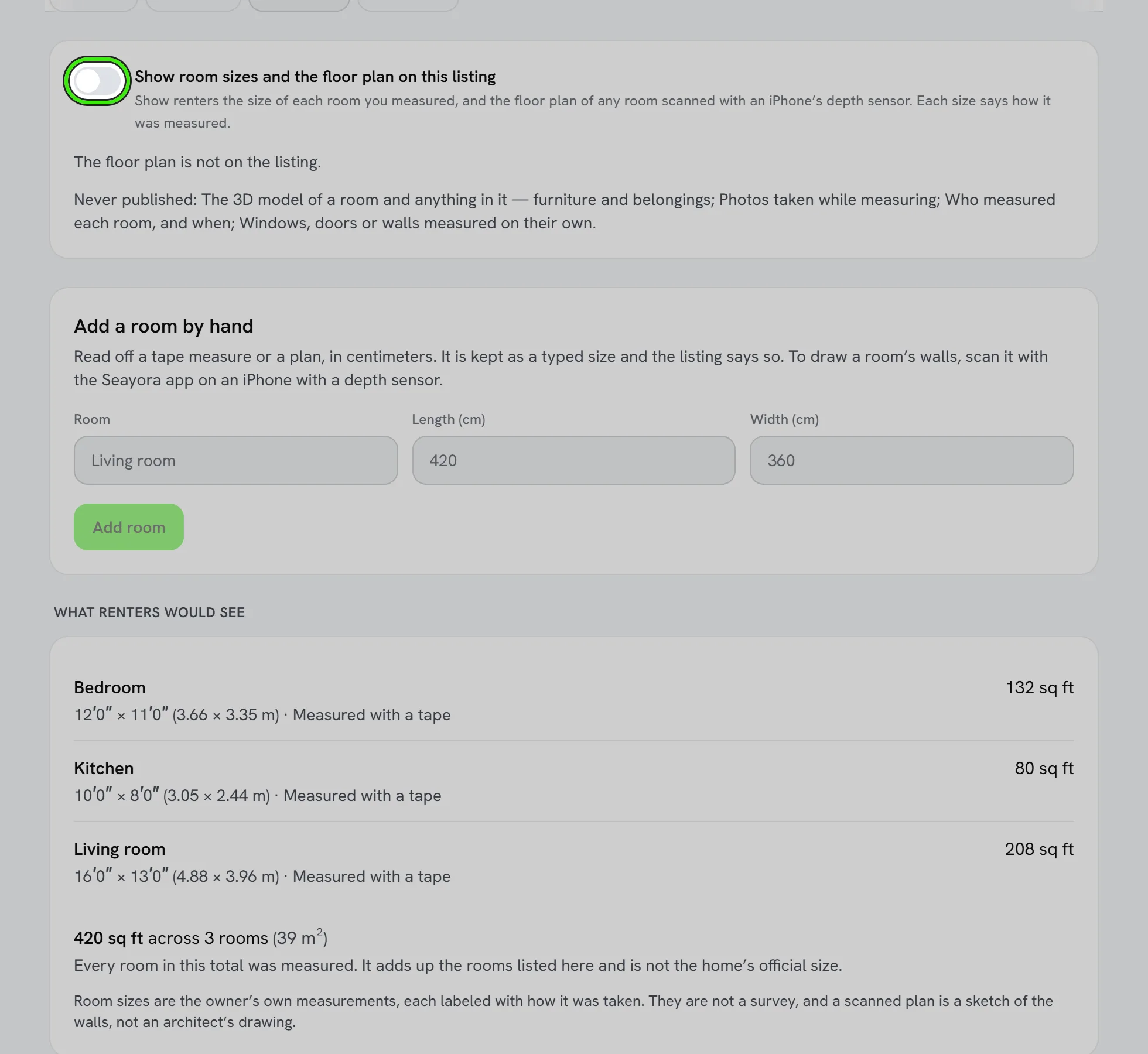
- Renters see each room’s name, its size in feet and inches and in meters, its floor area, and how it was measured.
- When the home has a floor plan, renters see the drawing instead of the list: every floor, each room with its sizes and how they were found, doors, windows, built-ins and overall dimensions. Without one, a room scanned with a depth sensor shows a sketch of its own walls. Neither is a survey.
- If a room was measured more than once, the latest measurement is shown.
- The total adds up the rooms listed. It is not the home’s official size, the listing says so, and it does not change the square footage on your listing.
- Windows, doors and walls you measured on their own are not shown.
- Assistants connected to Seayora that search listings see the same room sizes, with the same words about how each was measured.
- Switch it off at any time and it leaves the listing at once.
What is never published
- The 3D model a scan makes. It shows the furniture and belongings in the room, which is somebody’s home, and it never leaves the phone.
- Photos taken while measuring.
- Who measured each room, on which phone, and when.
Frequently asked questions
My phone cannot scan a room. Can I still show a floor plan?
Yes. Draw it in the floor-plan editor on the website, the iPhone app or the Android app, or start it from a walkthrough video. Only the iPhone app scans, because Android has no room-scanning feature and the website has no sensor; a drawn room says it was drawn by the owner.
Will a listing without room sizes look worse?
No. It is optional and most listings will not have it. A listing without it shows nothing in its place, and connected assistants are told that no room sizes says nothing about the home.
How accurate is a scan?
To within a few centimetres. It is not a survey, and the listing says how each size was measured so a renter can judge it.
Why does the total not match my listing’s square footage?
The total only adds up the rooms you measured — hallways, closets and walls are usually missing from it. It is shown as a sum of the rooms listed, never as the home’s official size.
Related guides
Related features and guides
- Floor Plans: Draw, Scan, Trace or Map a Home From a Video — Documentation. Draw a home to scale — walls, rooms, doors, windows, built-ins and dimension lines — start it from a scan, a walkthrough video or an existing plan, measure with a Bluetooth laser, see its ANSI area and a contractor's takeoff, download it as a PDF or CAD file, and show it on your listing in plan, color, blueprint or 3D.
- Building Health Score — Documentation. What the building health score is made of, what each factor means, what it deliberately does not claim, and how to show a building condition badge on a listing.
- Unit Timeline — Documentation. Everything that happened at one unit — or on your tenancy — in one list, newest first, and exactly who can see what.
- Technician Dispatch & Live Arrival Times — Feature. Plan each technician’s route, tell the customer when they set off, and send a live arrival link that says how the time was worked out — without tracking your crew.
- Bank Feeds & Reconciliation — Feature. Connect bank feeds and reconcile transactions against the ledger, so what the books say and what the bank says actually match.
- Voice Notes in Messaging — Feature. Record and send voice notes in any Seayora conversation. Transcoded server-side so they play on iPhone, Android, and desktop alike, stored with the thread, and searchable as part of the property record.