Unit Timeline
Everything that happened at one unit — or on your tenancy — in one list, newest first, and exactly who can see what.
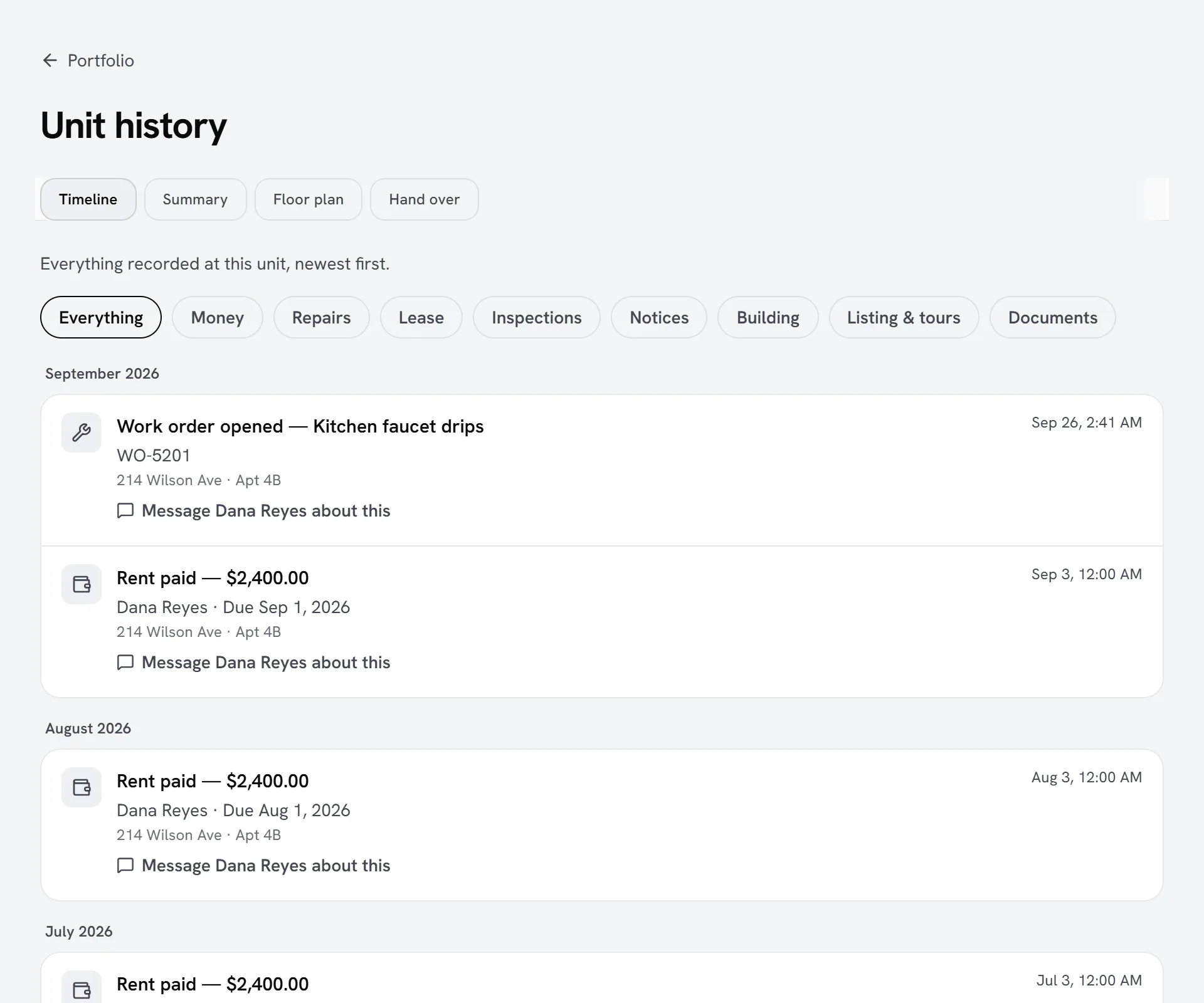
A unit’s timeline puts everything that happened there in one list, newest first: rent paid, late, failed or returned by the bank; work orders opened, commented on and finished; inspections; notices served and acknowledged; renewal offers and answers; lease changes; the deposit ledger; payment plans; packages; sensor alerts; tours and the listing going live; and documents issued.
Where to find it
- Owners and managers: open a unit’s History from the portfolio — the History button on the website, or a long press on the unit in either phone app. The timeline opens first; Summary shows the counts and the latest of each kind.
- Tenants: My Home → Timeline, on the website and both phone apps. It covers every lease you are on.
- Assistants connected to Seayora read the same timeline with the unit_timeline tool, and see only what you would.
Who sees what
| Who | What they see |
|---|---|
| The owner or manager of the unit | Everything recorded at the unit. |
| A tenant | Their own tenancy: their rent (on a split lease, their own share), the repairs on their home, notices and inspections for their lease, their deposit, renewal offers made to them, lease changes that affect their bill, and their packages. Never another resident, and never the owner’s internal notes on a work order. |
| A contractor with an open job at the unit | The repair and equipment history, while the job is open. No rent, leases or residents’ details. |
Anybody else cannot open a unit’s timeline at all, and the unit is treated as not found rather than confirming it exists.
Reading it
- Filter by kind: money, repairs, lease, inspections, notices, building, listing & tours, or documents.
- A date such as a rent due date is that day; a time is shown in your own time zone.
- Show earlier loads the next page. Nothing is skipped or repeated, even when many things happened at the same moment — an import, for example.
- If part of the history could not be read just now, the timeline says which part rather than looking like a quiet month. Try again reloads it.
- Every line is worded from the record as it is now: a payment that was later refunded reads as refunded.
- People are named, never shown by email address.
Talking about a line
Most lines carry a “Message … about this” link. It opens the conversation you already have with the other side of the home — your landlord if you rent it, the tenant on the current lease if you own or manage it, the owner if you are the contractor on an open job — and types a line naming the event into your own message box, so you can finish it and send it, or delete it. Nothing is sent until you send it, and a message you had already started in that conversation is left exactly as it was.
The link is missing where there is nobody to message — a unit with no current lease, for example. It follows the same rules as starting any other conversation in Seayora, so it never reaches somebody you could not already message.
Frequently asked questions
Can a tenant see what other tenants paid?
No. A tenant only ever sees their own tenancy — on a split lease, only their own share of the rent.
Does it show the notes my team marks internal?
Owners and managers see them, marked “Internal note”. Tenants never do.
Does “Message about this” send anything?
No. It opens the conversation and puts a line about the event in your own message box. Nothing reaches the other person until you press send.
Why is something missing?
The timeline shows what is recorded in Seayora for the unit. If a part could not be read at that moment, it says so at the top — press Try again, and contact support if it keeps happening.
Related guides
Related features and guides
- Building Health Score — Documentation. What the building health score is made of, what each factor means, what it deliberately does not claim, and how to show a building condition badge on a listing.
- An eviction case has been opened on my tenancy — what Seayora shows me — Documentation. If your landlord opens an eviction case on Seayora you are told, and you can see it: the stage it has reached, what is outstanding, any hearing date, and — first on the page — what would end it, including free legal help where it is available.
- Rental Listing Software — 60 Days Free, Then $9/Month — Feature. Advertise apartments, houses, condos, and townhomes for rent. Every listing gets its first 60 days free, then $9/month while the unit stays vacant — charged a month ahead, with the unused days refunded the moment it rents. No brokerage fee, no setup fee, no subscription.
- Move Checklists: the Steps Before and After Moving Day — Documentation. A checklist for every move-in and move-out that both you and the resident can see — steps Seayora checks off for you from what has already happened, plus your own steps for keys, utilities and a forwarding address.
- Invoicing, Estimates & Statements — Feature. Create invoices and estimates, send customer statements, and collect payment through the same rails as rent — with everything posting to the ledger automatically.
- AI Financial Analyst — Feature. An AI layer over your accounting data that surfaces trends, anomalies, and answers about your portfolio finances without building a report first.