Contacting Support from Messages
Your support conversation is a real conversation — the same thread on the website and both apps, with calls, identity checks and payment requests handled in it.
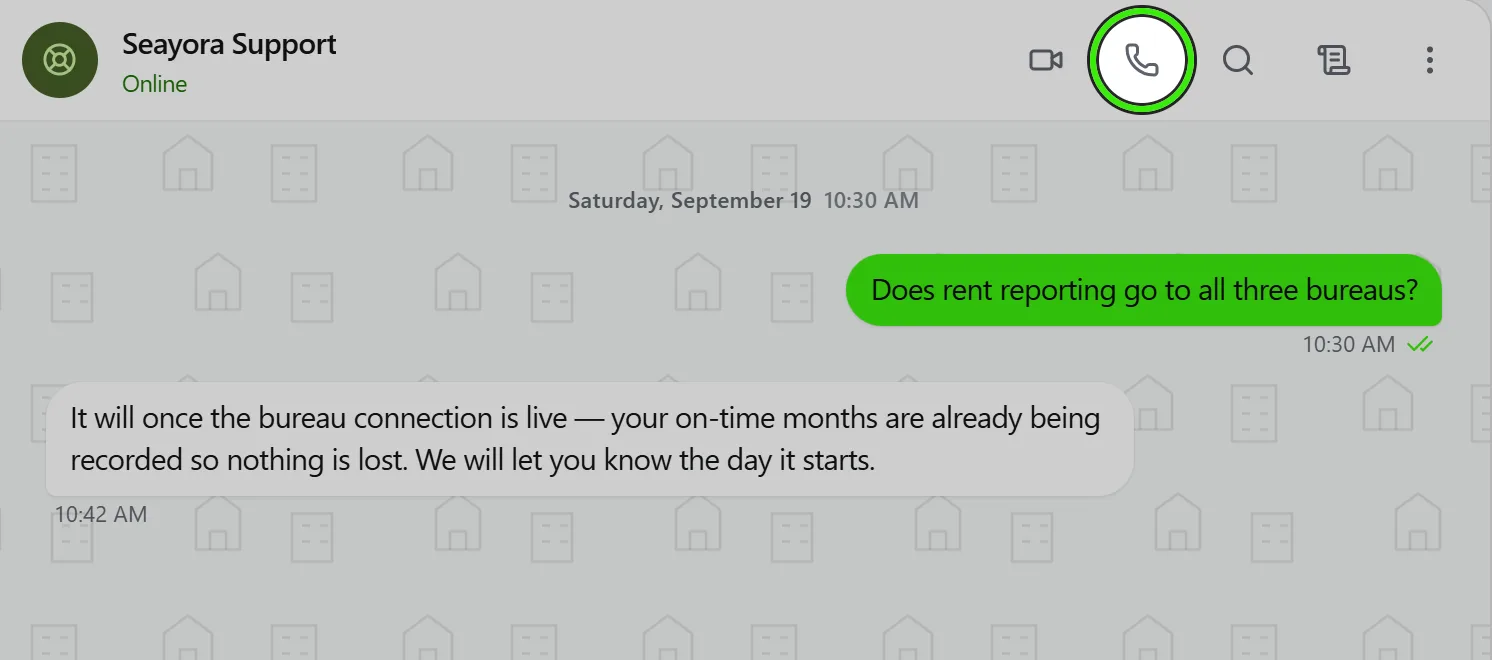
Support on Seayora is a conversation on the messaging system. When you message support you open your own support thread, and that thread is the same one on the website, on Android and on iPhone — with the whole history.
Reaching a person
- Message support — from the Help & support screen in either app, or the support widget on the website, which sends a signed-in customer straight into Messages.
- Call support — rings whoever is on duty through the same call engine as every other call. During support hours that includes an agent whose Seayora app is closed: their phone rings like an ordinary call. If nobody can take a call you are told immediately rather than left ringing.
- On the website’s call line, Seayora may limit how many callers wait at once. When the line is full you are told straight away and asked to send a message (an agent replies in the same window) or request a callback instead — a message is never turned away.
- Signed-out visitors keep the website’s chat widget; a support agent sees both in one queue.
Start with a question
When you contact support you pick what it is about, then the closest of a list of ready-made questions — “I was charged twice”, “I can’t sign in”, “When is my deposit returned?” — or describe it in your own words. Your question becomes the subject of the request and the first line the agent reads, so they know what it is about before anybody types. Some questions show a quick answer first (“Try this first”); if it does not solve it, one tap takes you on to a person.
On the website, signed in, Contact support opens in your account’s own light or dark theme (seayora.com/support). In the apps the questions are on the Help screen under “Start with a question”.
Scheduling a callback
- Every callback time is in Eastern Time, labeled EDT or EST for that day — the desk works New York hours, and the label changes with daylight saving.
- Only times still ahead are offered. Today is filled in for you; times that have already passed today are not shown, and you can pick any other day up to two weeks out.
- The times follow the support desk’s own hours, so a holiday the desk is closed shows no times.
- The call rings inside Seayora — on the website or in the app — so have Seayora open at the time you chose. No phone number is needed.
What an agent may ask for
To confirm it is you, an agent may ask for a photo, a short selfie video saying four words chosen for that request, or a government ID. The request appears as a prompt on the device you are using and as a card in the conversation. Only the last four digits of a document number are ever stored, and a driving license is reviewed front and back. Where the desk has switched to the identity check, the same request opens that check on your screen instead — you photograph your ID and take a selfie with our identity provider, the agent sees only the outcome, and nothing is uploaded to Seayora.
An agent may also ask for a payment — always with the reason shown above the amount. You pay it on your own screen on the website, in a card form Seayora never sees; nothing is charged until you confirm there.
If a call may be recorded
When Seayora records support calls, you are asked at the start of the call — on the website, the iPhone or Android — before anything is recorded. Choose Allow recording or No thanks; the call carries on exactly the same either way. If you allow it, a notice stays on your screen while it records, with Stop recording to end it at any time. Only Seayora’s support team can listen to a recording, every listen is logged, and it is deleted after the number of days you were told when asked.
Ticket status
An agent may mark the conversation as waiting on you, resolved, or closed. A resolved conversation reopens the moment you reply; a closed one stays as a record and a new message starts a new ticket.
Frequently asked questions
Who sees my support conversation?
You and Seayora’s support desk. Agents are shown to you as "Name · Seayora Support"; their personal addresses are never shown.
Can I keep talking after the ticket is resolved?
Yes. Replying reopens it with the same agent history.
Why are the callback times in Eastern Time?
The support desk works New York hours, so every time is shown in Eastern Time — EDT in summer, EST in winter — and the label on each day says which. Only times still ahead are offered.
Who writes the ready-made questions?
Seayora’s support team sets them for each kind of inquiry. If none fits, choose “Something else” and describe it in your own words.
Related guides
Related features and guides
- Getting Support & Using the Help Center — Documentation. Ask the documentation a question and get an answer composed from the guides, with links to the ones it came from — plus how to reach a person when the answer is not written down.
- In-Platform Messaging — Documentation. How to message tenants, landlords, managers, and service pros inside Seayora with a record of every conversation, send anything later at a time you choose, and draft a reply to an inquiry about your listing.
- Calls & Call Recording — Documentation. How in-platform calling works, when calls may be recorded, and the consent rules that apply.
- Voice Notes in Messaging — Feature. Record and send voice notes in any Seayora conversation. Transcoded server-side so they play on iPhone, Android, and desktop alike, stored with the thread, and searchable as part of the property record.
- Call Recording & Consent — Feature. Where enabled, calls can be recorded or transcribed for quality and dispute resolution — with recordings attached to the conversation and consent obligations made explicit.
- In-App Video Calls — Feature. Start a video call from any Seayora conversation, or upgrade a voice call to video mid-conversation. Run remote showings, walk a contractor through a repair, and schedule video meetings on the shared calendar — no personal number, no third-party meeting app.