Data Export & Account Deletion
How to export your data before closing your account, how to delete the account yourself from any device, and exactly what Seayora keeps afterwards and why.
Leaving Seayora should not mean losing your own records, and it should not mean asking permission. You can close your account yourself, from the website or either mobile app, without contacting us.
Export what you want to keep first
Deletion cannot be undone once it runs, and we cannot recover anything afterwards — including for you. Take copies of anything you will want later.
- Financial reports and transaction history.
- Signed leases and any other documents you may need to rely on.
- Property, tenant and customer records.
How to delete your account
Settings, then Account, then Delete my account. It is in the same place on the website, the iPhone app and the Android app. You are shown exactly what is removed and what is kept before you confirm, and you have to type DELETE to go ahead.
The waiting period
Your account closes seven days after you ask. That window exists so a request nobody meant to make can be undone — if somebody else reached your phone or your laptop, you have time to stop it. You can cancel from any of your devices during those seven days, and cancelling puts everything back exactly as it was. After that the erasure runs automatically; there is no further step and nobody to talk to.
What we remove
- Your name, email address, phone number and postal address.
- Your password, passkeys, two-factor secrets and trusted devices.
- Every message you have sent or received, with any voice notes or attachments.
- Any identity document or verification video you sent to our support team.
- Your saved searches, saved homes, browsing history and analytics.
- Your notification settings and push registrations on every device.
What we have to keep, and why
Some records cannot go with the account, because another person or a law still depends on them. Deleting them would not protect you — it would destroy the other party’s copy of what you both agreed. Everything kept stops pointing at you: a retained lease still records what was agreed and for how much, but no longer records who by.
| What is kept | Why | How long |
|---|---|---|
| Signed leases and their terms | A lease is a contract the other party still holds and can enforce. | 7 years |
| Rent, invoices and payments that settled | Financial records supporting a filed tax return. | 7 years |
| Tax calculations, liabilities and filings | Returns must stay reconcilable to the documents behind them. | 7 years |
| Security deposit statements and deductions | State landlord-tenant statutes require the itemized statement to survive the tenancy. | 7 years |
| Tenant screening and adverse action records | The Fair Credit Reporting Act and ECOA Regulation B require a record of an adverse action. | 3 years |
| Support tickets and disputes | Evidence in an open or possible dispute. | 3 years |
| Compliance and housing-program filings | Filings made to an agency belong to the agency record too. | 7 years |
| Your address on the do-not-contact list | CAN-SPAM requires an opt-out to be honored indefinitely. Forgetting it is what would let you be emailed again. | Indefinitely |
| A record that the deletion happened | Proof of what was requested and when. Without it the erasure is unprovable. | 7 years |
If something is blocking it
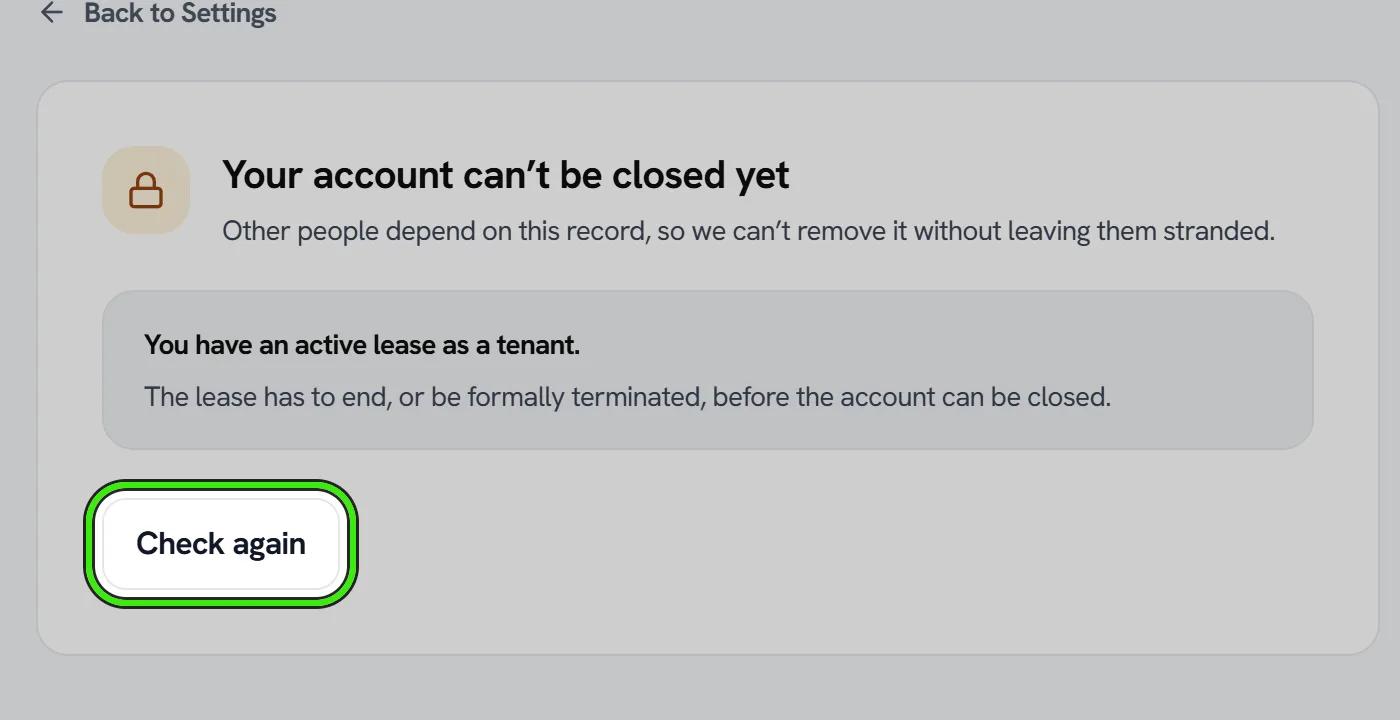
The screen tells you what, and what to do about it. An active lease, a payment still settling, employees still on your company account or a credit balance we owe you all have to be resolved first — closing the account around them would leave a real person stranded. A payment mid-settlement clears on its own in a few business days.
If you can no longer sign in
Email [email protected] from the address on the account and we will verify you and do it for you. We cannot action a request from an address we cannot tie to the account, because that would let anybody close anybody else’s.
Frequently asked questions
How long does it take?
Seven days from the moment you confirm, then it runs automatically. You can cancel at any point during those seven days from any device.
Can I reactivate a closed account?
No. Once the erasure has run the account cannot be reopened and we cannot recover it, including for you. You are welcome to sign up again with the same email address, but it will be a new, empty account.
What if I have an open lease or job when I ask?
The screen refuses and tells you exactly what is in the way and how to clear it, rather than closing the account and leaving your tenant or customer stranded.
Do I have to email anyone?
No. Deletion is self-service on all three clients. Email is only for the case where you can no longer sign in.
Related guides
- Data & Privacy Controls
- Disconnecting Integrations & Data Portability
- Account Security: SSO, 2FA & Passkeys
Related features and guides
- Data & Privacy Controls — Documentation. How Seayora handles your data, the privacy rights you may have, and how to exercise them.
- Disconnecting Integrations & Data Portability — Documentation. How to disconnect an integration like QuickBooks, export your data, and understand what stays in Seayora afterward.
- Account Security: SSO, 2FA & Passkeys — Documentation. How to secure your Seayora account with single sign-on, two-factor authentication, device verification, passkeys (WebAuthn), and resetting a forgotten password.
- Data Privacy & Portability — Feature. Privacy controls, GLBA financial privacy handling, data export, and account deletion — plus encryption in transit and hardened infrastructure.
- Two-Factor Authentication & Device Security — Feature. Two-factor authentication (2FA/TOTP), new-device sign-in alerts, device verification, and passkey-based sign-in protecting every Seayora account.
- Compliance Alerts & Required Filings — Feature. Seayora watches your properties for new violations and works out which recurring filings each building owes, turns both into a dated checklist, and emails you when something new appears. Live violation data for New York City; rule-based filing obligations across the NYC metro.