How we know whether an email reached you
What the tracking image in a Seayora email does, what it can and cannot tell us, why an "open" is not the same as a read, and how to turn it off.
Seayora sends a lot of email that matters — a rent receipt, a lease waiting for a signature, a notice with a deadline on it, a payment that failed. The most expensive failure in that list is an email that never arrives and nobody notices. So we measure whether our email is getting through, and this page says exactly how, because a tracking pixel you were never told about is the kind of thing people are right to be annoyed by.
What is actually in the email
- A tracking image. It is one transparent pixel, invisible, at the top of the message. When your email program downloads it, we learn that the message was rendered.
- A second copy of the same idea as a background image lower down, because some email programs load one and not the other.
- Rewritten links. Most links in a Seayora email point at seayora.com/e/c/... first, which records the click and forwards you straight to where the link said it was going.
All of it is on our own domain. Nothing in a Seayora email reports to an advertising network, a data broker or any third party.
What we record
- That a particular message we sent you was opened, and when.
- Which links in it were followed.
- A rough description of the email program — "Gmail", "Apple Mail", "Outlook". Not your full browser fingerprint.
- A one-way scrambled form of the network address that fetched the image, used only to avoid counting the same open several times. We do not keep the address itself.
We do not record what is on your screen, anything else you do in your inbox, or any other email you have. We cannot see any of that and we do not want to.
Why "opened" is a weaker word than it sounds
This is the part most companies leave out. A tracking pixel does not detect a person reading — it detects a computer downloading an image, and by now that is usually not a person at all:
- Apple Mail Privacy Protection, which is on for most Apple Mail users, downloads every image in every message the moment it arrives, whether or not you ever open it.
- Gmail fetches images through Google’s own servers, so we see Google, not you — the open is real, but the time and the device are not yours.
- Company mail systems open every message and follow every link before delivering it, to check for viruses. That produces an "open" and a "click" from software.
- Outlook on a desktop blocks images by default. Plenty of people read an entire email and we see absolutely nothing.
So we do not keep a single "open rate". Every signal is filed as one of: a person, an image proxy, an automatic download, a security scanner, or unidentified — and separately, no signal at all. No signal never means "they did not read it", because on some email programs it never could.
What we use it for
- Telling whether a type of notice is reaching people at all. A rent receipt that suddenly stops being opened by anybody usually means a delivery problem on our side, not indifference.
- Fixing an email that is broken — links that go nowhere, a template that will not render.
- Knowing whether to follow something up another way when the deadline matters.
We do not use it to build a profile of you, to sell anything about you, to decide anything about your tenancy, your application or your account, or to train a model. It never affects a leasing decision.
Turning it off
Settings → Your data → Email tracking, on the website, the iPhone app or the Android app. Switch it off and the tracking image is left out of your email from the next message onward, and your links stop being counted.
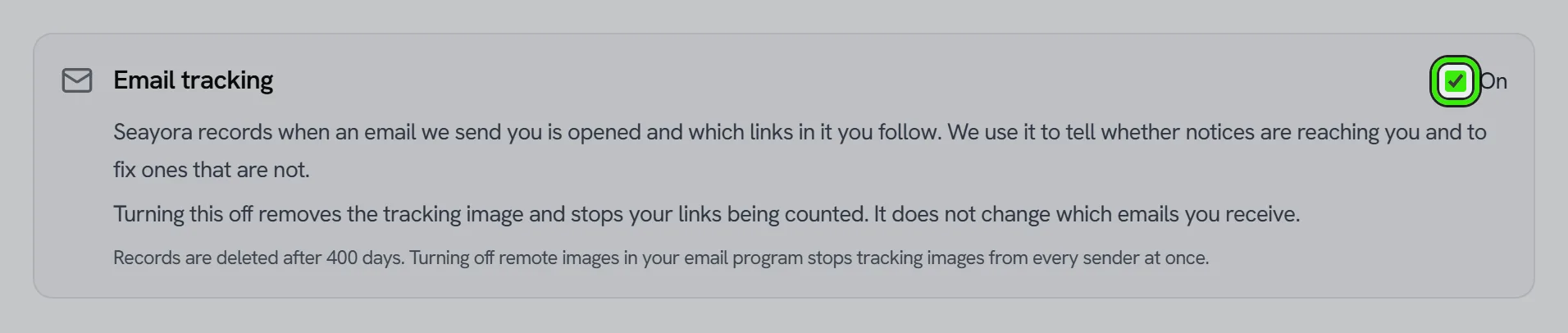
It does not change which emails you receive. If you want fewer emails, that is the marketing preferences and the unsubscribe link, which are separate and always work.
Two things you can do yourself, which work regardless of any switch of ours: turn off automatic image loading in your email program — then no tracking image anywhere, from anybody, can load — and on an iPhone or Mac, Mail → Privacy Protection.
Never tracked
- The unsubscribe link. It is never rewritten, so opting out can never depend on our tracking working.
- Password resets, email verification, device verification, invitation links, lease signing links, tour management links and invoice links. Those carry a single-use credential in the address, and a company scanner following the link would spend it before you got there.
How long it is kept
The record of a send and its opens is deleted after about 13 months by an automatic job. Ask us to delete your data and it goes with the rest. Close your account and it goes then too.
This is covered by our Privacy Policy and Cookie Policy. Note that none of this uses cookies — an email cannot set one — which is why it is described here and in the Privacy Policy rather than being something you can decide with a cookie banner.
Related guides
Related features and guides
- Account Security: SSO, 2FA & Passkeys — Documentation. How to secure your Seayora account with single sign-on, two-factor authentication, device verification, passkeys (WebAuthn), and resetting a forgotten password.
- Reporting something, blocking someone, and what happens next — Documentation. How to report abuse, what a block does and does not stop, what we check automatically, and what happens if a limit is put on your own account.
- Privacy choices in the mobile app — Documentation. What agreeing on first launch turns on, what each one collects, and how to turn either off.
- Listing Performance Analytics — Feature. Track views, saves, and applications per listing so you know whether a vacancy needs a better photo, a lower price, or more reach — instead of guessing.
- Technician Dispatch & Live Arrival Times — Feature. Plan each technician’s route, tell the customer when they set off, and send a live arrival link that says how the time was worked out — without tracking your crew.
- The NYC FARE Act and New York’s Rental Fee Caps, Explained — Guide. Since June 11, 2025, a landlord’s broker cannot charge NYC tenants. What the FARE Act requires, plus New York’s $20 screening fee and late-fee caps.