Listing Distribution (Dwellsy)
How to send a published listing to outside rental networks, what data leaves Seayora when you do, where inquiries land, and what “in the feed” means versus “live on the partner”.
Seayora can publish your listings to outside rental networks — currently Dwellsy — as a feed the partner pulls on its own schedule. Nothing is sent unless you opt a listing in, and Seayora charges nothing for it.
What each network costs
Seayora does not charge for distribution and does not take a fee from a network. Every partner on the Distribution page prints its own terms beside it, along with the date those terms were last checked, because they are another company’s and they change.
| Network | Cost | Worth knowing |
|---|---|---|
| Dwellsy | Free | No listing fee, no lead fee, no lease fee, at any number of listings. |
| Your own JSON feed | Free | For a partner with no standard feed, your own website, or an integration being built. Nobody receives it until you hand over the URL. |
Facebook Marketplace is no longer offered. Meta stopped distributing home rental listings from partner feeds in September 2021 — a feed sent there is accepted and then displayed nowhere — so the option was removed rather than left on the page looking like it worked.
A network can pause new feeds
Being able to build a feed and a network being willing to take one are different things. If a network stops accepting new feeds, its pill is marked “paused” on the Distribution page and cannot be checked. Nothing is broken and nothing was lost — there is simply nobody fetching that feed, and a listing checked into it would sit waiting for a pull that never comes.
A paused network stays on the page rather than disappearing, with the reason printed beside it, so you can tell “paused until they come back” from “not offered”. If a listing was already checked before a network paused, you can still uncheck it — withdrawing an advertisement is never blocked.
Opting a listing in
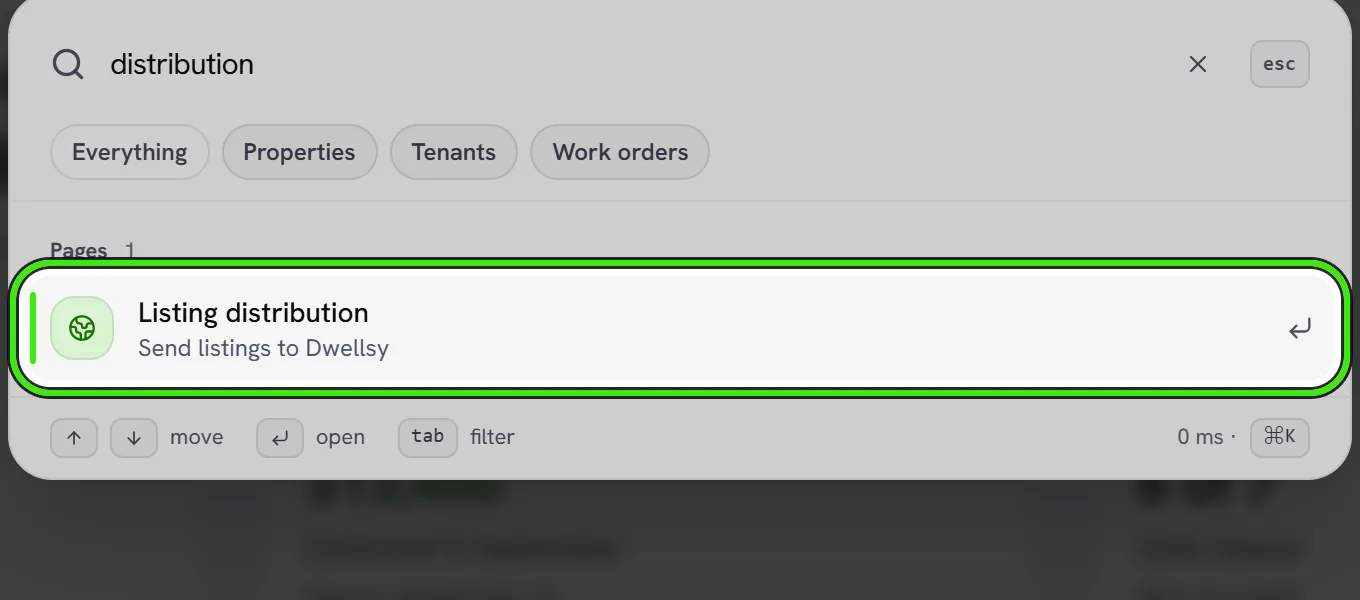
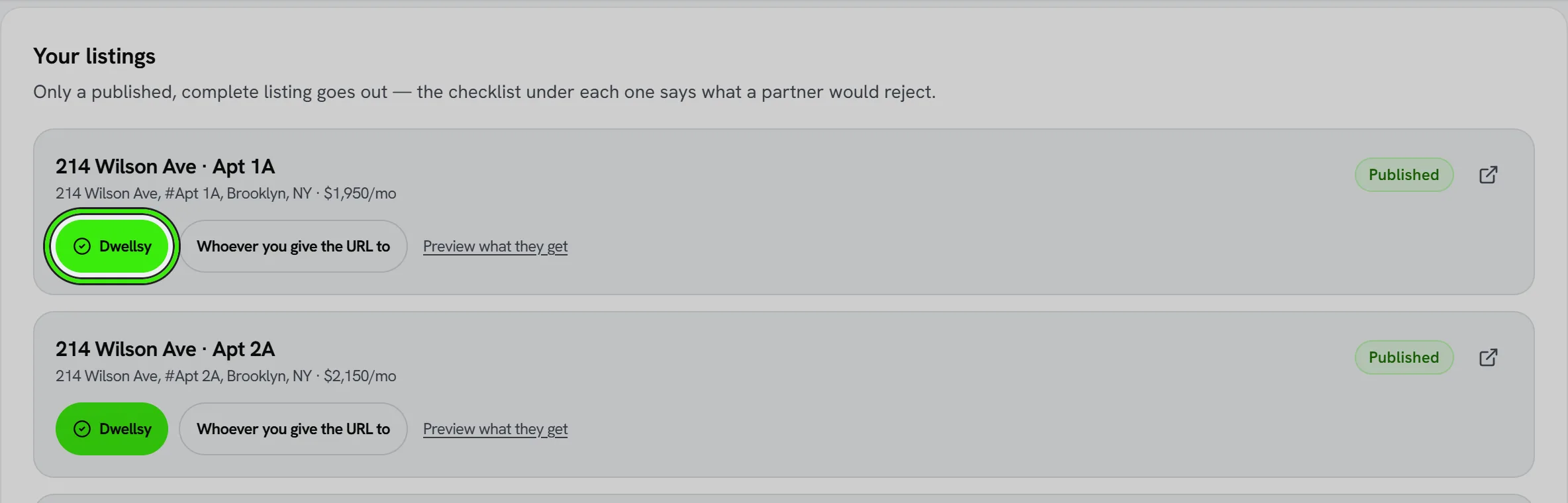
- Open Listing distribution: search for it from the search button at the top of your portal (⌘K or Ctrl+K). Each published listing shows a pill per partner; check the ones you want.
- Only a complete listing goes out: a real description, rent, full address, bedrooms and bathrooms. The page tells you what is missing.
- Uncheck to withdraw the listing from the next pull. Partners remove withdrawn listings on their own schedule — usually within a day.
What leaves Seayora
The listing itself: title, description, photos, rent, deposit, address and map position, beds, baths, size, amenities and availability. Never your Wi-Fi password, door codes or any pricing agreement with Seayora — those are not part of a listing.
Your own email and phone are not in the feed
The advertisement names Seayora as the contact and points the reader at your listing page on seayora.com, where they can message you directly. Your account email and phone number stay here.
This matters because a syndicated advertisement is copied. Once your personal address and mobile number are on a national listing site they are scraped, resold and cached by aggregators we have no relationship with — and withdrawing the listing does not take them back. Routing the contact through Seayora is the only version of this that you can undo.
- Each listing gets its own Seayora contact address, so a reply is matched to the right apartment automatically.
- Whoever inquired is answered within seconds — automatically, and the reply answers the questions they actually asked, from what is on that listing: whether it is still available, the rent, the deposit, pets, size, parking, laundry, utilities, heating, whether it is furnished, smoking, outdoor space and transport links. Your email address is never in that reply.
- Anything the listing does not record is left out rather than guessed, and the reply says plainly which of their questions you are the one to answer. A listing that has more filled in gets a better reply — that is the whole of it.
- The reply carries a link to see the home, a link that opens a message to you with that home already attached, and — only when you take viewing bookings — a link to pick a time. Somebody who has never used Seayora can do all three without an account; their message is delivered the moment they have one.
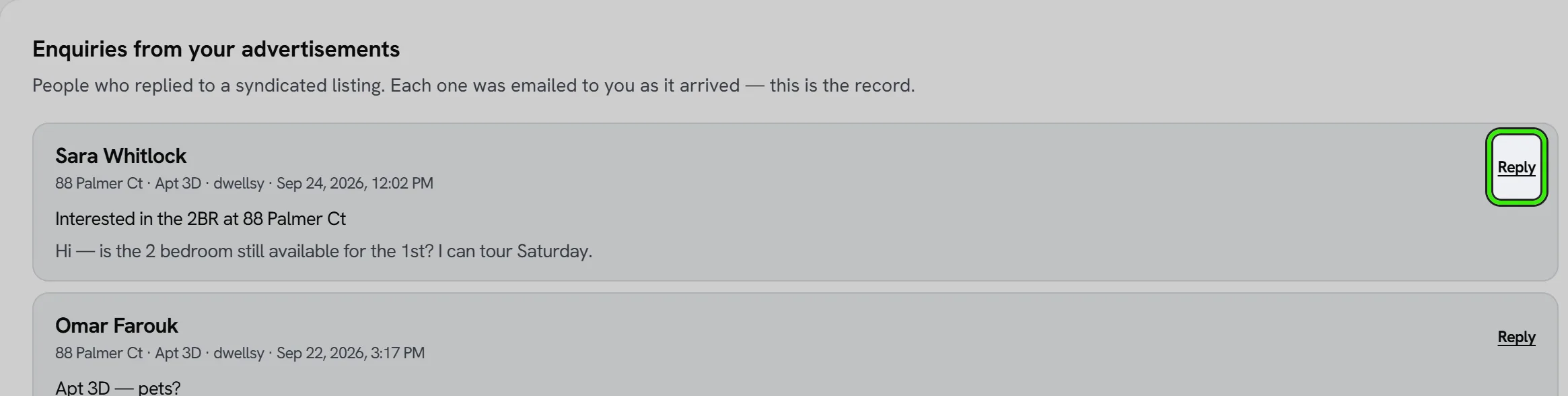
- Inquiries are emailed to you the moment they arrive, and listed under “Inquiries from your advertisements” on the Distribution page.
- Replying to that email goes straight to the person and shows them your address — that is your choice to make. To keep it inside Seayora, open the listing and message them from there.
- Where a phone number is published it is Seayora’s, with a short reference for the listing so whoever answers knows which apartment the caller means.
“In the feed” is not “live on the partner”
The Distribution page counts what is in the feed a partner pulls and shows when it last pulled. Whether a partner has accepted the feed and is displaying a listing is on their side; Seayora submits the feed URL once, and the partner’s own review can take days.
Frequently asked questions
Does it cost anything?
No. Distribution is included with a published listing, Seayora charges nothing for it, and every network on the page is free to advertise on. Partners may also offer paid promotion on their own sites; that is between you and them.
Why can I not send listings to Facebook Marketplace any more?
Because it has not worked anywhere since September 2021. Meta stopped showing home rental listings that arrive from a partner feed — they are accepted and then displayed nowhere, not in search, not in browse. Rentals reach Facebook only from a personal profile or a paid advert, neither of which a feed can do. Leaving the option on the page would have meant a check that did nothing.
Does someone have to wait for me to reply?
No. Seayora answers automatically, in seconds, with the details of that specific home and a link to its listing page — which is where they message you. That matters: somebody emailing four advertisements on a Sunday evening opens the one that answered. You still get the inquiry, and you reply in your own time.
What exactly does that automatic reply say?
It reads their message and answers what they asked, from your listing: availability, rent, deposit, pets, size, parking, laundry, utilities, heating, furnished, smoking, outdoor space, transport. Then the home’s headline — beds, baths, size, rent, when it is available — a few sentences of your own description, and three links: see the home, message you about it, and book a viewing if you take bookings. It says the reply is automatic. It never contains your email address or phone number. It is sent once per person per home, and never to another automatic responder.
Does it ever make something up about my listing?
No. Every answer is read straight off your listing, and there is no AI writing any of it. If your listing does not say whether pets are allowed, the reply does not say either — it tells them that is a question for you and points them at the message link. It will never tell a renter something about your apartment that you did not enter, which is the whole reason it is built this way: they may sign a twelve-month lease on it.
Where do inquiries go?
To Seayora, and then to you. Each advertisement carries a Seayora contact address unique to that listing, so a reply is matched to the right apartment and emailed to you as it arrives; it is also kept on the Distribution page. Your own email and phone are not on the advertisement.
Why is my own phone number not on the advertisement?
Because you cannot take it back afterwards. A national listing site is copied by aggregators, so a personal number published there stays published long after the listing comes down. The advertisement points renters at your listing page on seayora.com instead, where they message you directly.
Can I put my own details on the advertisement instead?
That is a platform-wide setting rather than a per-listing one, so ask Seayora support. It is off by default deliberately.
Can I see exactly what a partner receives?
Yes — “Preview what they get” on the listing shows the exact record in that partner’s format.
Related guides
Related features and guides
- Creating & Publishing a Listing — Documentation. How to post a rental listing on Seayora — property details, pricing, availability, amenities, and how listings appear in search.
- Booking Tours & Showings — Documentation. How prospective renters book a tour from your listing, what you control (hours, slot length, in-person, self-guided or video), and what the visitor receives.
- Where Your Listing Appears on Seayora — Documentation. The city, neighborhood, size, budget and feature pages a published listing shows up on automatically, the rent report your asking price feeds, and how to check.
- Rental Listing Software — 60 Days Free, Then $9/Month — Feature. Advertise apartments, houses, condos, and townhomes for rent. Every listing gets its first 60 days free, then $9/month while the unit stays vacant — charged a month ahead, with the unused days refunded the moment it rents. No brokerage fee, no setup fee, no subscription.
- Listing Descriptions and Photos That Actually Rent the Unit — Guide. How to write honest, compelling rental listings and take photos that fill vacancies faster, while staying within fair housing advertising rules.
- Listing Performance Analytics — Feature. Track views, saves, and applications per listing so you know whether a vacancy needs a better photo, a lower price, or more reach — instead of guessing.