Your Annual PCI Attestation
The one-minute form every account that takes card payments signs each year, when it is due, and the monthly fee that applies if it is not signed.
Every business that accepts card payments has to confirm once a year that it handles card data safely. This is a card-industry rule (PCI DSS), not a Seayora one — but because your payouts run through our payment processor, the form comes to you here and you sign it here.
It takes about a minute. There is no questionnaire to fill in: the processor prepares a pre-filled form (a Self-Assessment Questionnaire, type SAQ A), you read it, add your name and title, and confirm.
Why yours is the short form
SAQ A is the shortest version of the questionnaire, and it applies to businesses that never handle card data on their own systems. That is exactly your situation on Seayora: a card number is typed into the payment processor’s own secure field, which sends it straight to the processor. Seayora never sees it and never stores it, and neither do you.
When it is due
- Your first form is issued when your payout account is approved, and it is due 90 days later.
- A new one is issued about a year after that, and every year after.
- The exact date is shown on your payment settings, next to the attestation.
- We email you when it is issued, and again at 60, 30, 14, 7 and 1 day before the deadline.
What happens if it is not signed
Our payment processor charges a non-compliance fee for every 30-day period a form stays unsigned past its deadline, and that fee is passed on to your account. The current amount is shown on the attestation itself and on the fee schedule in your payment settings — it is $35.00 per 30 days at the time of writing.
Signing stops it immediately. Nothing is backdated, and no further fee applies once the form is on file.
Rent collection, card payments and payouts are not switched off by an unsigned attestation. Money keeps moving; the fee is the consequence.
Signing it
- Open your payment settings and find the PCI attestation card.
- Open the form and read it. It is the processor’s document, pre-filled with your business details.
- Enter the full name and title of the person attesting. It must be somebody authorized to make a statement on behalf of the business.
- Confirm. The filed document records the name, the title, the date, and the network address and browser it was signed from.
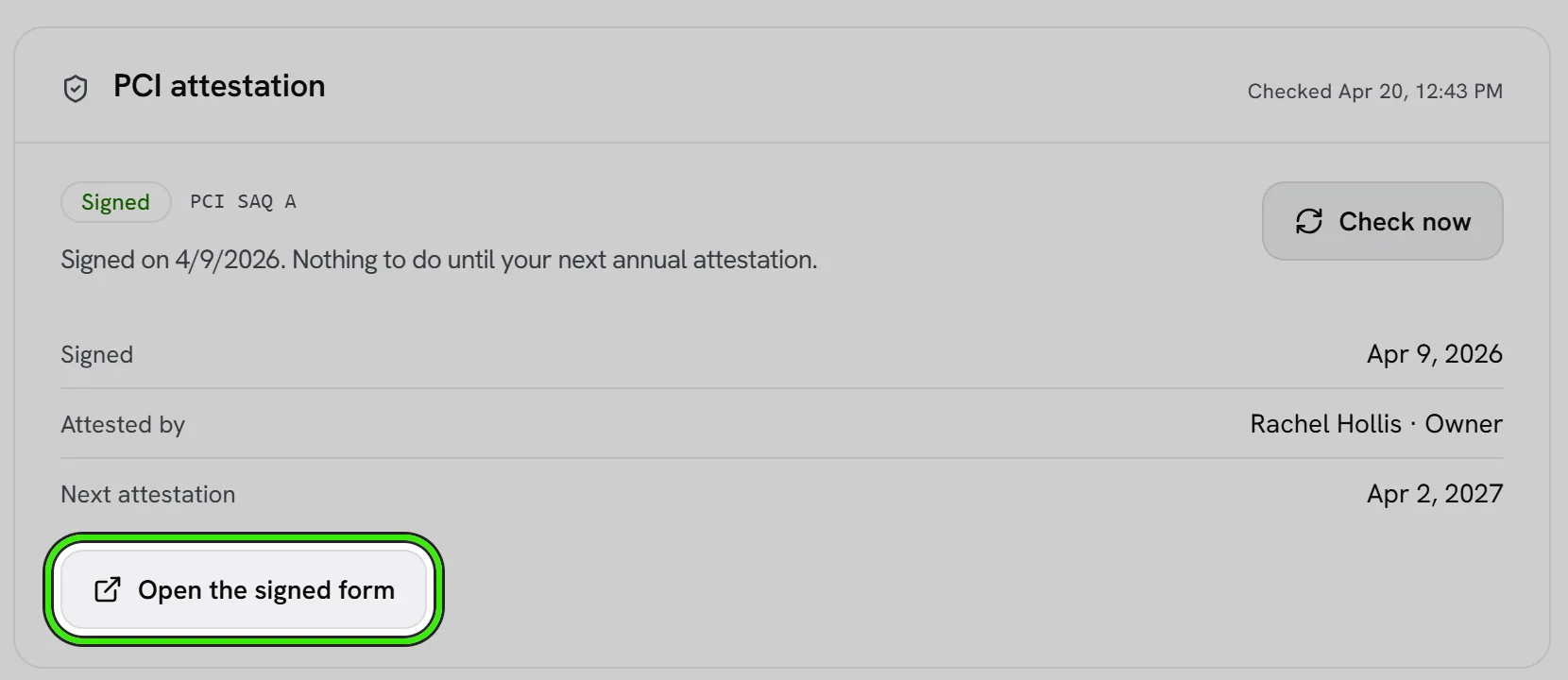
You can sign it on the website, the iPhone app or the Android app. The signed document stays available from the same place afterwards.
If the status will not load
The attestation card reads its status live from the payment processor. If that check fails it says so — "Couldn’t check" — rather than showing a status it is not sure about. That is a display problem only; it does not change whether your form is on file. Try again in a minute.
Frequently asked questions
Who should sign it?
Somebody authorized to make a statement on behalf of the business — an owner, a director, or an officer. Their name and title go on the filed document, so it should not be signed by an assistant or a bookkeeper on somebody else’s behalf.
Do I have to answer a security questionnaire?
No. Because card numbers are only ever typed into the payment processor’s own secure field, you qualify for the shortest form (SAQ A). It is pre-filled — you read it and attest to it.
Can I upload a form I signed elsewhere?
No. The payment processor accepts an attestation only through its own systems, which is what the button in Seayora does. There is nowhere to upload a signed PDF, and a copy signed outside will not register.
I signed it late — will I be refunded the fee?
Fees already applied for periods the form was overdue stay applied; signing stops any further ones. If you think a fee was applied in error, contact [email protected].
Does an unsigned attestation stop my tenants paying rent?
No. Rent collection, card payments and payouts all keep working. The monthly non-compliance fee is the only consequence.
I manage properties for other owners. Whose attestation is it?
It belongs to the account that holds the payout merchant — the business the money settles into. If you collect on behalf of owners under your own payout account, it is yours to sign.
Related guides
Related features and guides
- Opening Your Payout Account — Documentation. The application that lets you be paid — what it asks for, what we fill in for you, what happens to your SSN and bank number, and how to answer when the processor asks for more.
- Fees, Payouts & Refunds — Documentation. How Seayora’s fees, subscriptions, payouts, and refunds work, and where payment disputes are handled.
- Online Rent Collection — Documentation. How to collect rent online with Seayora — setup, payment methods, card surcharges and where state law limits them, records, and how funds move.
- Online Rent Collection Software — Feature. Online rent collection: bank transfers free to the tenant, card payments, AutoPay on the lease’s due date, automatic late fees, roommate splitting and receipts issued when rent settles.
- Automated Late Fees — Feature. Set your grace period and late fee structure once — flat or percentage — and Seayora calculates and applies it automatically, with no uncomfortable conversations.
- Credit Card Surcharges on Rent: State Laws and Card Network Rules — Guide. Where a landlord may add a credit card fee to rent, the states that ban or cap surcharges, and Visa’s 3% cap and debit card rule.