Receipts, Notices & Statements
The PDFs Seayora issues — what produces each one, where they are kept, and what they can and cannot be used for.
When something happens that you should have a record of — rent settles, a deposit is taken, a notice is served, an application is decided — Seayora produces a PDF, emails it to you with the document attached, and keeps a copy in Documents. It is the same document in both places, and it stays in your account whether or not you keep the email.
Where to find them
- On the web: Settings → Documents (owners have their own Documents page).
- On iPhone and Android: Documents, from the Tools hub or from Settings.
- In your inbox: the PDF is attached to the email that told you about it.
- If you manage for somebody else: open the owner from Owners and share a file with them from there. That works on the website, on iPhone and on Android, and they are emailed as soon as it is visible to them.
Opening a document needs you to be signed in, on purpose. There is no link that works without an account, because a forwarded one would become somebody else’s deposit statement or consumer-report notice. From any of the three apps you can open it, save or share it, or ask us to email you a fresh copy — always to the address on the account, never to one typed in.
A receipt is issued when the money arrives, not when it is sent
A rent receipt is produced on settlement — when the funds have actually reached the recipient — not when the payment is submitted. On a bank transfer those are two to four business days apart. This matters: a receipt issued at submission would tell you that you had paid on a day the money had not moved, and would still say so if the bank later returned it.
What each document says about itself
Every one of them names who issued it and what it is evidence of. A late-fee notice prints the grace period and fee terms from your lease, so you can check the charge against what you signed. A deposit receipt prints the deadline for returning the deposit and the statute that sets it. A served notice prints the notice period required, its legal citation, and — printed rather than hidden — whether it was served with less notice than usual. An adverse action notice carries the exact text that was reviewed before it was sent, alongside a digest that proves the text has not changed since.
Asking for one
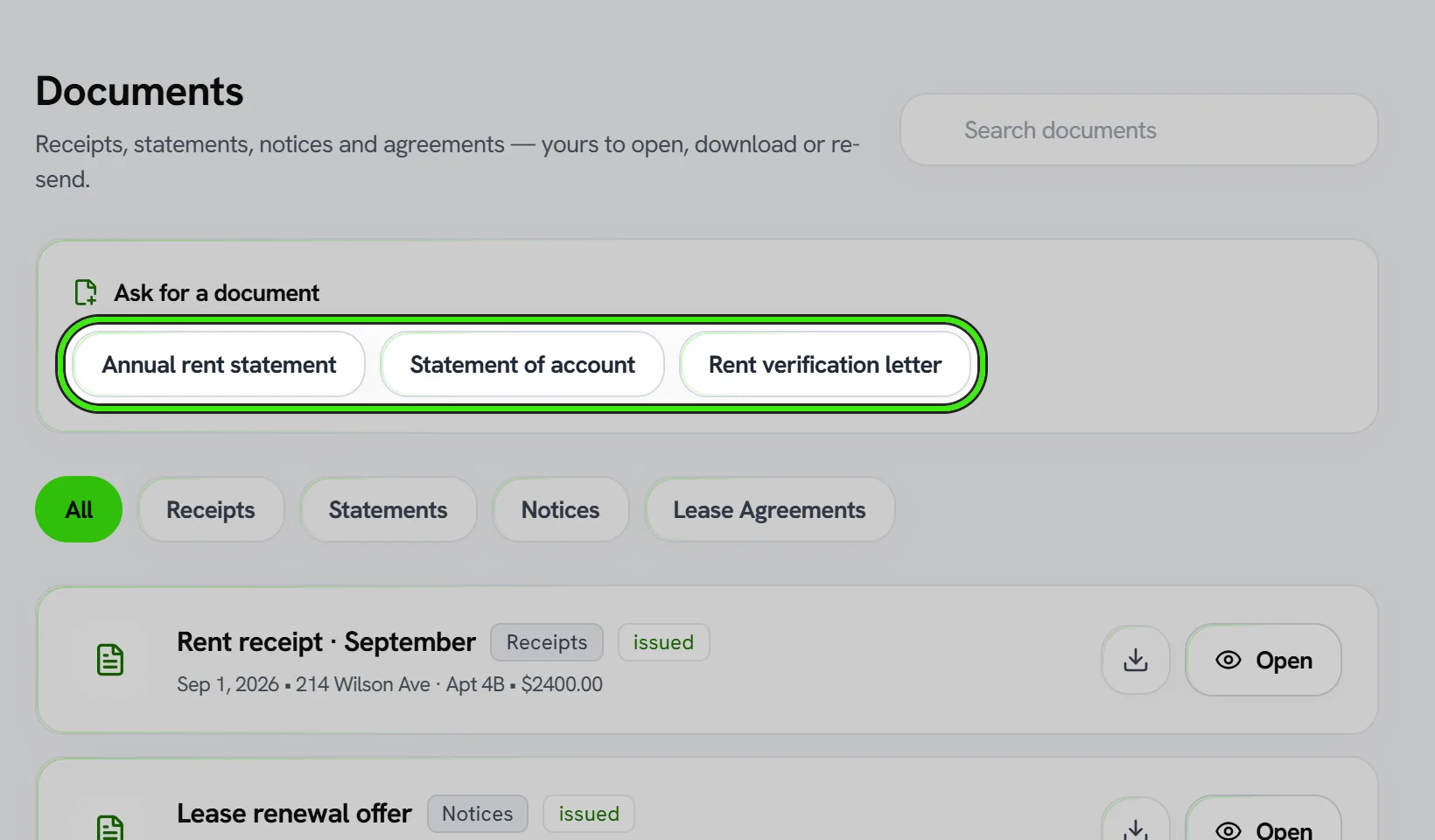
Some documents are not produced by an event, so you can ask for them at any time: an annual rent statement for a year, a statement of account over any period, and a rent verification letter for a lender, a landlord reference or a benefits office. Asking twice for the same period gives you the document you already have rather than a second, slightly different one.
What these documents are not
- They are not tax forms. They are records of payments made through Seayora, and rent paid outside the platform is not on them.
- They are not a credit report. A rent verification letter states a payment history at a date; it is not furnished to any bureau.
- A notice or an adverse action letter is issued by the landlord or housing provider named on it. Seayora delivers and records it; it is not a party to it and does not give legal advice.
Corrections and withdrawals
A document is never deleted. If a later one replaces it, the original is marked as superseded and points at its replacement; if it should not have been issued at all, it is marked withdrawn with the reason recorded. You already have a copy, and quietly removing ours would leave a document in the world that nothing on the platform accounts for.
Every document Seayora issues
| Document | Kind | What produces it | How you get it |
|---|---|---|---|
| Application fee receipt | Receipts | An application fee settles. | Emailed with the PDF attached |
| Holding deposit receipt | Receipts | Issued by the platform. | Emailed with the PDF attached |
| Rent receipt | Receipts | A rent payment settles. | Emailed with the PDF attached |
| Seayora charge receipt | Receipts | A Seayora charge on your own account settles. | Kept in Documents |
| Security deposit receipt | Receipts | A deposit is recorded as received. | Emailed with the PDF attached |
| Support payment receipt | Receipts | A payment you were asked for by support settles. | Emailed with the PDF attached |
| Annual rent statement | Statements | You ask for one, for a calendar year. | Kept in Documents |
| Association certificate | Statements | Issued by the platform. | Kept in Documents |
| CAM reconciliation statement | Statements | Issued by the platform. | Emailed with the PDF attached |
| Camera event report | Statements | Issued by the platform. | Kept in Documents |
| Commission statement | Statements | Issued by the platform. | Kept in Documents |
| Inspection report | Statements | An inspection report is completed and frozen. | Emailed with the PDF attached |
| Investor capital statement | Statements | Issued by the platform. | Emailed with the PDF attached |
| Legal regulated rent worksheet | Statements | Issued by the platform. | Kept in Documents |
| Owner statement | Statements | An owner distribution is published. | Kept in Documents |
| Owner year-end tax statement | Statements | Issued by the platform. | Emailed with the PDF attached |
| Property record | Statements | Issued by the platform. | Emailed with the PDF attached |
| Rent verification letter | Statements | You ask for one. | Kept in Documents |
| Security deposit statement | Statements | The itemized deposit statement is issued at the end of a tenancy. | Emailed with the PDF attached |
| Statement of account | Statements | You ask for one, over any period. | Kept in Documents |
| Tax form (1099) | Statements | Issued by the platform. | Kept in Documents |
| Adverse action notice | Notices | An application is denied, or approved on different terms. | Emailed with the PDF attached |
| Capital call notice | Notices | Issued by the platform. | Emailed with the PDF attached |
| Distribution notice | Notices | Issued by the platform. | Emailed with the PDF attached |
| Good Cause Eviction Law notice | Notices | Issued by the platform. | Kept in Documents |
| Housing assistance late-payment claim | Notices | Issued by the platform. | Emailed with the PDF attached |
| Income certification worksheet | Notices | Issued by the platform. | Kept in Documents |
| Late fee notice | Notices | A late fee is applied to a rent charge. | Emailed with the PDF attached |
| Lease renewal offer | Notices | A renewal offer is sent. | Emailed with the PDF attached |
| Notice | Notices | A notice is served on a tenant. | Emailed with the PDF attached |
| Payment failure notice | Notices | A rent payment fails or is returned by the bank. | Emailed with the PDF attached |
| Payment plan default notice | Notices | Issued by the platform. | Emailed with the PDF attached |
| Proof of service | Notices | Issued by the platform. | Kept in Documents |
| Camera footage certificate | Agreements | Issued by the platform. | Kept in Documents |
| Certificate of execution | Agreements | A lease becomes fully executed. | Emailed with the PDF attached |
| Daily log | Agreements | Issued by the platform. | Kept in Documents |
| FARE Act fee disclosure | Agreements | Issued by the platform. | Emailed with the PDF attached |
| Job form | Agreements | Issued by the platform. | Kept in Documents |
| Payment plan agreement | Agreements | Issued by the platform. | Emailed with the PDF attached |
How long they are kept
Receipts and statements are financial records and are retained on the schedule in the Privacy Policy — seven years for payments, deposits and leases, three for screening and adverse action records. Closing your account does not delete them; it removes your personal details from them. The full list of what outlives an account, and why, is on the account deletion page.
Frequently asked questions
I got the email but there is no attachment.
The email always sends, even on the rare occasion the PDF could not be produced at that moment — telling you the rent settled matters more than the attachment. The document is still in Documents, and the "email me a copy" action there will send it again.
Can I send a document to my accountant or my caseworker?
Yes — open it and use save or share, which hands the file to your own email, Files, or whatever you normally use. Seayora will only ever email a document to the address on the account it belongs to, so sharing it onward is a deliberate act by you.
Why can my landlord see my rent receipt?
A receipt records a payment between two parties, so both hold it — you as the payer and them as the payee. The same is true in reverse: a notice they serve is on both accounts. Nobody outside a document’s parties can see it.
A receipt shows more than my rent. Why?
The total is what was actually charged, which can include a card surcharge or a late fee. Every receipt breaks that out line by line and shows the rent figure separately, precisely so the total and your lease can be reconciled.
My rent is split with roommates — whose receipt is this?
Each roommate is charged their own share and gets their own receipt for it, showing the share as a percentage of the rent for that period. A receipt for a 50% share is not a receipt for the whole month, and says so.
Related guides
- Documents & Storage
- Online Rent Collection
- Security Deposits on Seayora
- Tenant Screening & Background Checks
Related features and guides
- Documents & Storage — Documentation. How Seayora stores leases, applications, and uploaded documents, and your responsibility to retain your own records.
- Online Rent Collection — Documentation. How to collect rent online with Seayora — setup, payment methods, card surcharges and where state law limits them, records, and how funds move.
- Security Deposits on Seayora — Documentation. How to collect, hold, document, and return a security deposit — the ledger behind the figure, the statutory deadline, the itemized statement, and what freezes when.
- Document Storage & Templates — Feature. Store leases, addenda, inspection photos, receipts, and templates securely, with the right people able to reach the right documents at any time.
- Lease Renewals & Amendments — Feature. Handle renewals, rent increases, and amendments against the original lease, with the right notices and a clean signed record of every change.
- Digital Leases & eSignature — Feature. Build digital leases from your templates, send them for legally binding eSignature under ESIGN/UETA with a full audit trail, and store executed copies automatically.