What You Take On When You Get Paid Through Seayora
Collecting rent or invoicing through Seayora makes you a sub-merchant. Plain-English guide to what that means: whose chargebacks these are, which fees reach you, and what the processor can do.
Seayora is not a bank and it is not the merchant on your transactions. When you start collecting rent, deposits, application fees or invoice payments through Seayora, our payment processor underwrites you and opens an account in your own name. In payments language you become a sub-merchant. The money is yours, it settles into your own bank account — and the responsibilities a merchant carries are yours too.
This article is the plain-English version. The binding wording is section 9A of the Terms of Service, and it is worth reading once before you take your first payment.
The short version
- Your transactions are yours. So is every chargeback, refund and returned bank payment on them, and the fees that come with them.
- You accept the processor’s own terms as well as Seayora’s. The processor can change its terms, and can suspend or close your payment access, and Seayora cannot overrule it.
- Seayora absorbs the ordinary cost of processing. What reaches you is the cost of a specific event on your account — a chargeback, an ACH return, a PCI non-compliance fee.
- You must follow the card-network rules and the law: PCI DSS, surcharging rules, anti-money-laundering checks, and the list of businesses the processor will not accept.
- Money owed can be taken from your next payout, from a reserve, or from the bank account on file.
Chargebacks, refunds and returned payments
This is the part that surprises people, so it is worth being blunt. If a tenant disputes a rent payment with their bank, or a customer charges back an invoice, the money comes back out — of your account, not Seayora’s. The same is true of an ACH return: a bank transfer can look paid for several days and then be reversed, at which point the receipt is marked reversed, the payer is told, and the amount plus the return fee is recovered from you.
You can challenge a dispute, and Seayora shows you what it needs and when it is due. The deadline is the card network’s and cannot be extended. No challenge is guaranteed to win. Keep an eye on how often it happens: networks set thresholds, and an account that goes past them can face extra fees, a reserve, or suspension.
Which fees actually reach you
Seayora absorbs the processor’s per-transaction and monthly platform costs. The charges that reach your account are the ones caused by something specific happening on it — and they are listed with their amounts on the screen before you open a payout account.
| Charge | When it happens |
|---|---|
| Dispute / chargeback fee | A payer disputes a transaction with their bank. Charged whether or not you win. |
| ACH return fee | A bank transfer is returned — closed account, insufficient funds, a disputed debit. |
| Notice of change fee | A bank tells us an account or routing number has changed. |
| PCI non-compliance fee | Your annual attestation is past its deadline. Charged for each 30-day period until it is signed. |
| Instant payout fee | You asked to be paid faster than the standard schedule. Instant is the only faster speed offered. |
| Network pass-through charges | Fines, assessments and registration fees a card network imposes because of activity on your account. |
If Seayora raises a processing fee you pay, you get at least 30 days’ written notice first. That notice does not apply to a charge set by a card network or required by law, which can take effect immediately — those amounts are not ours to hold back.
Reserves, holds and set-off
The processor can hold back a reserve against future disputes, and can raise it if your risk profile changes. Anything you owe can be recovered from your next payout, from that reserve, or by debiting the bank account you have on file. If your balance goes negative — usually after a chargeback or a return — it is due immediately. Keep a working bank account on file, and tell us at least ten days before you change it.
If your bank blocks or filters ACH debits on that account (business accounts often do), ask the bank to allow debits from our payment processor: Finix Payments, Inc., Company ID B043575881. Without that, a debit for a refund, a return or a fee is rejected, and your payouts can be held until it is sorted out.
Rules you have to follow
- Only take payment for your own business, from your own tenants and customers. You cannot process on behalf of anyone else.
- Keep a written refund policy, tell your tenants and customers what it is, and never refund in cash or for more than the original payment.
- Never accept a payment from someone in exchange for giving them a refund. That is a fraud pattern the networks look for.
- If you pass a card cost on to a payer, it has to be lawful in that state, disclosed before they pay, and changed only with 30 days’ notice. Seayora already blocks card surcharges where a state prohibits or caps them.
- Complete your annual PCI attestation within 90 days of it being issued.
- Tell us within five days if your ownership, financial condition or line of business changes materially, or if a regulator contacts you about payments.
- Check your transaction and payout records. If an error is not reported within 60 days of appearing, the claim to it is lost.
What the processor can do
The processor — not Seayora — decides whether to approve you, whether to keep processing for you, and whether to hold a payout while it reviews something. It can suspend or end your access under its own terms, including when a regulator, sponsor bank or card network tells it to, and Seayora has to act on that. It gives you no warranty and owes you no liability directly. If that happens we will tell you and help you move where we can, but what you already owe — disputes, pass-through charges, a reserve — does not go away with it.
What Seayora does for you
- Absorbs the ordinary processing cost rather than passing the whole rate card through.
- Shows every chargeable fee, with its amount, before you open the account.
- Emails you when an attestation is issued, before each deadline, and every time a fee is applied.
- Blocks card payment where a state’s surcharge law would be broken, instead of letting you break it.
- Keeps your SSN, date of birth, government ID and bank account number off our servers entirely — they go straight to the processor.
- Gives you 30 days’ notice before raising a fee we control.
You sign it, once
Because this moves real money risk onto you, we do not bury it in a checkbox. The account owner reads the Payment Services Agreement in full and signs it electronically — on the website or in either app, from Settings → Payments. Your name, your title, the time, your network address and your browser or device are recorded on the signed copy. It is emailed to you and you can download it as a PDF whenever you want.
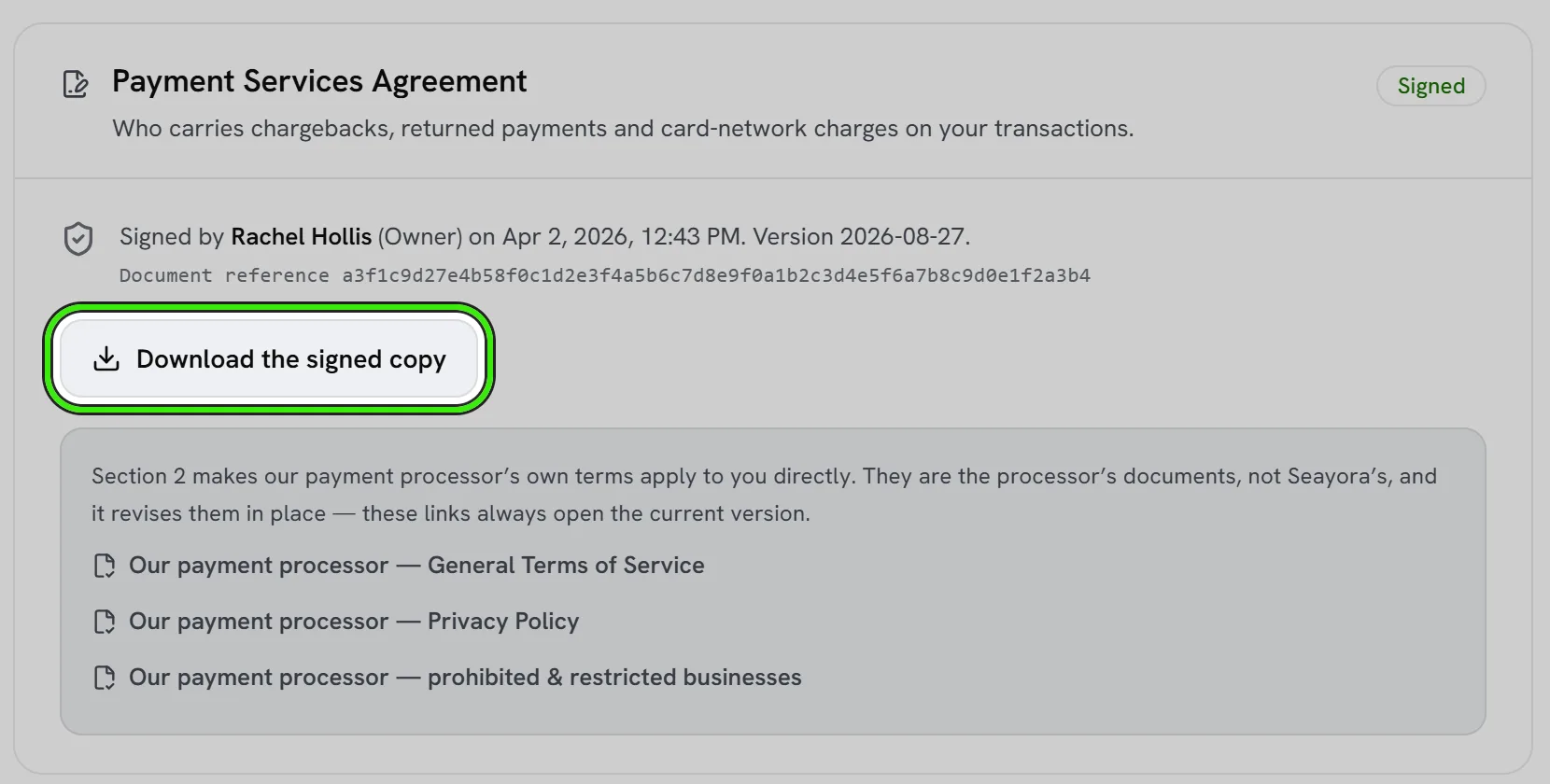
The same card links our payment processor’s own documents: its General Terms of Service, its Privacy Policy and its list of prohibited and restricted businesses. Section 2 of the agreement makes those terms apply to you directly. They are the processor’s documents, not ours, and it revises them in place, so the links always open the version in force today rather than a copy that has gone stale.
Until it is signed, payouts are paused. Nothing you have collected is affected: rent keeps arriving and stays in your balance, and the transfer out resumes the moment you sign. Collection is never blocked over an unsigned form — that would punish your tenants for your paperwork. If we ever change the agreement materially we issue a new version, and payouts pause again until that one is signed; the version you signed before stays on file.
Why your money waits a day, and why that saves you money
A payout is one instruction that sweeps your whole available balance. The processor charges per instruction, not per dollar — so one payout of $2,000 costs one fee, and ten payouts of $200 cost ten. There is no box to pay out part of your balance, on purpose.
Money becomes payable once it has been settled for the holding period on your payments screen, which is one day by default. That means a day of rent payments matures together and leaves in a single transfer instead of trickling out. The hold delays when you can reach the money; it never reduces it, and when a payout does run it takes everything then available, including anything that settled that same day.
- Settlement hold — how long money must have been settled before it is payable.
- Minimum interval — how often a payout instruction may be issued at all. This is the one that actually caps the fee.
- Minimum payout — a floor under a single transfer, so a small balance does not cost a fee to move. 0 means no minimum.
Seayora sets all three for the platform — they are not settings on your account — and pays out automatically within them, as soon as a payment settles. Your payments screen always shows what has settled, what is still maturing, what will be deducted in fees, and — if nothing has gone out yet — the reason and the exact time the next payout can go.
Where to read the real thing
Section 9A of the Terms of Service is the binding version, and the consent step of your payout application shows the processor’s General Terms of Service in full — you scroll to the end before you can accept them — and links its privacy policy and its list of businesses it will not accept. This article is a summary, not advice; where the two differ, the Terms govern.
Frequently asked questions
Does Seayora hold my rent money?
No. Funds settle from the processor into the bank account you gave on your payout application. Seayora is a technology platform and a payment facilitator, not a bank or an escrow agent.
A tenant charged back their rent. Who pays?
You do. The amount comes back out of your account along with the dispute fee, whether or not you challenge it. Seayora shows you the dispute, what evidence it needs and the deadline.
The bank returned a rent payment a week after it looked paid. Why?
Bank transfers are not final on the day they are submitted. A return can arrive days later — a closed account, insufficient funds, or the payer telling their bank it was unauthorized. The payment stops counting as paid, any receipt is marked reversed, the payer is told, and the amount and the return fee are recovered from you.
Does a refund go out straight away?
Not always. From October 19, 2026 the processor holds a refund until your processing balance can cover it. It is checked before each daily settlement and sent as soon as that day’s payments cover it. If they still have not after 7 days, the amount is debited from your linked bank account and the refund goes out once that debit clears, usually within 3 business days. A refund that cannot be funded within 45 days fails: your customer does not get that money, the payment shows as paid again, and Seayora tells whoever issued the refund.
Why am I agreeing to another company’s terms as well as Seayora’s?
Because the processor is opening an account in your name and is the one moving the money. Two documents, two parties: Seayora’s Terms section 9A covers your relationship with us, the processor’s terms cover your relationship with it. The processor’s General Terms are shown in full at the consent step and must be read to the end; Section 9A is linked beside them, and you should read both.
Can Seayora stop the processor from closing my account?
No. That decision is the processor’s and it can be directed by a card network, a sponsor bank or a regulator. We will tell you what we are told and help you move where we can.
Will I be charged a fee I have never been told about?
Not one Seayora sets. Every fee that can be charged to you is listed with its amount in Section 9A.9 of the Terms of Service and again before you open the account, and we give 30 days’ notice before raising one. Charges set by a card network can change at any time and are passed through when they are caused by activity on your account.
How long until a payment reaches my bank account?
A card payment usually arrives about two business days after your tenant or customer pays, and a bank transfer about five business days: a bank payment made on a Monday usually arrives the following Monday. Bank debits take longer because they are held before they settle. These are typical times, not guarantees.
Is there a limit on a single payment?
Yes. A new account can take up to $10,000 in a single card payment and $10,000 in a single bank payment. To go higher, contact Seayora support with one or two itemized invoices or a lease showing the amount you need. Our processor raises the limit for your account and usually decides within a day.
Why can I not pay myself out right now?
The screen says which of the reasons applies and when it clears: money can still be maturing (it becomes payable once it has settled for the holding period), a payout may already have been requested inside the minimum interval, the balance may be under your minimum, or the Payment Services Agreement may still need signing. Nothing is lost in any of those cases — it goes out with the next payout.
Why does Seayora make me wait a day for my own money?
So that a day of payments leaves in one transfer rather than several. The processor charges per transfer instruction, and those charges come out of your money. The hold changes when you can reach it, never how much there is.
I signed the agreement. Where is my copy?
It was emailed to you when you signed, and you can download the signed PDF any time from Settings → Payments. It carries your name, title, the time, and a reference that identifies the exact wording you signed.
What is a reserve, and will I have one?
A reserve is money held back against future disputes. Most accounts do not have one. It can be required where the transaction, refund or dispute pattern warrants it, and it can be held for up to 180 days after your payment access ends.
Related guides
- Opening Your Payout Account
- Fees, Payouts & Refunds
- Payment Disputes & Chargebacks
- Your Annual PCI Attestation
Related features and guides
- Opening Your Payout Account — Documentation. The application that lets you be paid — what it asks for, what we fill in for you, what happens to your SSN and bank number, and how to answer when the processor asks for more.
- Fees, Payouts & Refunds — Documentation. How Seayora’s fees, subscriptions, payouts, and refunds work, and where payment disputes are handled.
- Payment Disputes & Chargebacks — Documentation. What happens when a cardholder disputes a payment you received, and how to answer it in Seayora with the evidence already gathered.
- Understanding Your Lease Agreement: Key Terms Explained — Guide. A plain-English guide to the lease clauses that matter most: rent and fees, the deposit, repairs, renewal, notice and ending a lease early.
- How to Invoice Clients and Get Paid Faster — Guide. Invoicing tips for service businesses: what every invoice needs, payment terms that work, and how reminders and online payment shorten the wait.
- Payment Disputes & Chargebacks — Feature. When a cardholder disputes a payment, Seayora explains the claim, gathers the records that answer it, drafts your response and sends it on your signature — on the web and in both apps.