Parts & Materials: What Gets Taxed and What Does Not
The parts catalog, why "tax paid at purchase" matters, what buying on a resale certificate changes, use tax, purchase-tax credits, and the parts tax report.
The parts catalog (Invoices & Tax → Parts) is where you keep what you install: the price you charge, what it cost you, who you buy it from, and — the part that matters for tax — whether you paid sales tax when you bought it. That last fact is what lets Seayora avoid taxing a part twice, and it is why the catalog exists.
The two facts that decide a part's tax
- Tax paid at purchase — you paid sales tax to the supplier when you bought it. This is the ordinary case: a part bought at a counter with no certificate shown.
- Bought for resale — you bought it tax-free on a resale certificate, intending to sell it on and charge the customer tax.
A part is one or the other for any given purchase, never both. The catalog remembers the latest, and the purchase log holds the receipt behind it.
What happens on the invoice
| You… | The state treats you as… | The customer is charged tax on the part? | And you… |
|---|---|---|---|
| paid tax at purchase | the consumer (most states, most work) | No — the line says "sales tax was paid when this part was purchased and is not charged again". | have nothing further to do. |
| paid tax at purchase | a retailer (WA, separated contracts in some states, NY repair work) | Yes. | can generally credit the tax you paid against the tax you collect. Keep the receipt; the invoice reminds you. |
| bought for resale | a retailer | Yes. | have nothing further to do — this is what a resale certificate is for. |
| bought for resale | the consumer | No. | owe use tax on what you paid for it, because nobody has taxed it. The invoice tells you; it goes on your return. |
Marking a part taxable or not by hand
A part can be set to "always taxable" or "never taxable" regardless of the state rule — for a part you know carries a specific exemption, say. A "never taxable" setting requires a reason, and that reason prints on every invoice the part appears on. An auditor will ask, and "the software let me" is not an answer.
The purchase log
Record each purchase against the part: supplier, their invoice number, date, quantity, unit cost, tax paid, and a photo or PDF of the receipt. Recording a purchase updates the part's cost, its stock count, and its tax posture — so the catalog always reflects the most recent receipt rather than a guess from months ago. It is also the evidence: at audit, "I paid tax on it" is answered with a supplier invoice.
Stock
The parts catalog is the same list the Toolbox's inventory reorders from — one list, not two. Issuing an invoice takes its part lines out of stock; recording a purchase puts them back. A draft never touches stock, because a draft is not a sale.
The parts tax report
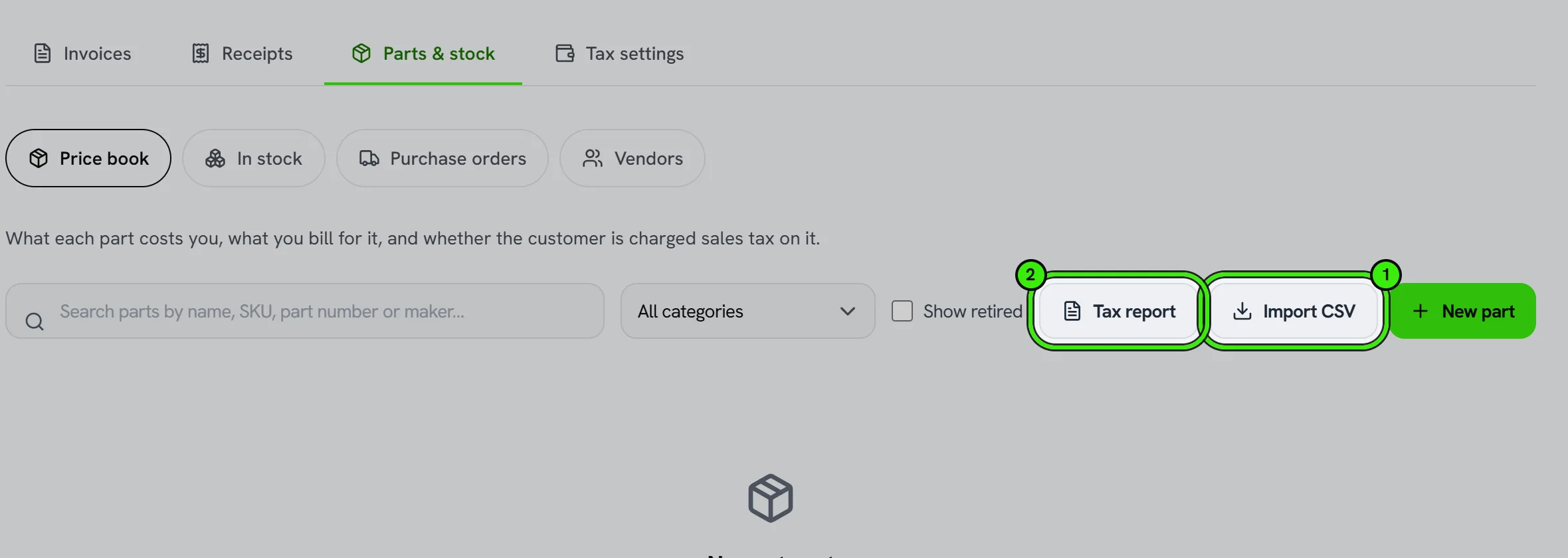
For any period, the report totals: sales tax you paid on purchases, the cost of parts bought for resale that you then consumed (your use-tax basis), tax you collected on parts you resold, and the purchase tax credit available on those. It is a starting point for your accountant, drawn from the purchases and invoices you recorded — not a filing.
Importing a price list
Paste or upload a CSV with at least a name and a SKU per row; the other columns are optional and match the catalog's fields. Re-importing updates existing SKUs rather than duplicating them, and every row that fails is listed by number with the reason — nothing is skipped silently.
Frequently asked questions
I buy some parts with tax and some without. What do I set?
Record each purchase in the log as it happened; the part follows its latest receipt. On a specific invoice you can also override the part's facts for that line if that job used a different batch.
What is use tax?
Sales tax you pay directly to the state on something you bought tax-free and then used yourself instead of reselling. A contractor who buys parts on a resale certificate and installs them on a job where the state treats them as the consumer owes it on their cost. Seayora flags the exposure; your return is where it is paid.
Does Seayora remit use tax or claim the credit for me?
No. It computes and records both so you and your accountant can put them on the return. It never files or remits.
Related guides
- Invoices, Receipts & Sales Tax for Contractors
- Tax Settings: Registrations, Rates & Exemption Certificates
Related features and guides
- Invoices, Receipts & Sales Tax for Contractors — Documentation. How a contractor invoice is built in Seayora, how sales tax is worked out for the job site line by line, what the customer sees at checkout, and when a receipt is issued.
- Tax Settings: Registrations, Rates & Exemption Certificates — Documentation. Telling Seayora where you are registered to collect, collecting wherever a job is, filing exemption certificates, and reading each state's rule.
- Tax-Exempt Customers and Exemption IDs — Documentation. How to mark a customer tax-exempt with their exemption ID, what happens on their invoices, and why the ID and the certificate — not a checkbox — are what make it real.
- Sales Tax Basics for Contractors and Service Businesses — Guide. When contractors charge sales tax: how states treat repairs, capital improvements and materials, what nexus means, and the exemption certificates to keep.
- AI-Assisted Estimates & Quoting — Feature. AI-assisted estimating with materials prediction, 3D scan input, permit checks, and online quote approval — so quoting stops being unpaid after-hours work.
- Contracts, Change Orders & Purchase Orders — Feature. Signed contracts, documented change orders, and purchase orders — so scope creep becomes a billable, agreed change instead of an argument at invoice time.