Tax Settings: Registrations, Rates & Exemption Certificates
Telling Seayora where you are registered to collect, collecting wherever a job is, filing exemption certificates, and reading each state's rule.
Tax settings (Invoices & Tax → Tax settings) is where you tell Seayora where you collect sales tax and which customers or jobs hold an exemption certificate. Until a state is added here — or you switch on "Collect wherever the job is" — invoices for work in that state carry no tax line, deliberately.
Where you collect
Add each state you hold a sales-tax registration in, with the registration number (a certificate of authority, seller's permit, or the equivalent). This is the switch: Seayora will not charge tax in a state that is not on this list, because collecting tax somewhere you have no return to file it on is holding somebody else's money. If you take work in a state where you are not registered, the invoice says whether that work would have been taxable — that is your signal to register.
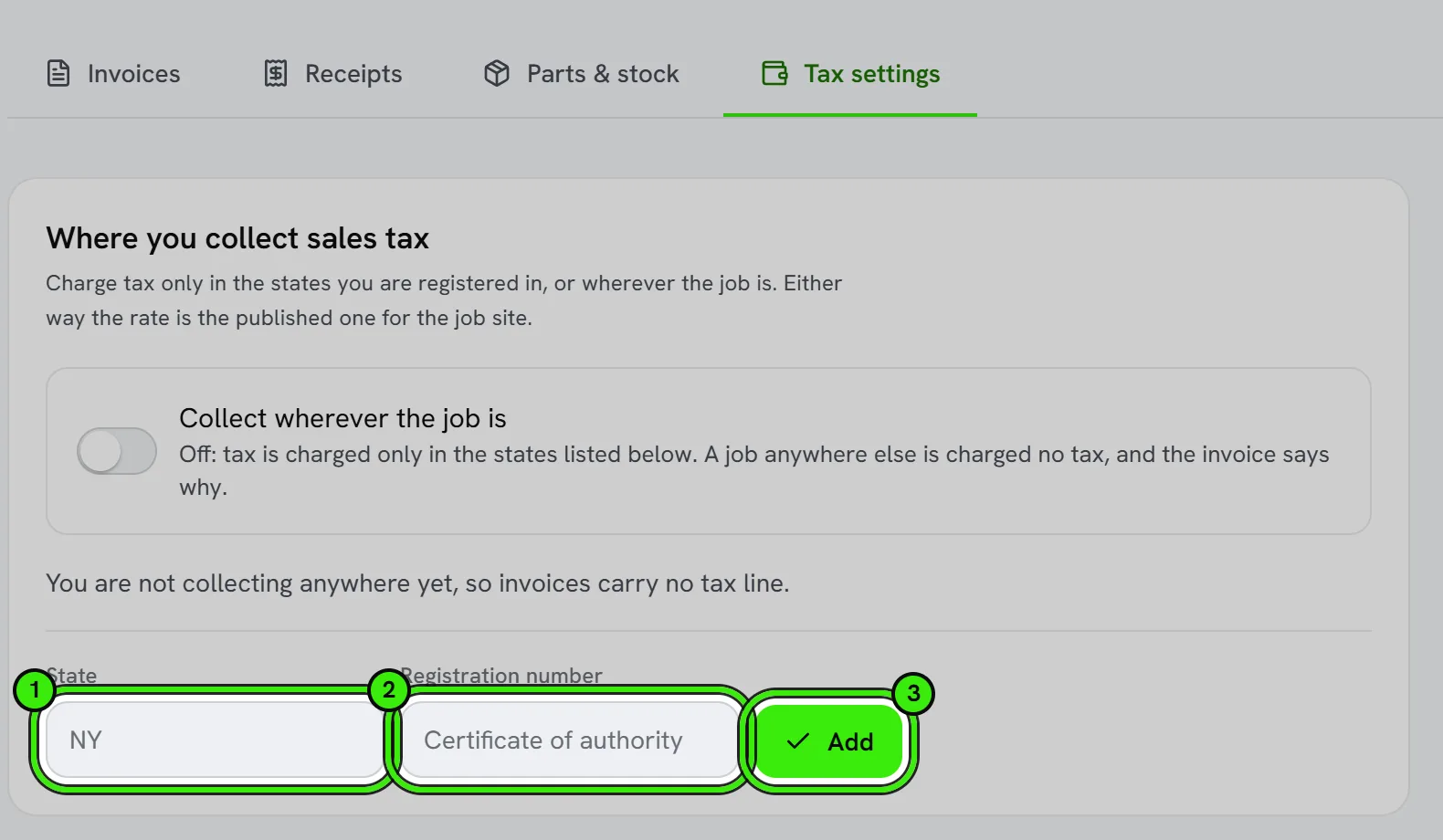
Collecting wherever the job is
If you would rather charge the tax on every job, wherever it is, switch on "Collect wherever the job is" in Tax settings — on the website, on the iPhone (Invoices & Tax → Tax) and on Android (Business settings → Tax and app preferences). With it on, a job in a state you have not added is charged that state's published rate for the job's ZIP code, with every other rule — what is taxable, what a certificate exempts — applied exactly as for a state you are registered in. Each such invoice carries a line saying you are not registered there, because tax you collect is the state's money: register with that state before the tax is due, since there is no return on file to remit it on yet. It is off unless you turn it on.
Rates
Seayora ships rates for the Northeast — New York, New Jersey, Connecticut, Massachusetts, Rhode Island, Maine, Vermont and Pennsylvania — the state rate and the county, city and district rates that sit on top of it, each with the bulletin it comes from. New Hampshire has no sales tax. In Vermont only five local-option towns are matched by name (Burlington, South Burlington, Winooski, Colchester, Stowe), because a Vermont postal name often covers a neighboring town that levies nothing; anywhere else in Vermont the invoice says it carries the state rate only. Everywhere else you enter the rates yourself for the areas you work in, from your state's own rate lookup, with the area's ZIP or name. Until a rate is on file, taxable work in that state resolves "undetermined" and the invoice cannot be issued — the screen says exactly what is missing. New York is covered county by county across the whole state — every county outside New York City has its own rate on file, from Nassau and Suffolk to Erie and Monroe — so an address there is charged the full combined rate, not the 4% state rate. If the ZIP code sits across two counties with different rates, Seayora cannot know which applies, and it will not charge the state rate alone: the invoice or charge stops and asks for your own combined rate for that job (App preferences → your combined rate), because 4% where 8% is owed is a shortfall you would pay yourself. There is no federal sales tax in the United States; what you collect is the state rate plus the local rates on top of it.
There is no place to type a local rate any more (2026-10-09): a county or city rate typed by hand is the commonest way an invoice ends up charging a rate no state publishes, so the rate always comes from the job's ZIP code and Seayora's own published table — "Rates for every ZIP code" in Invoices, Receipts & Sales Tax for Contractors lists them. Where the table has no rate for the area, the invoice says so rather than guessing, and your own combined rate in App preferences is the fallback, printed on the invoice as your own rate. Rates you entered before this change still apply until they end, and invoices already issued keep the rate they were issued at.
Exemption certificates
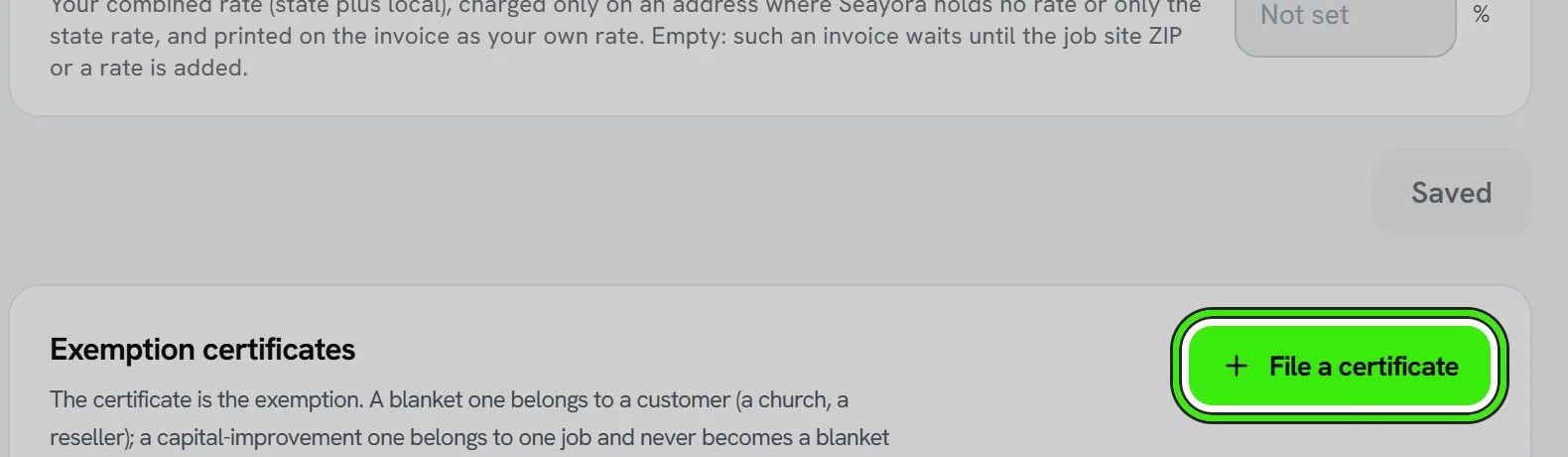
The certificate is the exemption. Filing one here — the form, its number, who signed it, when, and a scan — is what lets an invoice go out without tax on the work it covers. Without it, the work is taxed, whatever it obviously was.
| Certificate | What it is | Scope |
|---|---|---|
| Capital improvement (NY ST-124, NJ ST-8 and equivalents) | The property owner certifies the work is a capital improvement. The owner, not you, is liable if the claim is wrong. | One job. It never becomes a blanket exemption for that customer. |
| Exempt organization | A church, school or government body's exemption. | The customer, on every job. |
| Resale | The customer is reselling the work. | The customer. |
| Direct pay | The customer remits the tax directly to the state. | The customer. |
| Contractor exempt purchase (NY ST-120.1 and equivalents) | Your own certificate for buying materials tax-free on qualifying work. | Your purchases, not the customer's invoice. |
A certificate with an expiry stops applying on that date. Revoking one keeps it on file — invoices already issued under it relied on it, and that record has to survive.
Reading each state's rule
For every state you add, the screen shows what Seayora will apply — whether repair labor is taxed, whether a capital improvement is exempt and which form claims it, whether you are treated as the consumer of materials or a retailer, and the statute or bulletin it comes from. A state flagged "has exceptions" carries rules a simple table cannot fully hold (Arizona's two contracting regimes, Washington's treatment of the whole contract as a retail sale, Mississippi's separate contractor's tax); Seayora applies the general rule and says so on the invoice, and you should confirm the treatment with your accountant.
A note on what this is
Seayora keeps the rules and rates, computes the tax, and prints the basis. It does not determine your obligations, decide whether you have nexus in a state, register you, file, or remit, and none of it is tax advice. The rules are kept current and are corrected when a state amends them, but the responsibility for what you collect and file remains yours — see the Terms of Service.
Frequently asked questions
I work in a state that is not on the list of rules.
Seayora holds the TAXABILITY rules for every US state and DC — what is taxed, what a capital improvement needs, whether you are the consumer of materials. RATES are a separate thing: the Northeast (New York, New Jersey, Connecticut, Massachusetts, Rhode Island, Maine, Vermont and Pennsylvania) is shipped by ZIP code, and for any other state set your own fallback rate in App preferences, which prints on the invoice as your own rate. If a state is missing from the rules picker, contact support.
Where did Local rates go?
They were removed on 2026-10-09. Rates come from the job's ZIP code and Seayora's published table, so nothing typed by hand can put a wrong county rate on an invoice. Where the table has no rate, use your own combined rate in App preferences.
Can I charge tax in a state I am not registered in?
Yes, if you switch on "Collect wherever the job is" in Tax settings. The state's published rate is charged and the invoice says you are not registered there. Register before the tax is due — collected tax is the state's money either way.
Can I collect tax while my registration is pending?
Ask your accountant or the state. Seayora only charges tax in states you have declared a registration for.
Related guides
Related features and guides
- Invoices, Receipts & Sales Tax for Contractors — Documentation. How a contractor invoice is built in Seayora, how sales tax is worked out for the job site line by line, what the customer sees at checkout, and when a receipt is issued.
- Parts & Materials: What Gets Taxed and What Does Not — Documentation. The parts catalog, why "tax paid at purchase" matters, what buying on a resale certificate changes, use tax, purchase-tax credits, and the parts tax report.
- Charging a Customer Quickly — Documentation. One form: the kind of work, labor and parts, the job site — and the card or a pay link, with the right sales tax and the rule behind it.
- Sales Tax Basics for Contractors and Service Businesses — Guide. When contractors charge sales tax: how states treat repairs, capital improvements and materials, what nexus means, and the exemption certificates to keep.
- Pricing Tiers, Tax Quotes & Receipt Capture — Feature. Configurable pricing tiers, tax quoting, late fees, promo redemption, PDF invoices, and OCR receipt scanning that turns a photo into a booked expense.
- Accounting for Service Professionals: A Practical Starter Guide — Guide. Bookkeeping basics for contractors and trades: a clean chart of accounts, cash or accrual, job costing, and the reports that show if a job made money.