Utility Billing: Splitting a Building’s Utility Bill Between Its Units
How a landlord or manager splits a water, sewer, trash, gas or electricity bill between a building’s units, how each way of splitting it works, what stays with the owner, what the tenant sees, where the share is charged, and how to withdraw a bill.
Utility billing splits a building’s utility bill — water, sewer, trash, gas, electricity or heat — between its units and adds each tenant’s share to their next rent charge. It is also called a bill-back, or RUBS (a ratio utility billing system). The owner posts the bill once; Seayora works out every share, tells every tenant, and collects each share with the rent.
Before you post one
- Your tenants’ leases must allow the utility to be billed back, and billing it must be lawful where the building is. Several states and cities regulate bill-backs, and some regulated tenancies do not allow them at all. Seayora asks you to confirm this on every bill and keeps your confirmation with it.
- A bill belongs to one owner. A management company posting for several owners posts one bill per owner.
- Up to 200 units can share one bill.
Posting a bill
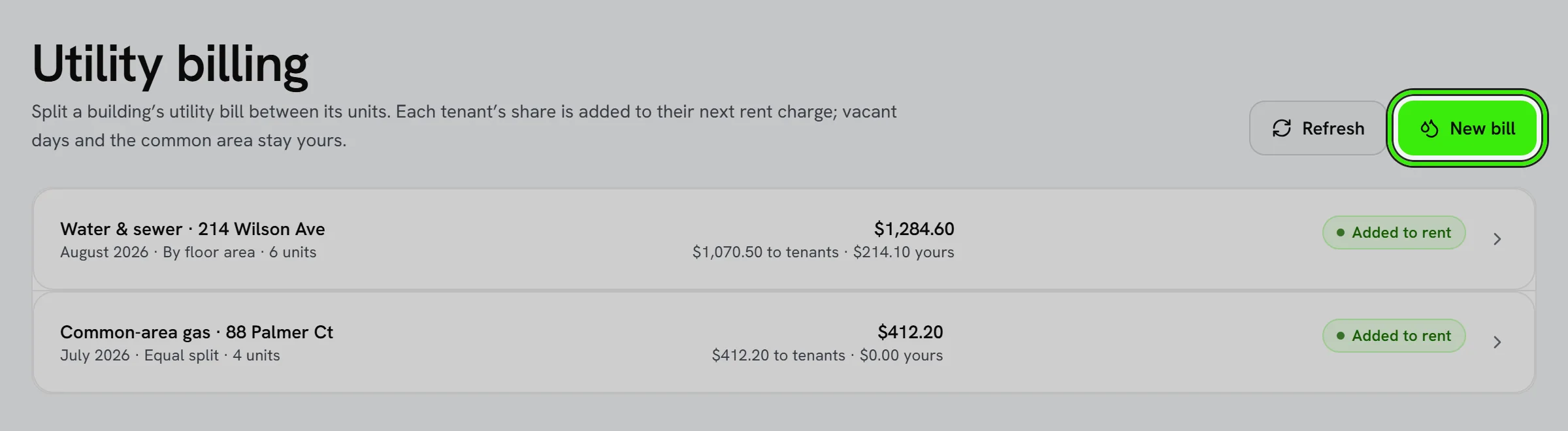
- Open Utility billing — under Money on the landlord and management portals, and in the Tools of the iPhone and Android apps — and choose New bill.
- Pick the utility, the dates the bill covers and the charges for those dates. If part of the bill is for a common area such as a hallway or a laundry room, enter the percentage you keep for it.
- Or choose Read a bill and pick the PDF or a photo of it. Seayora fills in the utility, the dates and the charges for the period for you to check — it never posts on its own, and the file is not kept. It reads the current charges rather than the amount due, because an amount due can include a previous balance that was already billed.
- Choose how to split it and which units share it, then preview the split. The preview shows every share, what you keep, and a sentence explaining each figure.
- Check the confirmation and post. Seayora works the split out again at that moment, so what you previewed is what is billed.
The checks before you post
As you fill the bill in, Seayora checks it against what it already knows and shows the result under Before you post. Nothing is changed for you; each check is a sentence you can act on.
- Days already billed. If a unit was already billed for this utility for some of the same days — the same bill posted twice with a different total, or a water bill over a water-and-sewer bill — Seayora names the unit, the earlier bill and the days in common, and refuses to post until you confirm this is a separate charge, such as a second meter or account.
- Against your earlier bills. Once a utility has been billed for these units before, Seayora compares the cost a unit a day with the average of the last bills and flags a bill that is far above or below it, so a misread meter or wrong dates are caught before tenants are charged.
- What each way of splitting needs. Splitting by floor area needs every unit’s square footage, by bedrooms needs every unit’s bedrooms, and by occupants uses the number of people on each lease. Seayora names the units missing what the chosen method needs.
- The usual way to split this utility. Seayora suggests the method most often used for it — by occupants for water, for example — with a Use this button. It is common practice, not a legal rule: the method you may use is the one your leases provide for.
- Dates that look wrong — a bill covering far longer than a month or a quarter, or running past today.
The five ways to split a bill
- Equal share per unit — every unit pays the same.
- By floor area — each unit in proportion to its square footage.
- By bedrooms — each unit in proportion to its bedrooms, with a studio counted as one.
- By occupants — each lease in proportion to the number of people on it and the days they lived there during the bill’s dates. An empty unit counts as one person for the days nobody lived in it, and that share is the owner’s.
- Custom percentages — you set a percentage for each unit, and they must add up to 100.
What stays with the owner
- Days a unit stood empty. A tenant pays only for the days their lease covered, and a vacant unit’s share is never spread across the tenants who were living there.
- The common-area percentage you set.
- A lease that cannot be billed — one with no tenant on file, or one ending before its next rent charge, so there is nothing to add the share to.
- Every figure is worked out in whole cents, and the shares always add up exactly to the bill.
What the tenant sees
- An email and an in-app notice with their share, the bill’s total, how it was split and the rent charge it was added to.
- The share as its own line on that rent charge, and every share listed with how it was worked out — under My home → Utilities on the website, and under Bills in both apps.
- The share is collected with the rent — by AutoPay if they use it — and the payment-processing fee applies to the whole amount, as it does to rent.
Where the share is charged
A share is added to the tenant’s earliest future rent charge that nobody has started collecting yet. If the rent has not been generated that far ahead, the share waits and is added as soon as it is. If the lease terms change and the future charges are rebuilt, the shares move across to the rebuilt charges. If the lease ends before its next charge, the share becomes the owner’s. On a lease where roommates split the rent, the share is divided between them in the same proportions as the rent.
Withdrawing a bill
- Open the bill and choose Withdraw, with a reason. Every share still on a charge nobody has started collecting is taken off, and each tenant is emailed why.
- A share on a charge already presented for payment — being paid, paid, or being retried — cannot be taken off, because the tenant may be paying it at that moment. Seayora refuses the withdrawal and names those charges; credit the tenant instead.
Connected assistants
A connected AI assistant cannot post or withdraw a utility bill. Posting one is a confirmation by a named person that the leases allow it, and that is not something an assistant should do on anybody’s behalf. A tenant’s share is an item on the rent charge, which an assistant can already read.
Frequently asked questions
Can I bill a utility the lease does not mention?
No. Seayora asks you to confirm on every bill that the leases of the tenants billed provide for it and that billing it is lawful where the building is. Whether that is true is the owner’s responsibility; Seayora records the confirmation with the bill.
What happens to a vacant unit’s share?
It stays with the owner. Vacant days are never spread across the tenants who were living in the building.
I posted the wrong total. How do I fix it?
Withdraw the bill with a reason and post it again with the right figure. If a share is already on a charge that has been presented for payment, credit that tenant instead.
Why was my share added to next month’s rent and not this month’s?
A share is only ever added to a charge nobody has started collecting. If this month’s rent had already been presented for payment, the share goes on the next one.
Why can I not post the same bill twice?
Seayora refuses a second posted bill for the same owner, utility, dates, total and name, because the likeliest reason for one is a double tap. If it really is a second bill, give it a different name.
Why does Seayora say a unit was already billed for these days?
Because a bill already posted for the same utility covers some of the same days for that unit, and posting this one would bill those days twice. Check the dates first. If it really is a separate charge — a second meter or a separate account — confirm that and it posts.
Is the bill I read kept anywhere?
No. The file is read, the figures are filled into the form for you to check, and the file itself is dropped. The posted bill keeps the figures you confirmed, not the document.
Related guides
- Online Rent Collection
- Fees, Payouts & Refunds
- Splitting Rent with Roommates
- Payment Plans for Rent You Cannot Pay in Full
Related features and guides
- Online Rent Collection — Documentation. How to collect rent online with Seayora — setup, payment methods, card surcharges and where state law limits them, records, and how funds move.
- Fees, Payouts & Refunds — Documentation. How Seayora’s fees, subscriptions, payouts, and refunds work, and where payment disputes are handled.
- Splitting Rent with Roommates — Documentation. How roommates on one lease each pay their own share, what it costs, how a late share is handled, and how each roommate’s payments are recorded and reported.
- Billing Tenants for Utilities: Submeters, RUBS and Disclosure Rules — Guide. Texas and California rules for passing utility costs to tenants: lease disclosures, no markup over the bill, and caps on service charges and late fees.
- Split Rent with Roommates — Feature. Roommates each pay their portion of rent directly from their own bank account or card. The landlord sees one compiled total — nobody has to front the whole month.
- Online Rent Collection Software — Feature. Online rent collection: bank transfers free to the tenant, card payments, AutoPay on the lease’s due date, automatic late fees, roommate splitting and receipts issued when rent settles.