The Guided Tour
The walkthrough that runs the first time you open Seayora on the web or in the app — what it covers, how to leave it, and how to start it again whenever you like.
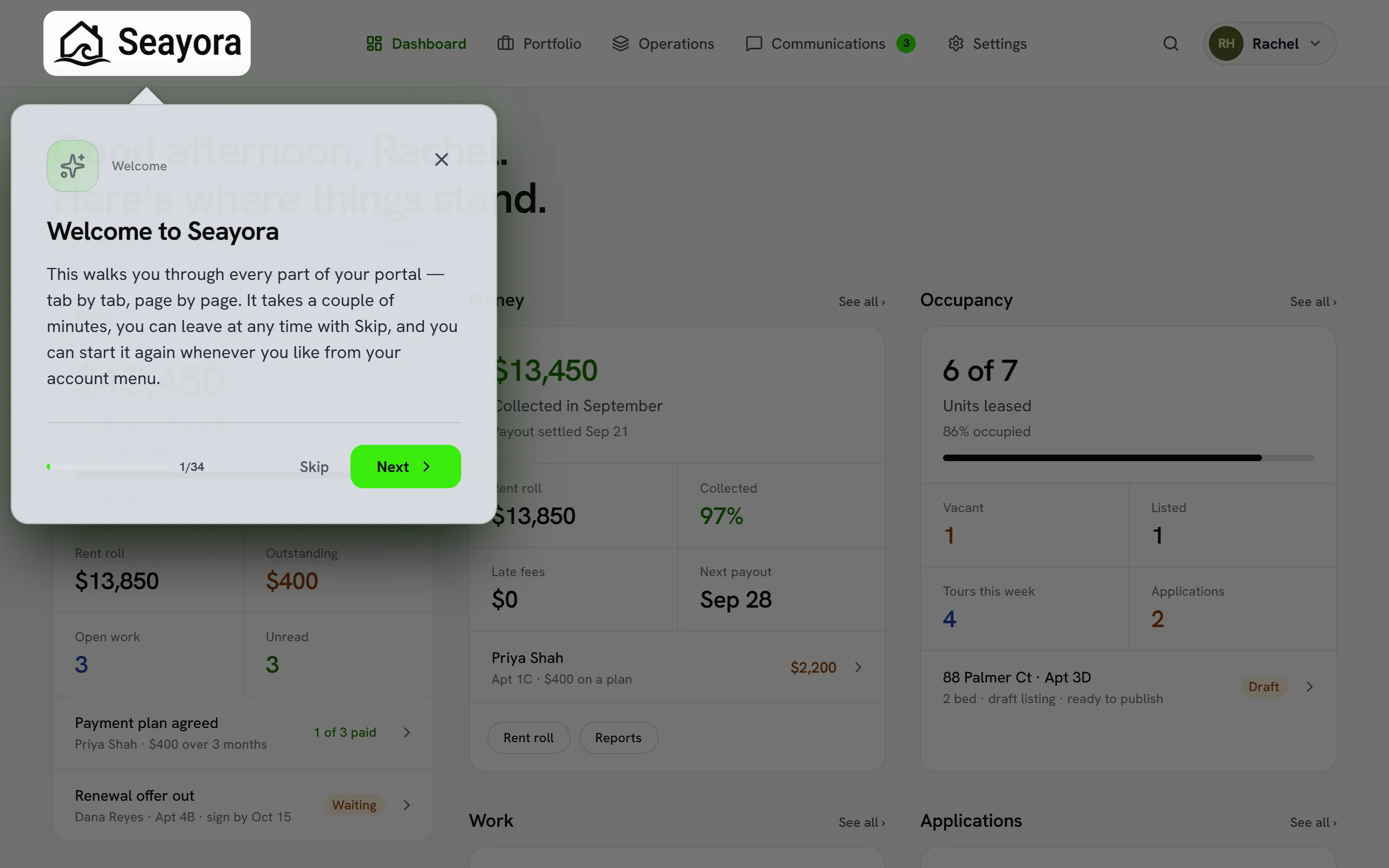
The first time you open your portal after creating an account, Seayora runs a guided tour. It walks you through every page your account can reach, one at a time: it moves you to the real screen, highlights the thing it is describing, and explains what that part of the platform is for. Nothing is clicked on your behalf and nothing is changed — it only navigates and points.
What it covers
Every tab and every page inside it, not just the top-level navigation. The tour is built from the same navigation model the app itself renders, so it can never describe a page that does not exist, and a page can never be missing from it.
- Renters — your rent and payment history, your home (lease, deposit, insurance, inspections, renewals, notices, your building), browsing and saved homes, maintenance, messages and settings. 13 steps.
- Landlords — the dashboard, your portfolio and listings, and all fifteen Operations pages: applications, leases, rent, maintenance, showings, distribution, inspections, assets, devices, community, building health, reports, contractors, calendar and compliance. 27 steps.
- Property managers — the same, plus owners, tasks, the books, your team and check-ins. 31 steps.
- Service professionals — jobs, the time clock, the schedule, your crew, the toolbox, dispatch, calendar, invoicing and sales tax, your books, and payouts. 19 steps.
Leaving it, and picking it back up
You are never trapped in it. Skip, the X in the corner of the card, and the Escape key all end the tour immediately, on any step. Clicking outside the card does not — a tour this long should not end because of a stray click.
If you reload the page or close the tab part-way through, the tour picks up on the step you left off at rather than starting over. Once you finish or leave it deliberately, it does not come back on its own.
Starting it again
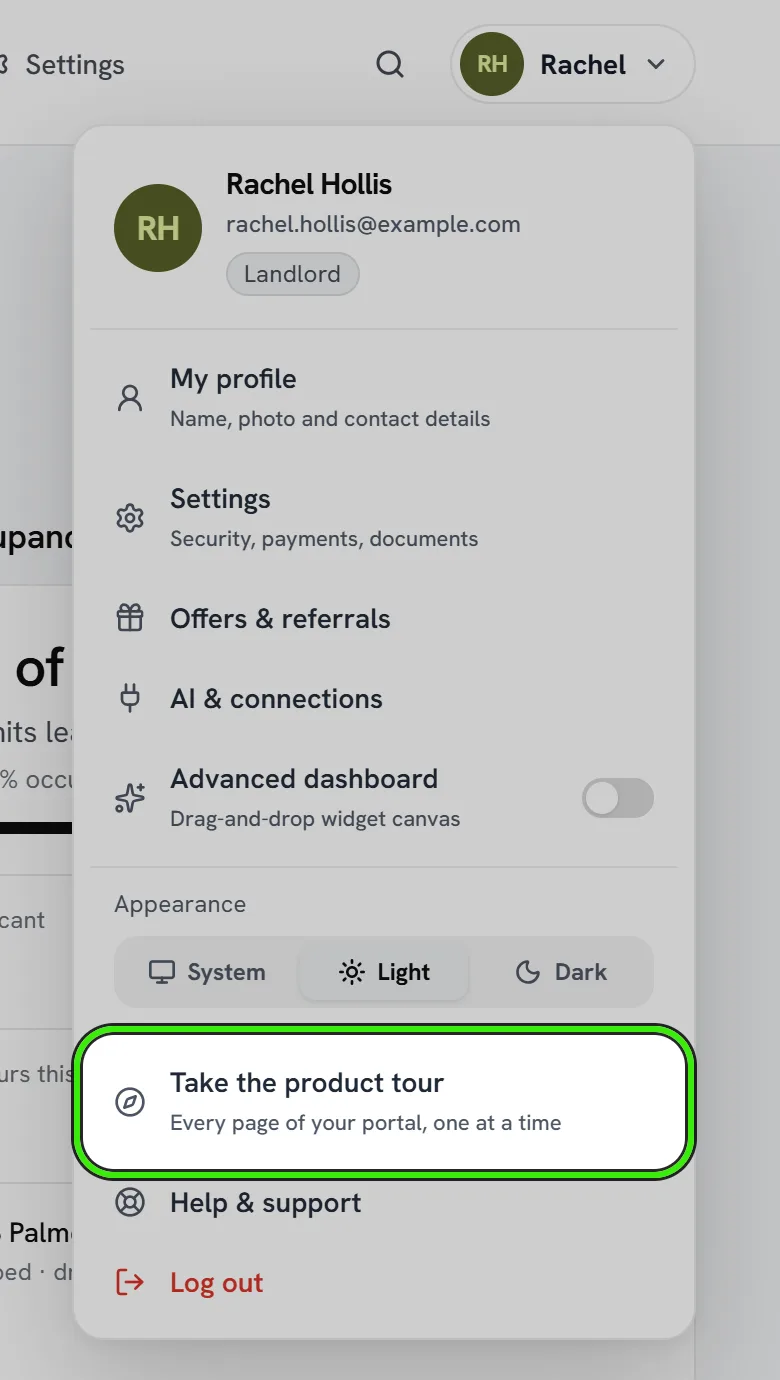
Open the account menu at the top right of any portal page and choose "Take the product tour". It starts from the beginning, as many times as you like. This is also how to see it if you never got it — for example if you signed in on a new device, or created your account before the tour existed.
In the Seayora app
The iPhone and Android apps have their own tour, and it works the same way: it runs once on the first launch after you sign in, moves to each tab, spotlights what it is describing, and explains it. Start it again from Settings — “Take the product tour”, which is what its last step points at.
- The short version is about ten steps — the five tabs, what is inside each of them, and the settings that belong to the phone rather than to your account.
- The welcome card offers a longer one that gives every single page a step of its own. For a property manager that is around forty; for a renter it is a dozen.
- It never taps anything for you. It moves between tabs and scrolls a list so you can see what is being described.
- Skip, the cross, and the back gesture all end it, on any step. If your phone kills the app part-way through — a call, low memory — it picks up on the step you were on.
On a phone browser
The website’s tour runs on a small screen as well as a laptop, and highlights the phone versions of the navigation. If a control genuinely is not on screen at that size, the step is still shown as a card over the page it is about rather than skipped.
What it does not do
The tour does not change any settings, send anything, or create records. It moves between pages you already have access to. Pages your role or your employer’s permissions do not give you are left out of your tour entirely rather than shown and blocked.
Frequently asked questions
Can I take the tour again later?
Yes — open the account menu at the top right of any portal page and choose "Take the product tour". It starts from step one and you can do it as often as you want.
I closed the tour by accident. Is it gone?
Closing it deliberately marks it as seen, but you can restart it any time from the account menu. If you simply reloaded or lost the tab part-way through, the tour resumes on the step you were on.
Does the tour change anything in my account?
No. It navigates between pages and highlights parts of the screen. It does not click buttons, save settings, send messages, or create records.
Why does my tour have fewer steps than a colleague’s?
The tour is built from your own navigation, so it covers exactly the pages your role and permissions give you. A staff member with access to fewer sections gets a shorter tour rather than steps about screens they cannot open.
Is there a tour in the app as well as on the website?
Yes. The iPhone and Android apps each run their own tour on the first launch after you sign in, covering that app’s tabs and pages. Start it again from Settings, under “Take the product tour”.
Related guides
- Seayora Platform Overview
- Roles & Account Types
- Customizing Your Dashboard
- Platform Glossary: Key Terms Explained
Related features and guides
- Seayora Platform Overview — Documentation. What Seayora is, who it is for, and how the listings, leasing, payments, accounting, and service-pro tools fit together in one platform.
- Roles & Account Types — Documentation. The difference between landlord, management, service professional, and tenant accounts — and what each role can do on Seayora.
- Customizing Your Dashboard — Documentation. The Advanced dashboard: a workspace you arrange yourself from live cards, any page of your portal and panels — with saved layouts, templates and keyboard shortcuts.
- In-App Video Calls — Feature. Start a video call from any Seayora conversation, or upgrade a voice call to video mid-conversation. Run remote showings, walk a contractor through a repair, and schedule video meetings on the shared calendar — no personal number, no third-party meeting app.
- Audit Logs — Feature. Audit logging across consequential actions, so account activity, permission changes, and financial entries all leave a reviewable trail.
- Check-Ins & Site Visits — Feature. Record staff check-ins at properties so inspections and site visits leave an auditable trail instead of a verbal report.