The Accounting Audit Log
How Seayora’s immutable, append-only audit log records every accounting action for accountability and trust.
The audit log is an immutable, append-only record of every accounting action — who did what, when.
What it captures
- The entity affected (journal entry, policy, invoice, bill, payment).
- The action taken and a summary.
- The actor and timestamp.
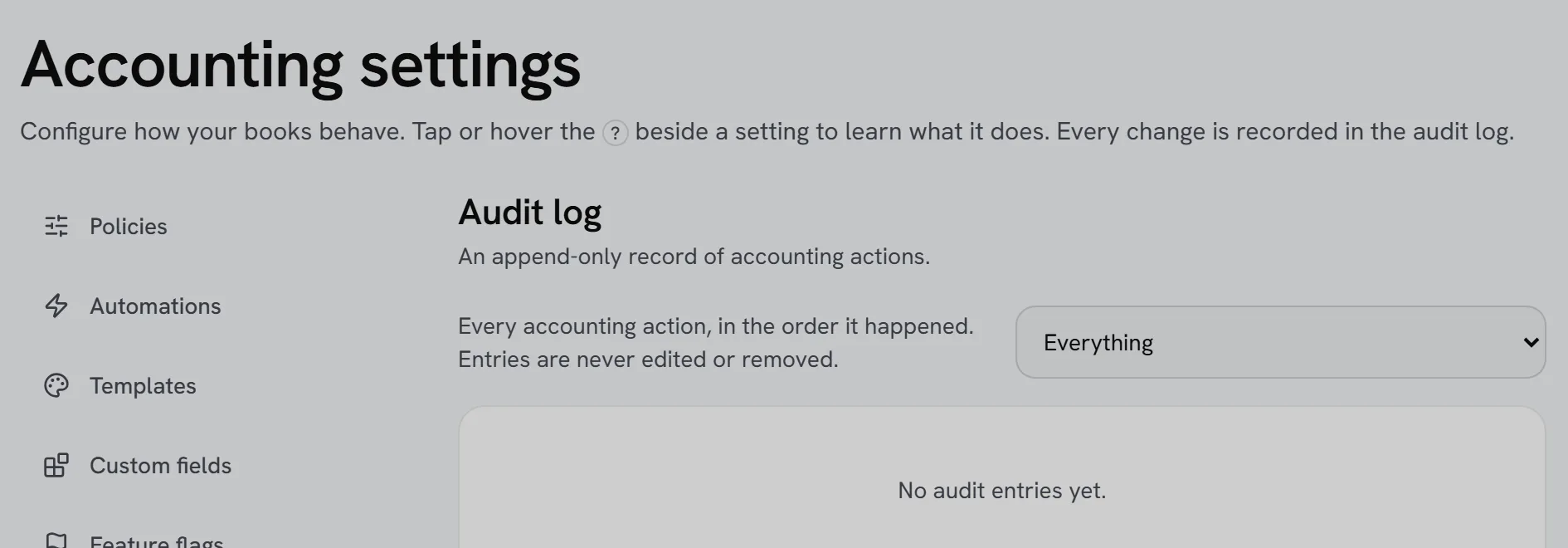
Because entries can’t be edited or deleted, the log provides accountability across a team and a trail you can filter by entity type. It’s for your records and is not a substitute for an external audit.
Exporting the audit log
You can export a filtered slice of the audit log — by date range or entity type — for your own records or to share with an accountant or auditor who wants to see the trail behind a set of numbers.
Why it can’t be edited
An audit log that could be changed after the fact wouldn’t prove anything. Append-only means every entry, including mistakes that were later corrected, stays visible — the correction shows up as a new entry rather than erasing the old one.
Frequently asked questions
Can I search the audit log for a specific person’s actions?
Yes — filter by actor alongside entity type to see everything a specific team member did, useful for onboarding review or investigating an unexpected change.
Does the audit log slow down the accounting suite?
No — logging happens automatically in the background as part of every action, with no extra steps required from you.
Is the audit log visible to every staff member?
Access is typically limited to owners and admin-level roles, since the log can reveal sensitive activity across the whole company.
Related guides
Related features and guides
- Team Roles & Permissions (RBAC) — Feature. Role-based access control with employee accounts, so leasing agents, maintenance staff, and bookkeepers each see only their scope. Every action is audit-logged.
- The Mileage Log and Possible Deductions — Documentation. Record business driving with your phone's GPS, label each trip, and see what your books already deduct and what businesses like yours commonly miss — with the IRS rule behind each item.
- The eviction record — append-only, and why attached messages are frozen — Documentation. Every eviction case keeps a record: each step as it moves, notes, costs, and the messages you attach from the conversation. Nothing is edited or deleted, and an attached message is stored as it read at the moment you attached it — because the live one can still be changed by whoever sent it.
- Management Fees Posted to Your Books — Documentation. For a management company: the fee shown on each owner statement, booked as income when the rent settles, and cleared when you move the fees out of trust.
- Audit Logs — Feature. Audit logging across consequential actions, so account activity, permission changes, and financial entries all leave a reviewable trail.
- Landlord Bookkeeping and Tax Prep: Get Organized Before April — Guide. How landlords keep rental income and expenses organized all year, which costs are deductible, and how to arrive at tax season with clean records.