Rent Increases & Notices
How to communicate a rent increase or other lease notice to a tenant, with a documented delivery record.
A rent increase is easier for everyone when it’s clear, timely, and documented — and some jurisdictions require specific notice periods or limit how much rent can increase.
Sending a notice
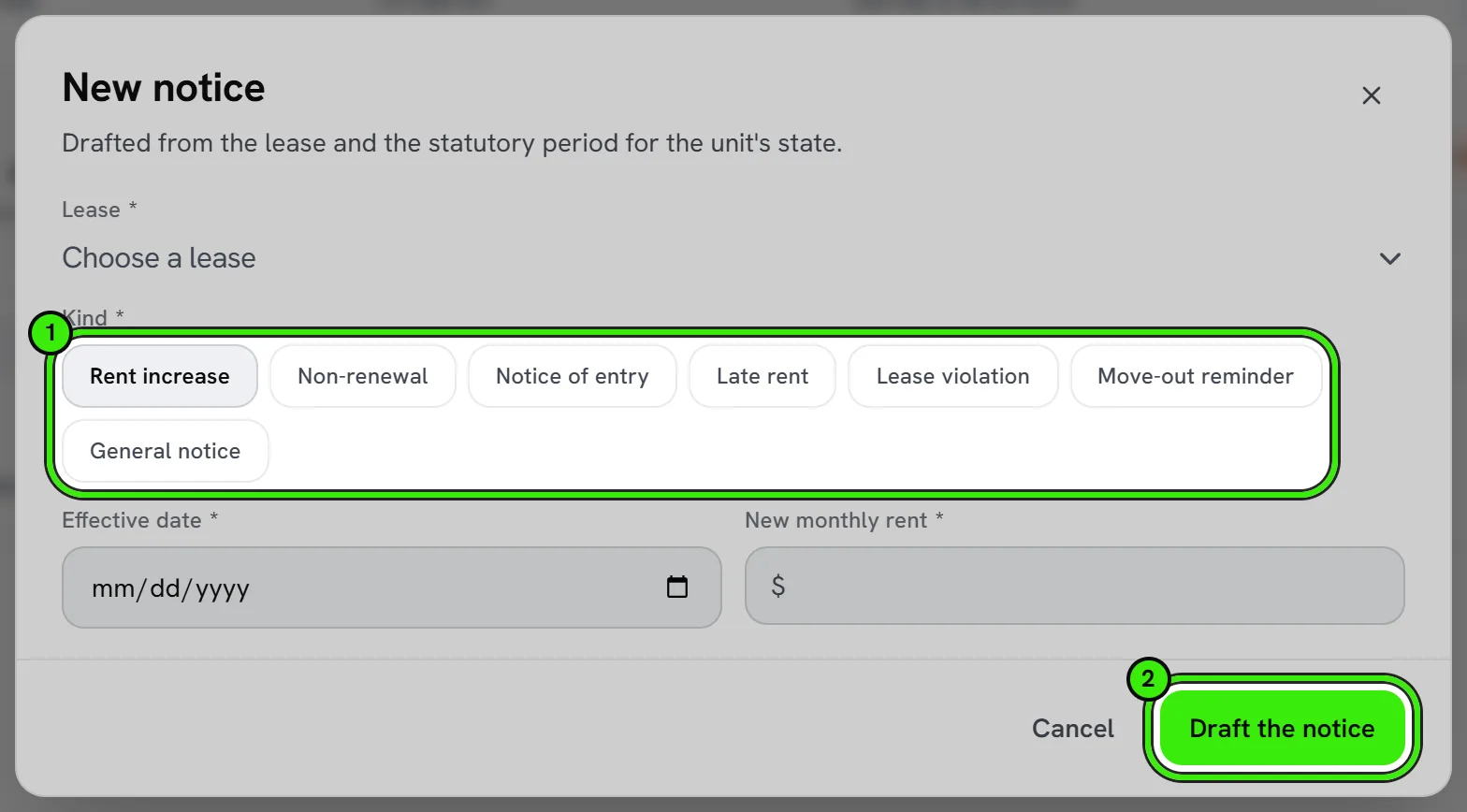
- Draft the notice with the new rent amount and effective date.
- Send it electronically with a delivery and read record.
- Attach it to the lease record for future reference.
Know your local rules
Many states and cities set minimum notice periods for rent increases, and some — particularly in rent-stabilized or rent-controlled jurisdictions — cap how much rent can increase at all. Seayora doesn’t determine these limits for you; confirm your local rules before sending a notice.
Beyond rent increases
The same notice tools work for other formal tenant communications — a policy change, a non-renewal notice, or an entry notice — anywhere you want a documented, timestamped record of delivery.
Frequently asked questions
How much notice do I need to give for a rent increase?
It varies by state and city, and sometimes by how large the increase is. Confirm your local requirement before sending a notice — Seayora doesn’t determine this for you.
Can I send a notice to just one tenant on a shared lease?
Notices are typically sent to all parties on the lease so everyone has the same documented record, even if only one person usually handles communication for the household.
Can I use the same notice tool for a non-renewal?
Yes — the underlying delivery-and-acknowledgment mechanism works for any formal tenant notice, not just rent increases, giving you a documented record either way.
Related guides
Related features and guides
- Lease Renewals & Amendments — Documentation. Renewing an expiring lease, the last day you can lawfully serve notice, what the local market is asking, and what a served notice freezes.
- Creating & E-Signing Leases — Documentation. How to build a lease, send it for electronic signature, and rely on the audit trail under ESIGN and UETA.
- NYC Compliance Tools — Documentation. How Seayora helps track New York City compliance obligations for properties that operate there.
- Lease Renewals & Amendments — Feature. Handle renewals, rent increases, and amendments against the original lease, with the right notices and a clean signed record of every change.
- Broadcast Messaging & Notices — Feature. Broadcast SMS and email notices to an entire building or portfolio at once — water shutoffs, policy changes, and seasonal reminders, without a mail merge.
- Online Rent Collection Software — Feature. Online rent collection: bank transfers free to the tenant, card payments, AutoPay on the lease’s due date, automatic late fees, roommate splitting and receipts issued when rent settles.