Quality & Operations Tools
Your reputation score and how it is calculated, customer ratings, quality audits, warranties, and the operating rules your company runs by.
Quality tools measure how your business is actually running, from records you already create. Nothing on this screen is supplied or estimated by Seayora — every figure comes from your own completed jobs, invoices, timesheets, and the ratings your customers gave you.
Your reputation score
One number from 0 to 100, with a letter grade, built from six weighted factors:
| Factor | Weight | What it measures |
|---|---|---|
| Customer satisfaction | 30% | The average of the ratings customers gave you in the window. |
| Disputes | 25% | How often work is disputed per completed job, and how many are still open. |
| Quality audits | 15% | The share of your own audits that met your own pass mark. |
| On-time completion | 15% | Jobs finished on or before the day they were scheduled for. |
| Job documentation | 10% | Completed jobs that have the before and after photos you require. |
| Warranty claims | 5% | Registered warranties that were later claimed back. |
Why you might not see a score
Below a minimum number of customer ratings the score is withheld entirely, and the screen says how many more are needed. One five-star rating is not a five-star company, and showing it as one would be misleading rather than encouraging. You set that minimum yourself under Operating settings.
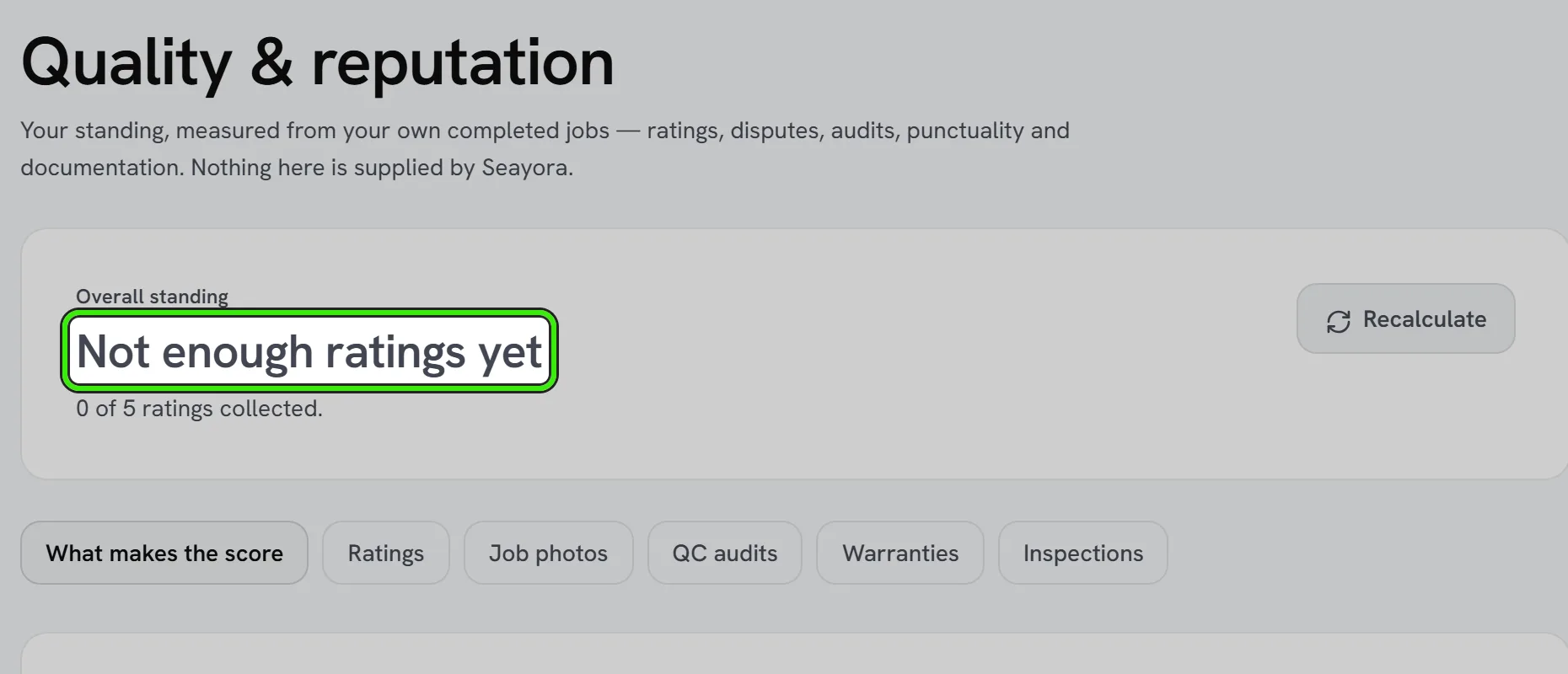
A factor can also read “couldn’t check”. That means the measurement failed, not that you scored zero — it is excluded from the total rather than counted against you, and the reason is shown. Anywhere on Seayora, a figure that could not be read says so rather than showing a zero.
The score ranks where to spend attention. It is not a certification, and Seayora does not publish it to customers or use it to rank you in the marketplace.
Asking a customer to rate a job
From the Quality screen, enter the job number and send a request. You never type the customer’s email address — it comes from the job record, so a request can only ever reach somebody who is genuinely a party to that work.
The customer gets a personal link that opens a one-tap rating page; they do not need a Seayora account. Only one request per customer per job is ever sent, and reminders are capped by a limit you set. Ratings can also be collected automatically after a job completes, which is switched off by default.
Pointing customers to your public reviews
Under Operating settings you can paste the link to your public review page — your Google Business Profile’s review link, for example. Once a customer has rated a job they are offered that link too, on the website, so a good experience can also help the next customer find you. The link must start with https://; it is checked when you save it and again before a customer sees it.
Every customer who rates a job is offered the link, whatever rating they gave. Seayora does not let you show it only to customers who gave you four or five stars. That practice is called review gating: Google’s review policy prohibits businesses from selectively soliciting positive reviews, the FTC’s guidance for businesses says not to ask only the customers you expect to leave positive ones, and a Business Profile caught doing it can have its reviews removed. The private rating still comes to you either way, so you hear about a problem first.
Photo gates
You can require before and after photos on every job — it is off until you turn it on, under Toolbox → Operating Settings — and choose whether missing photos merely flag the job or actually block a technician from closing it. You can also require photos to carry a location, and set how many are needed at each stage.
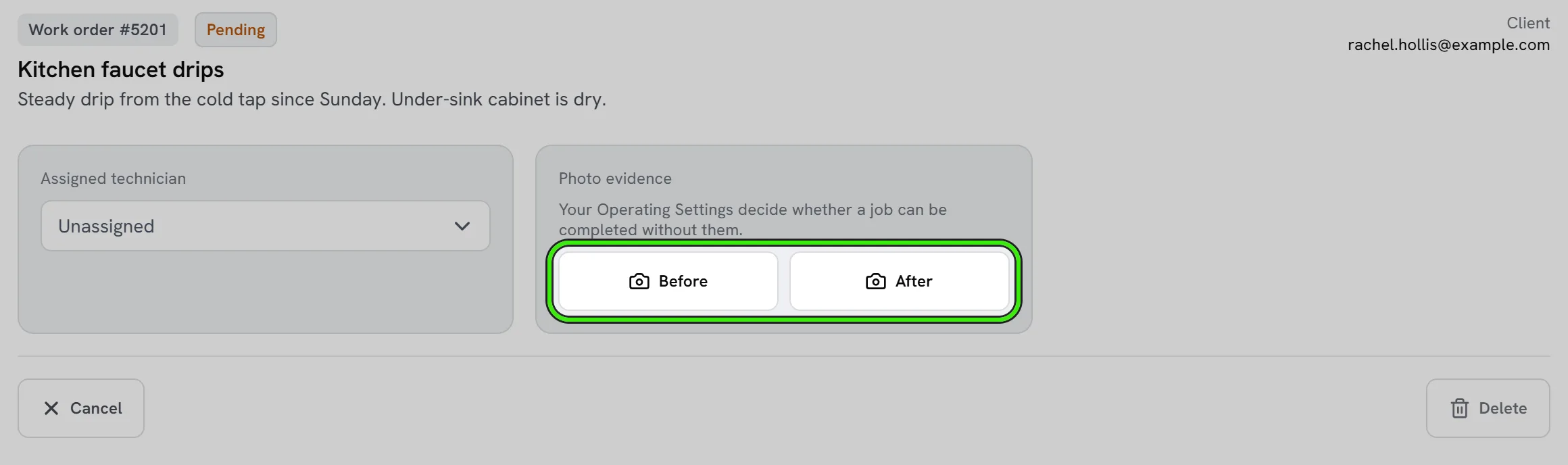
If Seayora cannot read your settings at that moment the gate does not block — refusing to let somebody close a job because of a problem at our end would be the worse failure — but the job is flagged rather than recorded as having passed.
Quality audits and warranties
Audits are scored out of ten against a pass mark you set, and you can require one on any job invoiced above an amount you choose. Warranties record what is covered and for how long; the expiry date is calculated from the start date and the term, never typed separately, so the two can never disagree.
Operating settings
The rules above, plus estimate markup and contingency, restocking policy, customer tiers, the job-site geofence radius, and time-off policy, all live under Operating settings. Every one of them is enforced by Seayora, not just remembered — the part of the product that reads each setting is named beside it.
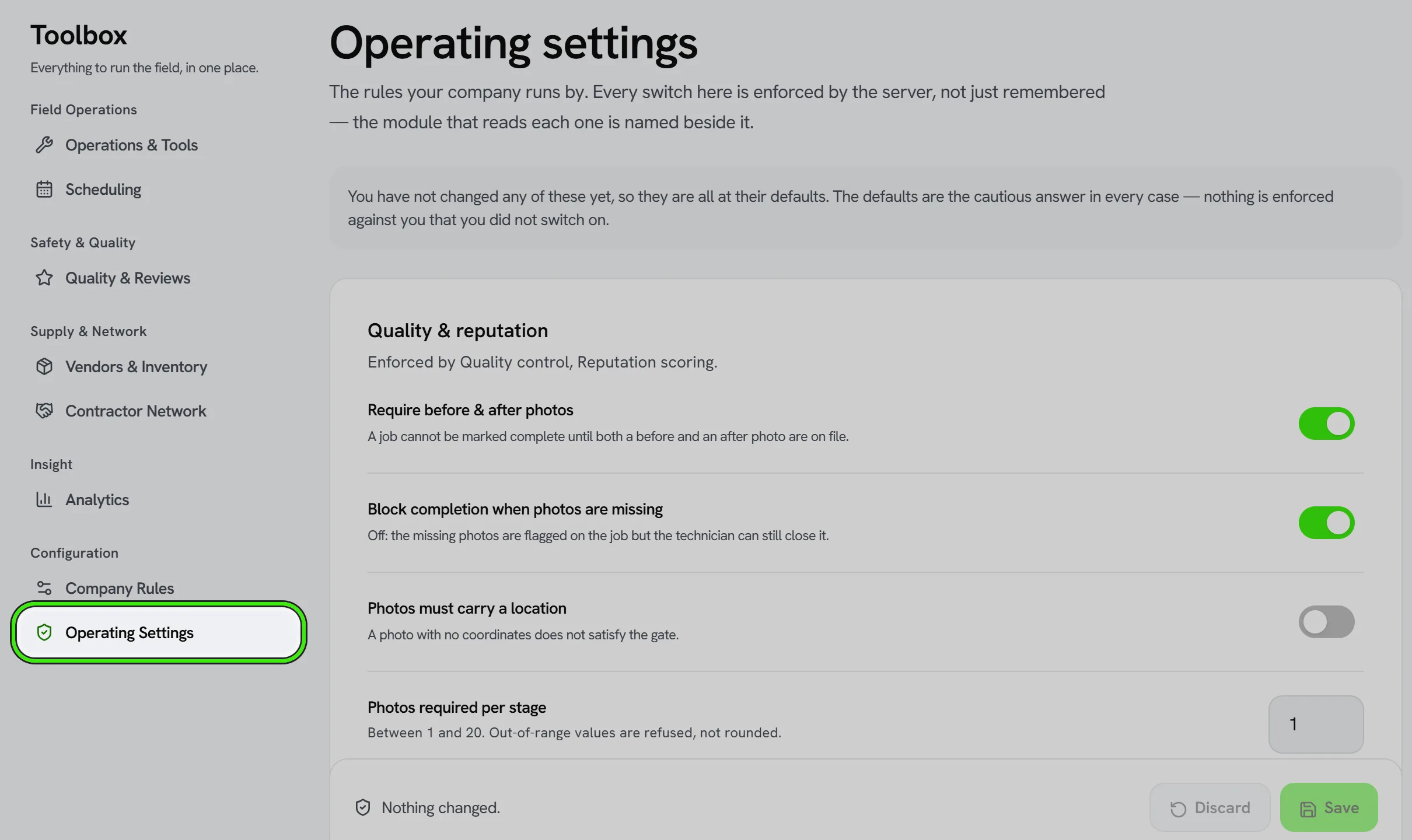
Where a setting is a limit, leaving it empty means no limit. That is a different answer from zero, and the screen tells you which one you are looking at. Values outside the allowed range are refused with an explanation rather than quietly rounded.
Handling a bad review or complaint
Respond promptly and professionally, and use it as a data point — one complaint might be an outlier, but a pattern across jobs usually points to a real process issue worth fixing rather than a one-off customer problem. The dispute themes on your Analytics screen group complaints by what customers actually wrote, which is where a pattern shows up first.
Frequently asked questions
How is my reputation score calculated?
From six weighted factors — customer ratings, disputes, quality audits, on-time completion, job documentation, and warranty claims — measured across your own completed jobs. Only factors that could actually be measured count toward the total; a factor with nothing to measure, or one whose measurement failed, is excluded rather than scored as zero.
Why does my score say “not enough ratings yet” instead of a number?
Because you have fewer customer ratings than the minimum you set. A score built on one or two responses would move wildly and mean very little, so it is withheld until there is enough behind it. The screen shows how many more are needed.
Does Seayora show my reputation score to customers?
No. It is an internal measure to help you see where to spend attention. It is not published, not used to rank you in the marketplace, and not a certification of anything.
Can I email a review request to any address?
No. The recipient is taken from the job record, so a request only ever reaches somebody who is a party to that job. This is deliberate — it stops the feature being usable to send mail to arbitrary addresses.
Can I show my Google review link only to customers who rated me highly?
No. Every customer who rates a job is offered it. Showing it only to happy customers is review gating, which Google’s review policy prohibits and the FTC’s guidance warns against — and it can cost you the reviews you already have.
What does “couldn’t check” mean on a factor or a figure?
That the measurement failed at our end. It is deliberately different from a zero or an empty list: nothing is being counted against you, and the underlying reason is shown so you can tell the two apart.
If I leave a limit empty, is that the same as setting it to zero?
No, and the difference matters. Empty means no limit at all; zero means a limit of zero. Each setting says in words what leaving it empty will do.
Can I see quality trends across my whole team, not just myself?
Yes — the Analytics screen ranks technicians on jobs completed, on-time rate, hours logged, average customer rating, and disputes, so patterns across the crew are visible rather than only per individual.
Related guides
Related features and guides
- Dispatch & Work Orders — Documentation. How jobs are routed to service pros, how work orders track status, and how approval limits keep spending in check.
- The Service Pro Dashboard — Documentation. How service professionals manage jobs, finances, and operations from a single dashboard.
- Customer & Vendor Portals — Documentation. What a customer or vendor can see and do from the portal link you send them — invoices and their PDFs, statements, paying online, automatic payment, memberships, and sending you a bill.
- Warranties, QC Audits & Photo Verification — Feature. Photo verification gates, QC audits, and warranty tracking, so completed work is documented and warranty obligations do not get forgotten.
- Reviews, Reputation & CSAT — Feature. Request reviews, capture customer satisfaction scores, and build a reputation score that landlords see when deciding who to dispatch.
- Quality & Performance Tracking — Feature. Quality and performance tracking across completed jobs, so consistently good work is visible to the landlords deciding who to dispatch next.